Growatt SPF ES Battery Communication Error (CAN)
Updated 6 September 2026 · By SolarNevs Research Desk, Dealer surveys + verified sources · 1 source · Method ↗
Key Takeaways
- A "BMS communication error" (Warning Code 20 or Warning Code 33) means the inverter cannot talk to your lithium battery.
- Always first check the physical communication cable connection between the inverter and the battery.
- Verify the correct battery type (Program 05) and communication protocol (Program 36) are selected on the inverter.
- Before inspecting or disconnecting any wiring, ensure all power sources (PV, AC, battery) are safely disconnected.
- If basic checks do not resolve the issue, or if internal component failure is suspected, contact a qualified technician.
Why is my Growatt SPF ES inverter showing a battery communication error?
Your Growatt SPF ES inverter displays a battery communication error, often indicated by Warning Code 20 or Warning Code 33, when it fails to establish or maintain communication with your lithium battery's Battery Management System (BMS). The most common reasons for this are an incorrect physical cable connection or an improperly configured communication protocol setting on the inverter. The first step to resolve this is to inspect the communication cable.
Diagnosis
Follow these steps to diagnose a battery communication error on your Growatt SPF ES inverter.
- Check the Inverter Display for Error Codes:
- Look for "Warning code 20" which indicates a "BMS communication error".
- Look for "Warning code 33" which indicates "BMS communication loss".
- If "Fault code 80" ("CAN fault") appears, this typically relates to parallel communication between inverters, not directly to the battery BMS. However, if your system is in parallel and using CAN for battery communication, it might be indirectly related.
- Inspect the Communication Cable:
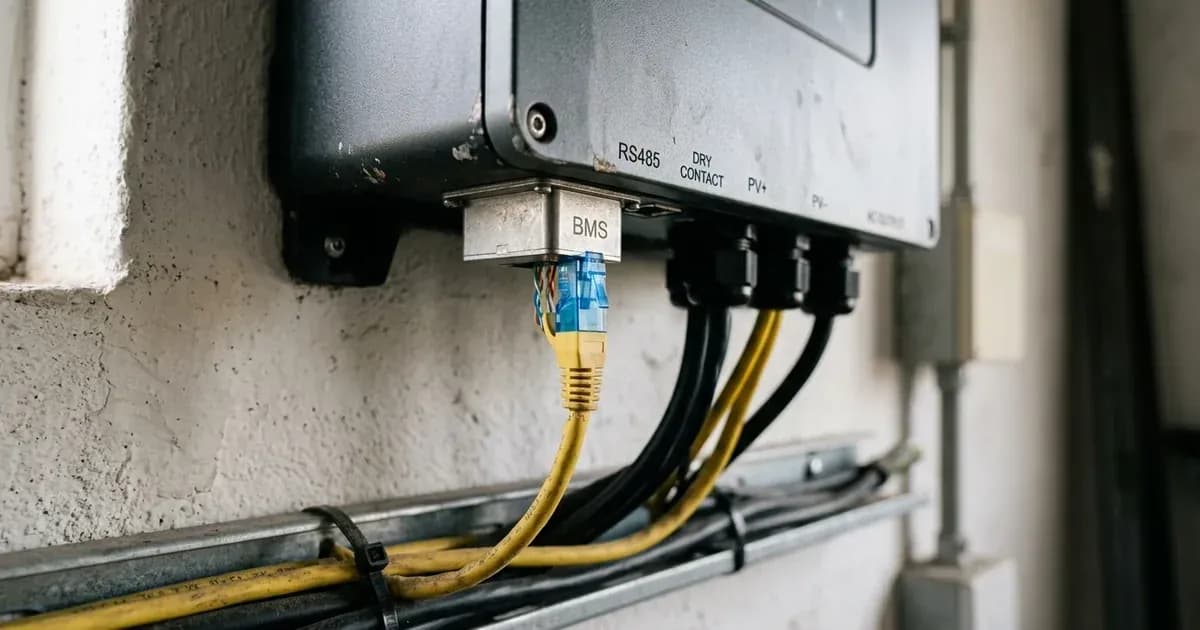
- Physical Connection: Ensure the communication cable is securely plugged into the BMS communication port on both the Growatt SPF ES inverter and your lithium battery. A loose connection is a common cause.
- Cable Type: Confirm you are using the correct cable type provided by your battery manufacturer for CAN communication. The Growatt SPF ES inverter's BMS communication port supports both CAN and RS485 protocols.
- Damage: Check the cable for any visible signs of damage, such as cuts, kinks, or bent pins.
- Verify Program 05 (Battery Type) Setting:
- Access the inverter's settings menu.
- Navigate to "Program 05: Battery type".
- If you are using a lithium battery with BMS communication, this setting should be "LI".
- If you are using a lithium battery without BMS communication, it should be set to "User-Defined 2". If "User-Defined 2" is selected, the inverter will not attempt BMS communication, and you must manually set charge and cut-off voltages in Programs 19, 20, and 21.
- Verify Program 36 (Communication Protocol) Setting:
- Access the inverter's settings menu.
- Navigate to "Program 36: Communication protocol".
- For CAN communication, this setting should be within the range of "Protocol 51 ... Protocol 99".
- Ensure the selected protocol number matches the specific CAN protocol required by your lithium battery's BMS. This information is typically found in your battery's manual.
- Check Battery Side:
- BMS Status: Consult your battery's manual or display (if available) to check its BMS status. Ensure the battery's BMS is powered on and not in a fault state.
- Battery Communication Port: Verify that the battery's communication port is active and properly configured according to the battery manufacturer's instructions.
Cause/fix table section
Symptom detail | Likely cause | Fix |
|---|---|---|
Warning code 20: BMS communication error | Communication line not correctly connected between inverter and battery | Check whether communication line is correct connection between inverter and battery. |
Warning code 20: BMS communication error | Incorrect BMS protocol type setting | Check whether BMS protocol type is correct setting in Program 36. |
Warning code 33: BMS communication loss | BMS communication loss | The manual does not provide a specific fix direction for Warning Code 33. Refer to the battery manual or contact support. |
Fault code 80: CAN fault | Parallel communication cables not connected well | Check whether the parallel communication cables are connected well. |
Fault code 80: CAN fault | Incorrect Program 23 settings for parallel system | Check whether Program 23 settings are right for the parallel system. |
Understanding Growatt SPF ES Communication
The Growatt SPF ES series inverters are designed to communicate with lithium batteries that have a Battery Management System (BMS). This communication allows the inverter to receive critical battery data (like State of Charge, voltage, temperature) and adjust charging/discharging parameters accordingly.
Communication Protocols and Cables
The inverter's BMS communication port supports both RS485 and CAN protocols.
- CAN Protocol: For CAN communication, the inverter uses pins 4 (CANH) and 5 (CANL) on the BMS communication port. The specific CAN protocol (ranging from Protocol 51 to 99) must be selected in "Program 36: Communication protocol" to match your battery's BMS.
- RS485 Protocol: For RS485 communication, pins 1 (RS485B) and 2 (RS485A) are used. The RS485 protocol options are Protocol 1 to 50 in Program 36.
Always use the communication cable supplied by your battery manufacturer or an approved equivalent to ensure correct pinout and shielding.
Inverter Settings for Battery Communication
Proper configuration of the inverter's settings is crucial for successful battery communication.
- Program 05: Battery type:
- Select "LI" if your lithium battery has BMS communication. This tells the inverter to expect and utilize BMS data.
- Select "User-Defined 2" if you are using a lithium battery without BMS communication. In this mode, the inverter will not attempt to communicate with a BMS. You must then manually configure the "C.V. charging voltage" (Program 19), "Floating charging voltage" (Program 20), and "Low DC cut-off voltage" (Program 21). The manual recommends setting Programs 19 and 20 to the same voltage, representing the full charging voltage point of the lithium battery, as the inverter will stop charging when this voltage is reached.
- Program 36: Communication protocol:
- As mentioned, this program is where you select the specific protocol number (e.g., Protocol 51-99 for CAN) that corresponds to your battery's BMS. Refer to your battery's manual for the correct protocol.
Firmware Notes
The Growatt SPF ES manuals do not detail a process for updating inverter firmware. If a communication issue is suspected to be firmware-related, or if your battery manufacturer recommends a specific firmware version for compatibility, you would need to contact Growatt support or a qualified service center.
Safety
Working with solar inverters and batteries involves high voltages and currents that can be dangerous. Always prioritize safety.
- Qualified Personnel: All wiring and electrical work must be performed by a qualified person.
- Disconnect Power: To reduce the risk of electric shock, disconnect all wirings before attempting any maintenance or cleaning. Turning off the unit will not reduce this risk.
- Metal Tools: Be very cautious when working with metal tools on or around batteries. A potential risk exists to drop a tool to spark or short circuit batteries or other electrical parts and could cause an explosion.
- Battery Type: To reduce risk of injury, charge only deep-cycle lead-acid type rechargeable batteries and lithium batteries. Other types of batteries may burst, causing personal injury and damage.
- Grounding: This inverter should be connected to a permanent grounded wiring system. Be sure to comply with local requirements and regulation to install this inverter.
- Do Not Disassemble: Do not disassemble the unit. Take it to a qualified service center when service or repair is required. Incorrect re-assembly may result in a risk of electric shock or fire.
When to call a technician instead
You should call a qualified technician if:
- The communication error persists after you have performed all the diagnostic steps, including checking cables and verifying inverter settings.
- You suspect internal damage to the inverter or the battery's BMS.
- You are uncomfortable performing any of the diagnostic steps yourself, especially those involving electrical connections.
- The inverter displays fault codes that suggest internal component failure (e.g., Fault code 09, 53, 57: "Internal components failed").
- Your system is under warranty, and attempting further DIY repairs might void it. The manual states, "Restart the unit, if the error happens again, please return to repair center" for many fault codes, indicating when professional service is recommended.
Still showing the fault? Book a technician
If the steps above did not clear it, tell us the inverter or battery and the exact code. We pass it to a technician who covers your city; visit charges are quoted before they come.
How this pays for the site: the technician or verifier pays SolarNevs a fixed introduction fee. Nobody pays to be recommended, and you are free to use our free guides instead.
Frequently asked questions
What does Growatt warning code 20 mean?
Warning code 20 on a Growatt SPF ES inverter indicates a BMS communication error. This means the inverter cannot communicate to the connected lithium battery.
What does Growatt warning code 33 mean?
Warning code 33 signifies a BMS communication loss. This indicates that the inverter has lost its connection or ability to communicate with the battery's BMS.
How do I check CAN communication settings on a Growatt SPF ES inverter?
To check CAN communication settings, navigate to Program 36 on your Growatt SPF ES inverter. This program allows you to select the correct CAN protocol (Protocol 51-99) that matches your battery's BMS.
What cables are used for Growatt SPF ES battery communication?
The Growatt SPF ES inverter uses a BMS communication port that supports both CAN and RS485 protocols. For CAN communication, pins 4 (CANH) and 5 (CANL) are used on this port.
Can I use a lithium battery with Growatt SPF ES without BMS communication?
Yes, you can use a lithium battery without BMS communication by selecting 'User-Defined 2' in Program 05. In this mode, you must manually set battery charge voltage and low DC cut-off voltage in Programs 19, 20, and 21.
References
- Off Grid Solar Inverter SPF 3500 ES SPF 5000 ES Manual — accessed 23 August 2026
Related guides
More from inverter errors & fixes.