Growatt SPF ES Battery Settings: Lithium vs. Flooded
Updated 6 September 2026 · By SolarNevs Research Desk, Dealer surveys + verified sources · 1 source · Method ↗
Key Takeaways
- Always match inverter settings to your specific battery type (lithium, AGM, flooded).
- Lithium batteries with BMS communication should use Program 05 "LI" and the correct protocol in Program 36.
- For lead-acid or lithium without BMS, use "User-Defined" or "User-Defined 2" to manually set voltages.
- Incorrect voltage or current settings can damage batteries, reduce their lifespan, or cause inverter faults.
How do I configure battery settings on my Growatt SPF ES inverter?
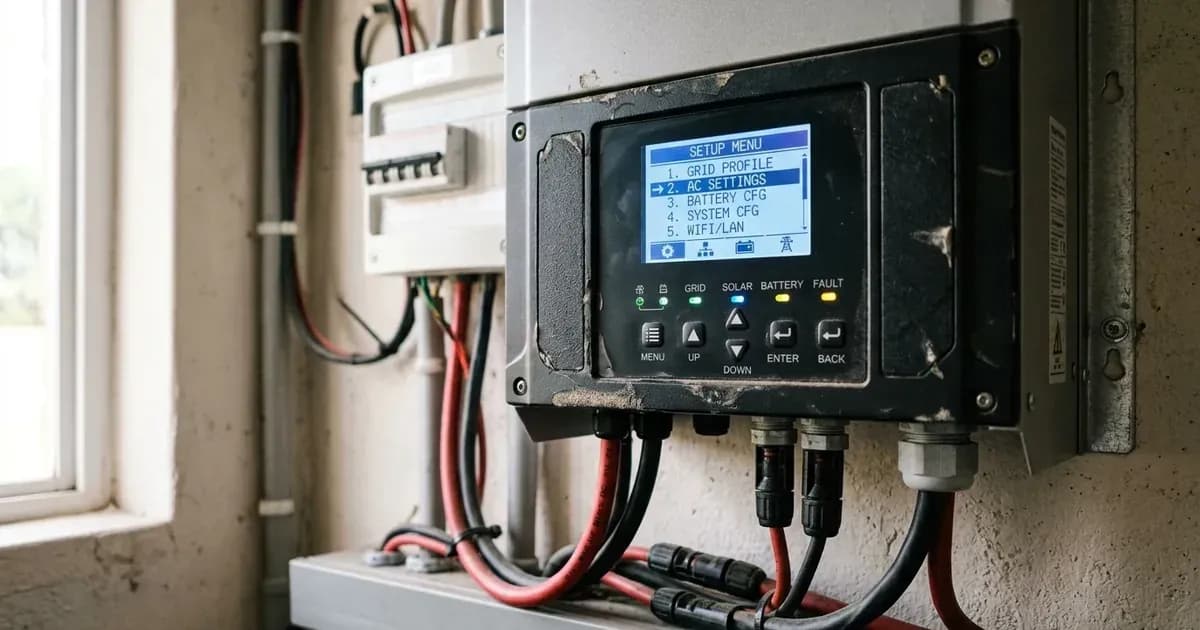
The Growatt SPF ES inverter supports various battery types, including AGM, flooded lead-acid, and lithium. Proper configuration is essential for battery health and system performance. You configure these settings through the inverter's LCD display menu.
The primary setting for battery type is Program 05. Depending on your selection there, other programs become available for fine-tuning charge voltages, low DC cut-offs, and communication protocols.
Diagnosis and Initial Checks
Before adjusting any battery settings, verify your current battery type and its specific voltage requirements. Incorrect settings can lead to overcharging, undercharging, or premature battery failure.
- Identify your battery type: Determine if you have AGM, flooded, or lithium batteries. For lithium, check if they have a Battery Management System (BMS) that communicates with the inverter.
- Consult your battery manufacturer's specifications: Note down the recommended bulk/absorption voltage, float voltage, and low voltage cut-off for your specific battery model. For lithium batteries, also note the recommended charge current and any specific communication protocols (e.g., RS485, CAN).
- Check current inverter settings: Navigate through the Growatt SPF ES LCD menu to view the current values for Program 05, Program 19, Program 20, Program 21, and Program 36. This helps identify any discrepancies.
- Inspect battery wiring: Ensure all battery terminals are clean and tight. Loose connections can cause voltage drops and affect charging accuracy.
- Look for fault codes: If the inverter is displaying any fault codes, especially Fault code 03 Battery is over-charged, Warning code 04 The battery voltage/SOC is too low, Fault code 08 Bus voltage is too high, or Warning code 20 Li battery can't communicate to the inverter, address these before adjusting settings.
Battery Setting Issues and Solutions
Symptom detail | Likely cause | Fix |
|---|---|---|
Battery not charging to full capacity or charging too slowly | Incorrect charge voltage settings (Program 19, 20) or low charge current. | Adjust Program 19 (C.V. charging voltage) and Program 20 (Floating charging voltage) to match battery specifications. Ensure the inverter's maximum charging current is sufficient for your battery bank. |
Battery overcharging or high voltage alarm (Fault code 03 Battery is over-charged, Fault code 08 Bus voltage is too high) | Charge voltages set too high for the battery type. | Reduce Program 19 (C.V. charging voltage) and Program 20 (Floating charging voltage). For lithium without BMS, ensure Program 19 and 20 are set to the full charging voltage point. |
Inverter shuts down due to low battery voltage (Warning code 04 The battery voltage/SOC is too low) | Low DC cut-off voltage (Program 21) set too high, or battery is genuinely discharged. | Lower Program 21 (Low DC cut-off voltage) to protect the battery from deep discharge, but not below the battery manufacturer's minimum recommended voltage. Recharge the battery if genuinely low. |
Lithium battery not communicating with inverter (Warning code 20 Li battery can't communicate to the inverter) | Incorrect BMS communication protocol or wiring. | Check physical communication cable connection between inverter and battery. Verify Program 05 is set to "LI" and Program 36 (Communication protocol) matches the battery's BMS protocol (RS485 or CAN). |
Flooded batteries gassing excessively during charge | Equalization voltage (Program 44) or C.V. charging voltage (Program 19) is too high. | Reduce Program 44 if equalization is enabled and causing excessive gassing. Ensure Program 19 is set correctly for flooded batteries. Always ensure adequate ventilation when equalizing flooded batteries. |
Growatt SPF ES Battery Configuration
The Growatt SPF ES inverter offers flexible battery settings to accommodate various battery chemistries. The core of battery configuration starts with Program 05, which defines the battery type.
Program 05: Battery Type Selection
This program determines how the inverter manages battery charging and discharge parameters.
Setting Name | Battery Type/Family | Value/Protocol | Caveat |
|---|---|---|---|
Program 05: Battery type | AGM (default) | AGM | Default setting for Absorbed Glass Mat lead-acid batteries. |
Program 05: Battery type | Flooded | Flooded | For traditional flooded lead-acid batteries. |
Program 05: Battery type | Lithium (with BMS communication) | LI | Only suitable when communicated with BMS. The inverter will receive charging parameters directly from the battery's BMS. |
Program 05: Battery type | User-Defined (Lead-acid or Lithium without BMS) | User-Defined | If “User-Defined” is selected, battery charge voltage and low DC cut-off voltage can be set up in program 19, 20 and 21. |
Program 05: Battery type | User-Defined 2 (Lithium without BMS communication) | User-Defined 2 | suitable when lithium battery without BMS communication. If “User-Defined 2” is selected, battery charge voltage and low DC cut-off voltage can be set up in program 19, 20 and 21. It is recommended to set to the same voltage in program 19 and 20(full charging voltage point of lithium battery). The inverter will stop charging when the battery voltage reaches this setting. |
Charging Voltage Settings (Programs 19, 20)
These programs are active when "User-Defined" or "User-Defined 2" is selected in Program 05. They allow you to manually set the critical charging voltages.
Setting Name | Battery Type/Family | Value/Protocol | Caveat |
|---|---|---|---|
Program 19: C.V. charging voltage | User-Defined (Lead-acid or Lithium without BMS) | Default 56.4V, 48.0V~58.4V Settable | If self-defined is selected In program 5, this program can be set up. For User-Defined 2, it is recommended to set to the same voltage in program 19 and 20 (full charging voltage point of lithium battery). |
Program 20: Floating charging voltage | User-Defined (Lead-acid or Lithium without BMS) | Default 54.0V, 48.0V~58.4V Settable | If self-defined is selected in program 5, this program can be set up. For lithium batteries without BMS, it is recommended to set Program 19 and 20 to the same voltage (full charging voltage point of lithium battery). |
Bulk Charging Voltage | Flooded Battery | 58.4Vdc | This is a fixed value for Flooded Battery type. |
Bulk Charging Voltage | AGM / Gel Battery | 56.4Vdc | This is a fixed value for AGM / Gel Battery type. |
Floating Charging Voltage | All Lead-acid | 54Vdc | This is a fixed value for all lead-acid battery types. |
Low DC Cut-off Settings (Program 21)
This program protects your batteries from over-discharge.
Setting Name | Battery Type/Family | Value/Protocol | Caveat |
|---|---|---|---|
Program 21: Low DC cut-off voltage | User-Defined (Lead-acid or Lithium without BMS) | Default 42.0V, 40.0V~48.0V Settable | If self-defined is selected in program 5, this program can be set up. Low DC cut-off voltage will be fixed to setting value no matter what percentage of load is connected. Consult battery manufacturer specifications for the correct low DC cut-off voltage for lithium batteries without BMS, or for lead-acid batteries under different load conditions. |
Program 21: Low DC cut-off SOC | Lithium (with BMS communication) | Default 20%, 5%~50% Settable | If “LI” is selected in program 5, this program can be set up. The inverter uses State of Charge (SOC) reported by the BMS. |
Low DC Cut-off Voltage | Lead-Acid Mode, load < 20% | 42.0Vdc | Lead-Acid Mode, load < 20% |
Low DC Cut-off Voltage | Lead-Acid Mode, 20% ≤ load < 50% | 40.8Vdc | Lead-Acid Mode, 20% ≤ load < 50% |
Low DC Cut-off Voltage | Lead-Acid Mode, load ≥ 50% | 38.4Vdc | Lead-Acid Mode, load ≥ 50% |
Low DC Cut-off Voltage | Li Mode (without BMS communication, Program 05 "User-Defined 2") | 42.0Vdc |
|
Battery Equalization (Programs 43-48)
Equalization is a controlled overcharge for flooded lead-acid batteries to balance cell voltages and prevent sulfation. It is not applicable to AGM, Gel, or lithium batteries.
Setting Name | Battery Type/Family | Value/Protocol | Caveat |
|---|---|---|---|
Program 43: Battery equalization | Flooded or User-Defined | Enable/Disable (default) | If “Flooded” or “User-Defined” is selected in program 05, this program can be set up. |
Program 44: Battery equalization voltage | Flooded or User-Defined | Default 58.4V, 48.0V~58.4V Settable |
|
Program 45: Battery equalized time | Flooded or User-Defined | Default 60min, 5min~900min Settable |
|
Program 46: Battery equalized timeout | Flooded or User-Defined | Default 120min, 5min~900min Settable |
|
Program 47: Equalization interval | Flooded or User-Defined | Default 30days, 1 days~90 days Settable |
|
Program 48: Equalization activated immediately | Flooded or User-Defined | On/Off (default) | If equalization function is enabled in program 43, this program can be setup. |
Safety Note on Equalization: Equalization drives flooded cells into the hydrogen gassing region. This process must be performed in a well-ventilated space, free from sparks or flames. Never equalize sealed lead-acid (AGM/Gel) or lithium batteries.
Communication Protocol (Program 36)
For lithium batteries with BMS communication, this program selects the correct protocol.
Setting Name | Battery Type/Family | Value/Protocol | Caveat |
|---|---|---|---|
Program 36: Communication protocol | Lithium (with BMS communication) | RS485 Protocol 1-50 | Choose protocol to match the BMS. |
Program 36: Communication protocol | Lithium (with BMS communication) | CAN Protocol 51-99 | Choose protocol to match the BMS. |
Utility/Battery Mode Transfer Settings (Programs 12, 13)
These programs define the voltage or SOC points at which the inverter switches between utility power and battery power when “SBU priority” or “Solar first” is selected in Program 01.
Setting Name | Battery Type/Family | Value/Protocol | Caveat |
|---|---|---|---|
Program 12: Setting voltage point back to utility source | Lead-acid | Default 46.0V, 44.0V~51.2V Settable | When selecting “SBU priority” or “Solar first” in program 01. |
Program 12: Setting SOC point back to utility source | Lithium | Default 50%, 6%~95% Settable | When selecting “SBU priority” or “Solar first” in program 01. |
Program 13: Setting voltage point back to battery mode | Lead-acid | Default 54.0V, 48.0V~58.0V Settable | When selecting “SBU priority” or “Solar first” in program 01. |
Program 13: Setting SOC point back to battery mode | Lithium | Default 95%, 10%~100% Settable | When selecting “SBU priority” or “Solar first” in program 01. |
Other Important Battery-Related Values
Setting Name | Battery Type/Family | Value/Protocol | Caveat |
|---|---|---|---|
Cold Start Voltage | Lead-Acid Mode | 46.0Vdc |
|
Cold Start SOC | Li Mode | Default 30%, Low DC Cut-off SOC +10% |
|
High DC Recovery Voltage | All | 56.4Vdc | C.V. charging voltage |
High DC Cut-off Voltage | All | 60.8Vdc |
|
Safety: Battery Handling and Inverter Configuration
Working with batteries and inverters involves significant electrical hazards. Always prioritize safety.
- Qualified Personnel: All wiring must be performed by a qualified person.
- Battery Type: To reduce risk of injury, charge only deep-cycle lead-acid type rechargeable batteries and lithium batteries. Other types of batteries may burst, causing personal injury and damage.
- Disassembly: Do not disassemble the unit. Take it to a qualified service center when service or repair is required. Incorrect re-assembly may result in a risk of electric shock or fire.
- Maintenance: To reduce risk of electric shock, disconnect all wirings before attempting any maintenance or cleaning. Turning off the unit will not reduce this risk. Allow sufficient time for internal capacitors to discharge after disconnecting power before touching internal components. Accessing internal components may void your warranty and should only be performed by qualified personnel. Refer to the 'When to call a technician instead' section for guidance.
- Frozen Battery: NEVER charge a frozen battery.
- Metal Tools: Be very cautious when working with metal tools on or around batteries. A potential risk exists to drop a tool to spark or short circuit batteries or other electrical parts and could cause an explosion. Use insulated tools where possible.
- Grounding: This inverter should be connected to a permanent grounded wiring system. Be sure to comply with local requirements and regulation to install this inverter.
- Short Circuits: NEVER cause AC output and DC input short circuited. Do NOT connect to the mains when DC input short circuits.
- Parallel Operation: Be sure that all inverters will share the same battery bank. Otherwise, the inverters will transfer to fault mode.
- Hazardous Operation: Equalization drives flooded cells into the hydrogen gassing region. This process must be performed in a well-ventilated space, free from sparks or flames. Never equalize sealed lead-acid (AGM/Gel) or lithium batteries.
- Hazardous Operation: Be very cautious when working with metal tools on or around batteries. A potential risk exists to drop a tool to spark or short circuit batteries or other electrical parts and could cause an explosion.
When to call a technician instead
While many settings can be adjusted through the LCD, certain situations require professional intervention. If you are unsure about your battery type's specific requirements, or if the inverter displays persistent fault codes after attempting basic troubleshooting, contact a qualified solar technician. Any internal component failures (e.g., Fault code 09/53/57 Internal components failed) or issues requiring opening the inverter unit should only be handled by authorized service personnel to avoid electric shock and maintain warranty validity.
Still showing the fault? Book a technician
If the steps above did not clear it, tell us the inverter or battery and the exact code. We pass it to a technician who covers your city; visit charges are quoted before they come.
How this pays for the site: the technician or verifier pays SolarNevs a fixed introduction fee. Nobody pays to be recommended, and you are free to use our free guides instead.
Frequently asked questions
What battery types does the Growatt SPF ES inverter support?
The Growatt SPF ES series supports AGM, flooded, and lithium batteries. For lithium batteries, it can operate with or without Battery Management System (BMS) communication.
How do I set up lithium batteries with BMS communication on a Growatt SPF ES inverter?
Select 'LI' in Program 05 for battery type. Then, in Program 36, choose the RS485 or CAN communication protocol that matches your battery's BMS. The inverter will then manage charging based on BMS data.
What are the default charging voltages for lead-acid batteries on a Growatt SPF ES inverter?
For AGM / Gel Battery, the Bulk Charging Voltage is 56.4Vdc. For Flooded Battery, it is 58.4Vdc. The Floating Charging Voltage for all lead-acid types is 54Vdc.
How do I configure custom battery settings if my battery doesn't have BMS communication?
Select 'User-Defined' or 'User-Defined 2' in Program 05. This allows you to manually set the C.V. charging voltage (Program 19), floating charging voltage (Program 20), and low DC cut-off voltage (Program 21). For User-Defined 2 (Lithium without BMS), it is recommended to set Program 19 and 20 to the same voltage (full charging voltage point of lithium battery). The inverter will stop charging when the battery voltage reaches this setting.
What is the low DC cut-off voltage for lead-acid batteries on a Growatt SPF ES inverter?
For lead-acid batteries when Program 05 is set to AGM or Flooded, the inverter has internal Low DC Cut-off Voltages that vary with load (e.g., 42.0Vdc @ load < 20%, 40.8Vdc @ 20% ≤ load < 50%, and 38.4Vdc @ load ≥ 50%). However, if 'User-Defined' or 'User-Defined 2' is selected in Program 05, Program 21 sets a *fixed* Low DC cut-off voltage that does not vary with load. The default for Program 21 is 42.0V. Always consult the battery manufacturer's specifications for the correct low DC cut-off voltage for lithium batteries without BMS, or for lead-acid batteries under different load conditions.
References
- Growatt Off Grid Solar Inverter SPF 3500 ES SPF 5000 ES Manual — accessed 23 August 2026
Related guides
More from inverter errors & fixes.