Inverter Firmware Update Guide for Solar Inverters
Updated 6 September 2026 · By SolarNevs Research Desk, Dealer surveys + verified sources · 7 sources · Method ↗
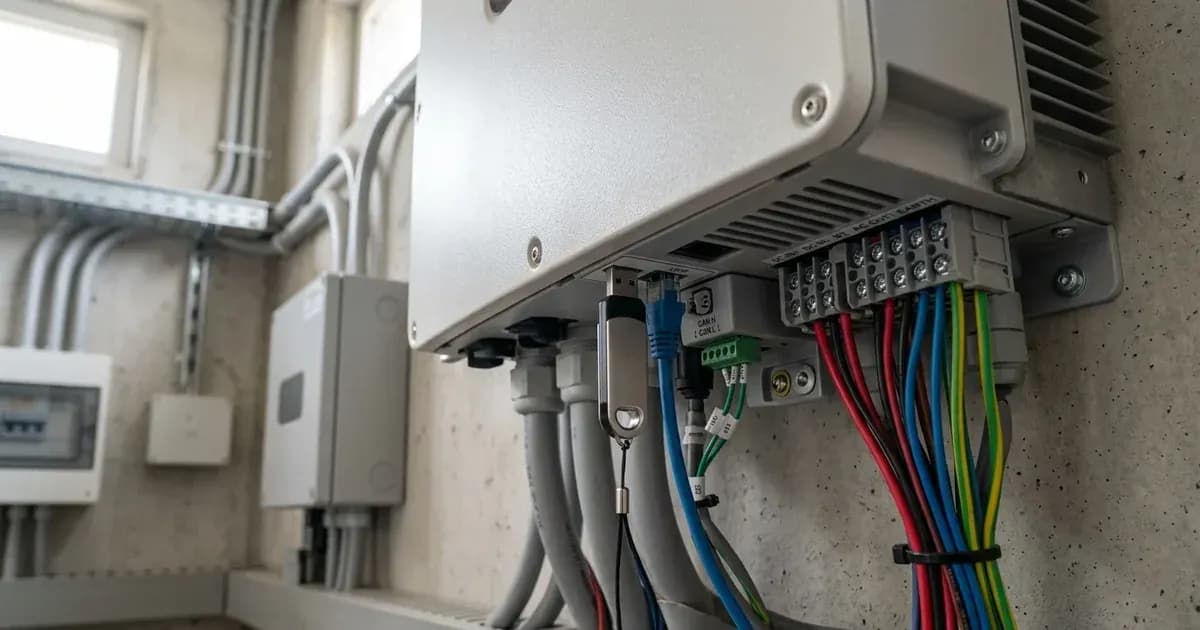
Key Takeaways
- Firmware updates can improve performance and add features but carry inherent risks.
- Always follow the manufacturer's specific instructions and warnings precisely.
- Ensure a stable and uninterrupted power supply to the inverter throughout the update process.
- If you are unsure about any step or encounter unexpected issues, stop and contact a qualified technician.
Why Update Your Solar Inverter's Firmware?
Firmware is the embedded software that controls your solar inverter's operations. Manufacturers periodically release updates to improve performance, fix bugs, enhance compatibility with new batteries or grid standards, or introduce new features. Keeping your inverter's firmware up-to-date can ensure your system operates efficiently and reliably. However, an incorrect or interrupted update can lead to system malfunction.
How to Update Your Solar Inverter Firmware
The method for updating inverter firmware varies significantly by brand and model. Always consult your specific inverter's manual for the most accurate and detailed instructions. Below are common methods for several popular inverter brands.
General Precautions Before Updating
Before starting any firmware update, observe these critical precautions:
- Stable Power Supply: Ensure the inverter has a stable and uninterrupted power source (both AC and DC from batteries) throughout the entire update process. A power interruption can corrupt the firmware and render the inverter inoperable.
- Backup Settings: If your inverter allows, back up your current configuration settings before proceeding. This can help restore your system if settings are lost or reset during the update.
- Correct Firmware File: Only use firmware files provided directly by the manufacturer or an authorized dealer for your specific inverter model. Using an incorrect file can permanently damage the inverter.
- Read Instructions Fully: Review all instructions provided by the manufacturer before beginning. Do not skip steps.
Brand-Specific Firmware Update Methods
Axpert VM III Inverters
The Axpert VM III inverter supports firmware upgrades via a USB disk. This function is also used to "export data log and re-write internal parameters from USB disk."
- Prepare USB Disk: Obtain the correct firmware file from your manufacturer or dealer and place it on a USB disk.
- Access Upgrade Function: Navigate to the firmware upgrade function on the inverter's display. The manual states, "If pressing ' ' button to proceed the firmware upgrade function."
- Confirm Selection: The LCD will display " " when the function is ready. Press the " " button to confirm the selection and begin the upgrade.
- Important Note: Be aware that "After this function is executed, partial LCD setting programs will be locked." For detailed information on which settings might be affected, you should "check your installer directly."
Solis S5-EH1P Inverters
Solis S5-EH1P series inverters offer distinct update functions for different software components:
- HMI Update: This function is specifically "used to update HMI software." The Human-Machine Interface (HMI) controls the display and user interaction.
- DSP Update: This function is "used to update DSP software." The Digital Signal Processor (DSP) handles the core control algorithms of the inverter. Consult your Solis manual for the exact steps to initiate these updates.
GoodWe ET Series Inverters
GoodWe ET series hybrid inverters offer two primary methods for firmware updates:
- Local Update with PV Master/Solar Go:
- Connect Bluetooth Module: "Connect the bluetooth module into the USB port of the inverter." You may need to "remove the wifi module first." Note that "The Bluetooth module is provided with all ES and ET PLUS+ inverters manufactured from December 21."
- Use Software: Utilize the PV Master or Solar Go application on a connected device to perform the local update.
- Duration and Reboot: "The firmware update takes a few minutes to complete." After a successful update, "Once the prompt states successful you will have to wait 5 to 10 min until the device physically reboots."
- Online Update: This method typically involves connecting the inverter to the internet and initiating the update through a cloud platform or dedicated app. The manual refers to "Online Update Firmware" as a separate method.
Fox ESS H1(G2) Inverters
Fox ESS H1(G2) series inverters support firmware upgrading via a U-disk:
- U-disk Requirements: "make sure the size of U-disk is under 32G, and the format is fat 16 or fat 32." Crucially, "Please DO NOT apply USB3.0 U-disk on inverter USB port, the inverter USB port only support for USB2.0 U-disk."
- Firmware File Structure: The firmware files must be placed in a specific directory structure on the U-disk:
-
update/master/ H1_master_vx.xx.bin -
update/slave/ H1_slave_vx.xx.bin -
update/manager/ H1_manager_vx.xx.binThe manual warns, "Make sure the directory is in accordance with above form strictly! Do not modify the program file name, or it may cause the inverter not work anymore!"
-
- Power Requirement: "Inverter must keep the battery on through whole procedure of upgrading." This ensures continuous power during the update.
- Initiate Update: Follow the manual's steps to insert the U-disk and select the update option from the inverter's menu.
Deye SG01LP1, Deye SG03LP1, and Growatt SPF 5000 ES Inverters
For Deye SG01LP1 (SUN-7.6K-SG01LP1-EU, SUN-8K-SG01LP1-EU), Deye SG03LP1 (SUN-3.6K-SG03LP1-EU, SUN-5K-SG03LP1-EU, SUN-6K-SG03LP1-EU), and Growatt SPF 5000 ES (SPF 3500 ES, SPF 5000 ES) inverters, the provided manuals do not describe a specific firmware update method. If you own one of these models and need a firmware update, contact the manufacturer or your installer for guidance.
Safety: Power Stability and Device Integrity
Firmware updates are critical operations that directly affect the core functionality of your inverter. The primary safety concern is maintaining a stable power supply throughout the entire process. An abrupt power loss can corrupt the inverter's internal memory, leading to a "bricked" device that cannot function.
- Uninterrupted Power: Ensure both AC and DC power sources are stable and will not be interrupted. Avoid performing updates during grid instability or when battery levels are low.
- Correct Procedure: Adhere strictly to the manufacturer's instructions. Deviating from the specified steps, using unofficial firmware, or modifying file names (as warned for Fox ESS H1(G2) models) can lead to irreversible damage.
- Physical Access: If the update requires physical access to USB ports or other components, ensure the area is clean and free from moisture or debris.
When to call a technician instead
While many firmware updates are designed to be user-friendly, there are clear situations when professional assistance is necessary:
- Lack of Instructions: If your inverter's manual does not provide clear, detailed instructions for firmware updates (as noted for Deye and Growatt models).
- Uncertainty: If you are unsure about any step in the update process, the correct firmware file, or the implications of the update.
- Persistent Errors: If the update fails repeatedly, or if the inverter displays critical errors or fails to operate correctly after an update.
- Warranty Concerns: Some manufacturers may specify that certain updates or procedures should only be performed by authorized service personnel to maintain warranty validity.
- Locked Settings: For Axpert VM III users, if "partial LCD setting programs will be locked" after an update and you require specific adjustments, "check your installer directly."
Attempting to force an update or troubleshoot a damaged inverter without proper knowledge can void your warranty and potentially create safety hazards.
Still showing the fault? Book a technician
If the steps above did not clear it, tell us the inverter or battery and the exact code. We pass it to a technician who covers your city; visit charges are quoted before they come.
How this pays for the site: the technician or verifier pays SolarNevs a fixed introduction fee. Nobody pays to be recommended, and you are free to use our free guides instead.
Frequently asked questions
Why should I update my solar inverter's firmware?
Firmware updates can introduce new features, improve system stability, or resolve known issues. Always check the manufacturer's release notes to understand the benefits of a specific update.
What precautions should I take before updating inverter firmware?
Ensure a stable power supply throughout the update process. Interrupting an update can damage the inverter. Always back up your settings if the manual recommends it, and follow the manufacturer's instructions precisely.
Can I update my inverter's firmware myself?
Many manufacturers provide user-friendly methods for firmware updates, such as via USB or online platforms. However, some updates may require specialized tools or knowledge, and incorrect procedures can void your warranty or damage the device. If unsure, contact a qualified technician.
What should I do if my inverter fails after a firmware update?
If your inverter does not function correctly after an update, first re-verify all connections and settings. Do not attempt further repairs without professional guidance.
Which USB format is required for firmware updates on Fox ESS H1(G2) inverters?
For Fox ESS H1(G2) inverters, the U-disk used for firmware upgrading must be under 32G in size and formatted as FAT16 or FAT32. The inverter's USB port only supports USB2.0 U-disks.
References
- Axpert VM III Manual — accessed 23 August 2026
- Solis S5-EH1P-L Hybrid Inverter Manual — accessed 23 August 2026
- GoodWe ESS Troubleshooting Guide — accessed 23 August 2026
- Fox ESS H1(G2)/AC1(G2) series Inverter Manual — accessed 23 August 2026
- Deye SUN-7.6K-SG01LP1-EU SUN-8K-SG01LP1-EU Manual — accessed 23 August 2026
- Deye SUN-3.6K-SG03LP1-EU SUN-5K-SG03LP1-EU SUN-6K-SG03LP1-EU Manual — accessed 23 August 2026
- Growatt SPF 3500 ES SPF 5000 ES Manual — accessed 23 August 2026
Related guides
More from inverter errors & fixes.