Troubleshooting Solar Inverter Output Voltage Fluctuations
Updated 6 September 2026 · By SolarNevs Research Desk, Dealer surveys + verified sources · 6 sources · Method ↗
Key Takeaways
- The most likely causes for inverter output voltage fluctuations are an unstable utility grid or an overloaded inverter.
- The first check involves verifying both the incoming grid voltage and the total load connected to your inverter.
- Always disconnect all power sources (PV, battery, grid) before inspecting or tightening electrical connections.
- Stop DIY troubleshooting and contact a qualified technician if internal fault codes appear or if the problem persists after basic checks.
Why is your solar inverter's output voltage fluctuating?
Output voltage fluctuations from your solar inverter are often a sign of instability in your power system. Most commonly, these issues stem from an unstable utility grid supply or an overloaded inverter. It is crucial to identify the root cause quickly to prevent damage to your appliances or the inverter itself.
Diagnosis
Follow these steps to diagnose the cause of your inverter's output voltage fluctuations. Always prioritize safety by ensuring proper personal protective equipment (PPE) and disconnecting power when necessary.
- Check the Inverter Display for Error Codes:
- What to look for: Your inverter's display panel or monitoring app may show specific error codes related to voltage or frequency issues.
- What it means:
- Grid Voltage/Frequency Errors: Codes like Solis's
OV-G-V01(Grid voltage exceeds upper range) orUN-G-V01(Grid voltage exceeds lower range), Deye'sF53(AC line low voltage) orF56(AC over voltage), Fox ESS'sGrid Volt FaultorGrid Freq Fault, and GoodWe'sVAC FailureorFAC Failureindicate a problem with the incoming utility grid supply. - Overload Errors: Codes such as Solis's
Over-LoadorOV-ILLC, Axpert VM III's07(Overload time out), Deye'sF26(AC over current fault of hardware), Growatt SPF ES's07(Overload time out), and Fox ESS'sOver Load FaultorEps Over Loadsuggest that the inverter is supplying too much power to the connected loads. - Internal Inverter Faults: Codes like Axpert VM III's
55(Over DC voltage in AC output) or Growatt SPF ES's55(Over DC voltage in AC output) point to an internal issue within the inverter, requiring professional service.
- Grid Voltage/Frequency Errors: Codes like Solis's
- Measure Incoming Grid Voltage and Frequency:
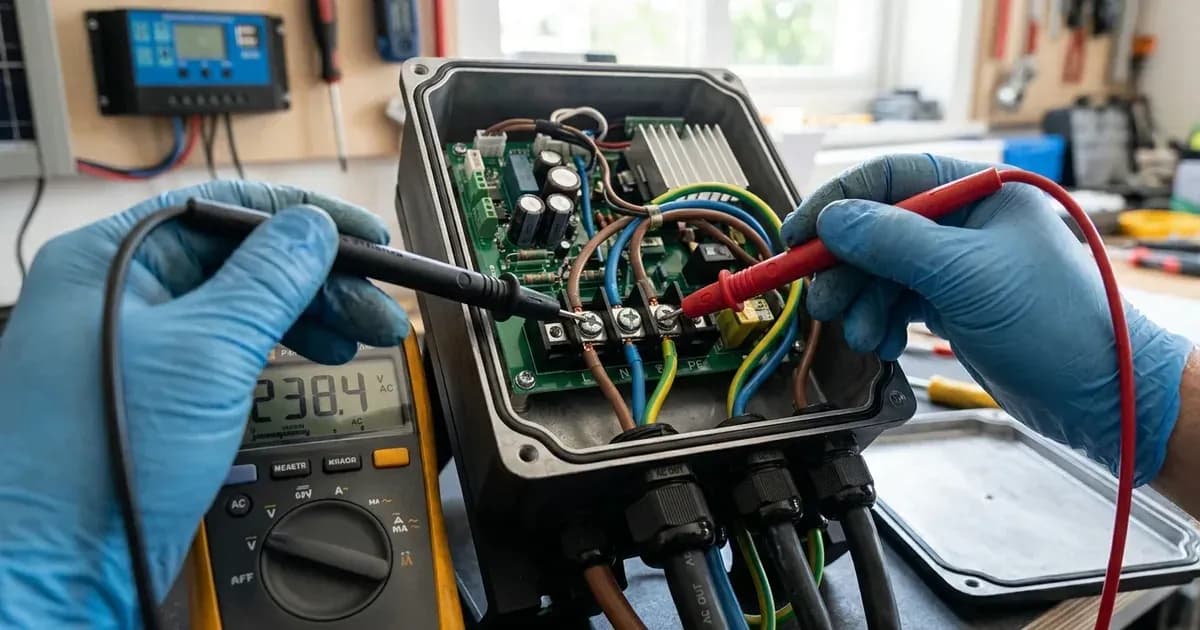
- What to look for: Use a multimeter to measure the AC voltage and frequency at the point where the utility grid connects to your inverter or main electrical panel.
- What it means:
- Fluctuating Grid Readings: If the voltage or frequency readings are unstable or outside the nominal range (e.g., 220V/230V for voltage, 50Hz/60Hz for frequency), the issue is likely with your utility supply.
- Stable Grid Readings: If the grid readings are stable and within the acceptable range, the problem is likely internal to your solar system.
- Measure Inverter Output Voltage and Frequency:
- What to look for: With the inverter operating, use a multimeter to measure the AC voltage and frequency at the inverter's output terminals.
- What it means:
- Fluctuating Output, Stable Grid: If the output voltage is fluctuating despite a stable grid supply, the inverter itself may be faulty or struggling with the connected load.
- Output Matches Grid Fluctuations: If the inverter's output mirrors the grid's instability, the inverter is likely passing through the grid's poor quality.
- Evaluate Connected Load:
- What to look for: Compare the total power consumption of all appliances connected to the inverter's output with the inverter's rated output power. For example, an Axpert VM III 3KW model has a rated output power of 3KVA/3KW.
- What it means:
- Overload: If the total load exceeds the inverter's continuous rated output power (e.g., 3KW for an Axpert VM III 3KW model) or its surge capacity (e.g., 2 times rated power for 5 seconds for Axpert VM III models), the inverter may struggle to maintain stable voltage. Inductive loads (motors, refrigerators) can cause high startup surges, triggering overload protection even if continuous power is within limits.
- Balanced Load: If the load is well within the inverter's capacity, the voltage fluctuation is less likely to be load-related.
- Inspect Wiring and Connections:
- What to look for: Always disconnect all power sources (PV, battery, grid) before inspecting wiring. Check all AC output wiring connections for looseness, corrosion, or damage. Pay attention to terminal blocks and breaker connections.
- What it means:
- Loose Connections: Loose or corroded connections can cause voltage drops and instability, especially under load. Tighten any loose terminals using insulated tools. A spanner across a battery bank can short hundreds of amps, so ensure tools are insulated and power is off.
- Damaged Wiring: Damaged wiring can lead to intermittent connections or short circuits, causing voltage fluctuations.
Cause/fix table section
Symptom detail | Likely cause | Fix |
|---|---|---|
Inverter displays grid voltage/frequency error (e.g., Solis OV-G-V01, Deye F53, Fox ESS Grid Volt Fault, GoodWe VAC Failure) | Utility grid voltage or frequency is outside permissible range, or AC cable is not properly connected. | Confirm whether the power grid is abnormal using a multimeter. Check that AC cables are firmly and correctly connected. Restart the system. If the grid is abnormal, contact your utility provider. |
Inverter displays overload error (e.g., Solis Over-Load, Axpert 07, Deye F26, Growatt 07, Fox ESS Over Load Fault) | Connected load exceeds the inverter's rated output power or surge capacity. | Reduce the connected load by switching off some equipment. For inductive loads, consider their startup power. Ensure total load power is lower than the inverter's nominal output power (e.g., Axpert VM III 5KW has 5KVA/5KW rated power). |
Inverter output voltage fluctuates, but no specific error code is displayed | Intermittent loose wiring connection or internal component instability. | Disconnect all power (PV, battery, grid) first. Inspect and tighten all AC output wiring connections. If the issue persists, an internal fault may be present. |
Axpert VM III or Growatt SPF ES displays error | Internal inverter fault. | This indicates an internal issue. Restart the unit. If the error happens again, return the unit to a repair center. |
Solis S5-EH1P-L displays | Backup port wiring not normal. | Check whether the backup port wiring is normal. Restart the system. If the fault continues, contact customer service. |
Deye SG03LP1 displays | PV side cable ground connection issue. | Check PV side cable ground connection. Restart the system 2-3 times. If the fault still exists, contact for help. |
Inverter-Side Checks vs. Grid-Side Checks
When troubleshooting inverter output voltage fluctuations, it's important to distinguish between issues originating from the utility grid and those from your inverter or connected loads.
- Grid-Side Checks: If your inverter displays errors like
OV-G-V01(Solis),F53(Deye),Grid Volt Fault(Fox ESS), orVAC Failure(GoodWe), the problem is likely with the incoming utility power. You should measure the grid voltage and frequency directly. If these are unstable, the inverter is simply reacting to an external condition. In such cases, the inverter may disconnect from the grid to protect itself and your loads. - Inverter-Side Checks: If the grid supply is stable but your inverter's output voltage is fluctuating, the issue lies within your solar system. This could be due to an overloaded inverter, loose internal wiring, or an internal component failure. For example, if an Axpert VM III 5KW inverter is consistently drawing more than its 5KVA/5KW rated power, it will struggle to maintain stable output.
Safety
Working with solar inverters and electrical systems carries significant risks. Always observe the following safety precautions:
- Disconnect Power: Before performing any inspections or maintenance on wiring or internal components, always disconnect all power sources including the PV array, battery bank, and utility grid. Verify zero voltage with a multimeter.
- Insulated Tools: Use only insulated tools when working on electrical connections to prevent accidental short circuits or electric shock. A spanner across a battery bank can short hundreds of amps, leading to severe burns or explosions.
- Overload Protection: Inverters have integrated overload protection. For instance, GoodWe ET Series inverters will restart themselves if overload protection is triggered, with preparation time increasing up to one hour if overloads recur. Do not bypass these safety features.
- Breaker Sizing: Ensure all AC and DC breakers are correctly sized for your system. For example, Deye SG03LP1 3.6KW models require a 32A AC breaker for backup load, and Growatt SPF 5000 ES requires a 50A AC breaker. Incorrectly sized breakers can fail to protect equipment or trip unnecessarily.
- Professional Installation: Many inverter models, such as the Solis S5-EH1P-L, require an OCPD (Overcurrent Protection Device) for circuits connected to the inverter and an integrated DC switch. Ensure your system meets all local electrical codes and safety standards.
When to call a technician instead
While many basic troubleshooting steps can be performed by a homeowner, there are clear limits to DIY repairs. You should call a qualified solar technician if:
- Internal Fault Codes: Your inverter displays error codes that indicate an internal hardware failure, such as Axpert VM III's
55(Over DC voltage in AC output) or Growatt SPF ES's55(Over DC voltage in AC output). These issues typically require specialized tools and expertise. - Persistent Issues: The voltage fluctuations persist even after you have checked the grid, reduced loads, and inspected all accessible wiring connections.
- Safety Concerns: You are uncomfortable or unsure about any step in the troubleshooting process, especially those involving live electrical circuits.
- Warranty: Attempting to open the inverter casing or perform repairs not explicitly outlined in the user manual may void your product warranty. Most manufacturers recommend contacting authorized service personnel for internal repairs.
- Complex Grid Issues: If your utility grid is consistently unstable and causing inverter faults, a technician can help assess the situation and advise on solutions, potentially involving your utility provider.
Still showing the fault? Book a technician
If the steps above did not clear it, tell us the inverter or battery and the exact code. We pass it to a technician who covers your city; visit charges are quoted before they come.
How this pays for the site: the technician or verifier pays SolarNevs a fixed introduction fee. Nobody pays to be recommended, and you are free to use our free guides instead.
Frequently asked questions
What causes an inverter's output voltage to fluctuate?
Output voltage fluctuations are commonly caused by an unstable utility grid supply or an overloaded inverter. Incorrect wiring or internal inverter faults can also contribute to this issue.
How can I check if my grid voltage is stable?
You can check grid voltage stability by using a multimeter to measure the incoming AC voltage from the utility. Compare this reading to the standard voltage range specified in your inverter's manual, typically 220V/230V.
What should I do if my inverter displays a grid voltage fault?
If your inverter displays a grid voltage fault (e.g., Solis OV-G-V01, Deye F53, Fox ESS Grid Volt Fault), first confirm the utility grid is stable. Check AC cable connections and restart the system. If the fault persists, contact your utility provider or a qualified technician.
Can an overloaded inverter cause voltage fluctuations?
Yes, an overloaded inverter can cause its output voltage to fluctuate or drop. Inverters like Axpert VM III, Deye SG03LP1, Fox ESS H1(G2)/AC1(G2), Growatt SPF ES, and Solis S5-EH1P-L models have overload protection that may trigger if the connected load exceeds the inverter's rated output power.
When should I call a technician for inverter voltage issues?
You should call a technician if basic troubleshooting steps like checking loads, wiring, and grid stability do not resolve the voltage fluctuations. If your inverter displays internal fault codes (e.g., Axpert 55, Growatt 55) or if you suspect an internal component failure, professional assistance is necessary to avoid voiding warranties or causing further damage.
References
- Solis S5-EH1P(3-6)K-L User Manual — accessed 23 August 2026
- Axpert VM III User Manual — accessed 23 August 2026
- Deye SUN-3.6/5/6K-SG03LP1-EU User Manual — accessed 23 August 2026
- Growatt SPF 3500/5000 ES User Manual — accessed 23 August 2026
- GoodWe ET Series User Manual — accessed 23 August 2026
- Fox ESS H1(G2)/AC1(G2) User Manual — accessed 23 August 2026
Related guides
More from inverter errors & fixes.