Inverex Nitrox Overload Fault Deep Dive
Updated 6 September 2026 · By SolarNevs Research Desk, Dealer surveys + verified sources · 1 source · Method ↗
Key Takeaways
- Fault Code 07 on your Inverex Nitrox inverter indicates an overload condition.
- The first step in troubleshooting an overload is always to reduce the connected load.
- High PV input voltage can cause the inverter to derate its output, leading to an overload if loads are not adjusted.
- Continuous beeping and a red LED signal an active fault that requires immediate attention.
What does an Inverex Nitrox overload fault mean?
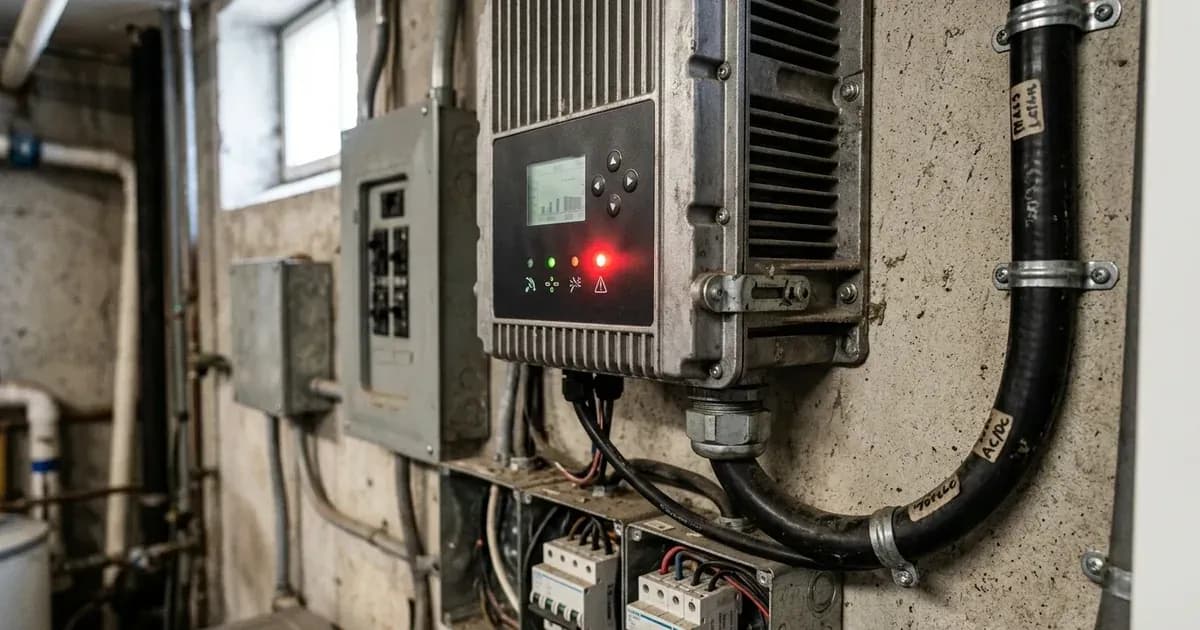
An overload fault on your Inverex Nitrox inverter signifies that the connected electrical load exceeds the inverter's capacity. This condition is typically indicated by a continuous buzzer, a red LED, and Fault Code 07 displayed on the LCD screen. The manual states that "The inverter is overload 110% and time is up" when Fault Code 07 appears. This means the inverter has detected a load 110% greater than its rated output and has sustained it for too long, triggering a protective shutdown.
Another cause for Fault Code 07 can be related to the PV input. If "PV input voltage is higher than specification, the output power will be derated." In this situation, "if connected loads is higher than derated output power, it will cause overload."
Diagnosis
Follow these steps to diagnose an overload fault on your Inverex Nitrox inverter:
- Check the LCD Display: Observe the inverter's LCD screen for any fault codes. Fault Code 07 specifically points to an overload.
- Listen for Alarms: A continuous buzzer and a red LED light typically accompany an overload fault. Confirm these indicators are present.
- Identify Connected Loads: List all appliances and devices currently connected to the inverter's output. Note their power consumption ratings.
- Calculate Total Load: Sum the power consumption of all active loads. Compare this total to your inverter model's rated output power. For example, a 1.5KW model has a "Rated Output Power: 1.5KVA/1.5KW", a 3KW model has a "Rated Output Power: 3KVA/3KW", and a 5KW model has a "Rated Output Power: 5KVA/5KW".
- Check PV Input Voltage (if applicable): If your system has solar panels, check the PV input voltage displayed on the inverter. If it is "higher than specification," the inverter's output power may be "derated," making it more susceptible to overload. For instance, the 1.5KW model has a "Max. PV Array Open Circuit Voltage: 400Vdc" and a "PV Array MPPT Voltage Range: 120Vdc~380Vdc". The 3KW and 5KW models have a "Max. PV Array Open Circuit Voltage: 500Vdc" and a "PV Array MPPT Voltage Range: 120Vdc~450Vdc".
- Check for Short Circuits: Fault Code 05 indicates "Output short circuited." While not a direct overload, a short circuit can cause extremely high current draw, leading to a shutdown.
Cause/fix table section
Symptom detail | Likely cause | Fix |
|---|---|---|
Buzzer beeps continuously, red LED on, Fault Code 07 | The inverter is overload 110% and time is up. | Reduce the connected load by switching off some equipment. |
Buzzer beeps continuously, red LED on, Fault Code 07 | PV input voltage is higher than specification, causing derated output power and subsequent overload. | Reduce the number of PV modules in series or the connected load. |
Buzzer beeps continuously, red LED on, Fault Code 51 | Over current or surge. | Restart the unit, if the error happens again, please return to repair center. |
Buzzer beeps continuously, red LED on, Fault Code 05 | Output short circuited. | Check if wiring is connected well and remove abnormal load. |
Inverter Settings for Overload Management
Your Inverex Nitrox inverter offers specific settings to manage how it responds to overload conditions. It is important to note that "Menu/program NUMBERING can differ by model and firmware on rebadged units. Readers must match settings by NAME rather than by number."
- Program 06: Auto restart when overload occurs
- Restart disable (default): The inverter will shut down and remain off after an overload. You must manually intervene to restart it.
- Restart enable: The inverter will attempt to restart automatically after an overload condition clears.
- Program 23: Overload bypass
- Bypass disable (default): The inverter will not attempt to bypass an overload. It will shut down if the load exceeds its capacity.
- Bypass enable: If an overload occurs while utility power is available, the inverter may switch to utility power to supply the load, bypassing its own output.
Adjusting these settings can impact system behavior during an overload. For example, enabling auto-restart might be convenient but could lead to repeated overloads if the underlying cause (too much load) is not addressed. Enabling overload bypass can prevent shutdowns but relies on a stable utility grid connection.
Safety
Working with solar inverters and electrical systems carries inherent risks. Always prioritize safety.
- AC Breaker Sizing: Ensure a separate AC breaker is installed between the inverter and the AC input power source. The recommended specification for the AC breaker is "16A for 1.5KW and 32A for 3KW and 50A for 5KW" models.
- Appliance Restart Delay: Be aware that "Appliances such as air conditioner are required at least 2~3 minutes to restart because it’s required to have enough time to balance refrigerant gas inside of circuits." If power is interrupted and restored quickly, it "will cause damage to your connected appliances." Check if your appliances have a time-delay function.
- Qualified Personnel: "Only qualified personnel can install this device with battery." For any complex troubleshooting or repair, consult a professional.
- Avoid Short Circuits: "NEVER cause AC output and DC input short circuited." This can lead to severe damage to the inverter and pose a safety hazard.
When to call a technician instead
While many overload issues can be resolved by reducing connected loads, some situations require professional assistance:
- If Fault Code 51 ("Over current or surge") persists after you have restarted the unit. This may indicate an internal component fault.
- If the inverter repeatedly goes into overload despite you having significantly reduced the connected loads. This could suggest a fault within the inverter itself or an inaccurate load measurement.
- If you observe other fault codes that indicate internal component failure, such as Fault Code 08 ("Bus voltage is too high"), Fault Code 09 ("Bus soft start failed"), Fault Code 53 ("Inverter soft start failed"), or Fault Code 57 ("Current sensor failed"). The manual advises to "Return to repair center" for these faults.
- If you are unsure about safely reducing PV modules in series or diagnosing complex electrical issues. "Only qualified service persons are able to service this device."
Still showing the fault? Book a technician
If the steps above did not clear it, tell us the inverter or battery and the exact code. We pass it to a technician who covers your city; visit charges are quoted before they come.
How this pays for the site: the technician or verifier pays SolarNevs a fixed introduction fee. Nobody pays to be recommended, and you are free to use our free guides instead.
Frequently asked questions
What does Fault Code 07 mean on an Inverex Nitrox inverter?
Fault Code 07 indicates an 'Overload time out'. This means the inverter has been overloaded by 110% of its rated capacity and the time limit for this overload has expired, causing the unit to shut down to protect itself.
How do I clear an overload fault on my Inverex Nitrox inverter?
To clear an overload fault, you must reduce the connected load by switching off some equipment. If the fault is due to derated output power from high PV input voltage, you may need to reduce the number of PV modules in series or the connected load.
Can the Inverex Nitrox inverter automatically restart after an overload?
Yes, the Inverex Nitrox inverter has a setting, Program 06, for 'Auto restart when overload occurs'. The default setting is 'Restart disable', but you can change it to 'Restart enable' through the LCD menu. Menu/program NUMBERING can differ by model and firmware on rebadged units. Readers must match settings by NAME rather than by number.
What is the overload capacity of the Inverex Nitrox inverter?
The Inverex Nitrox inverter will trigger Fault Code 07 when it experiences an overload of 110% of its rated capacity, and this condition persists beyond a set time limit.
What is 'Overload bypass' on the Inverex Nitrox inverter?
Program 23 on the Inverex Nitrox inverter controls 'Overload bypass'. When set to 'Bypass enable', the inverter may attempt to bypass the overload condition, potentially drawing power from the utility to support the load. The default setting is 'Bypass disable'. Menu/program NUMBERING can differ by model and firmware on rebadged units. Readers must match settings by NAME rather than by number.
References
- Axpert VM III Manual — accessed 23 August 2026
Related guides
More from inverter errors & fixes.