Orient AC E5 Error: Causes and Fixes for J-SMART Inverter Units
Updated 6 September 2026 · By SolarNevs Research Desk, Dealer surveys + verified sources · 1 source · Method ↗
Key Takeaways
- The E5 (or 5E) error code indicates a communication failure between your Orient J-SMART AC's indoor and outdoor units.
- Always start troubleshooting by power cycling the unit and checking the power supply to the outdoor unit.
- Before touching any wiring or internal components, always disconnect power to both units at the main breaker.
- If the issue persists after checking power and visible wiring, or if it involves internal circuit boards, contact a qualified technician.
What does the Orient AC E5 error mean?
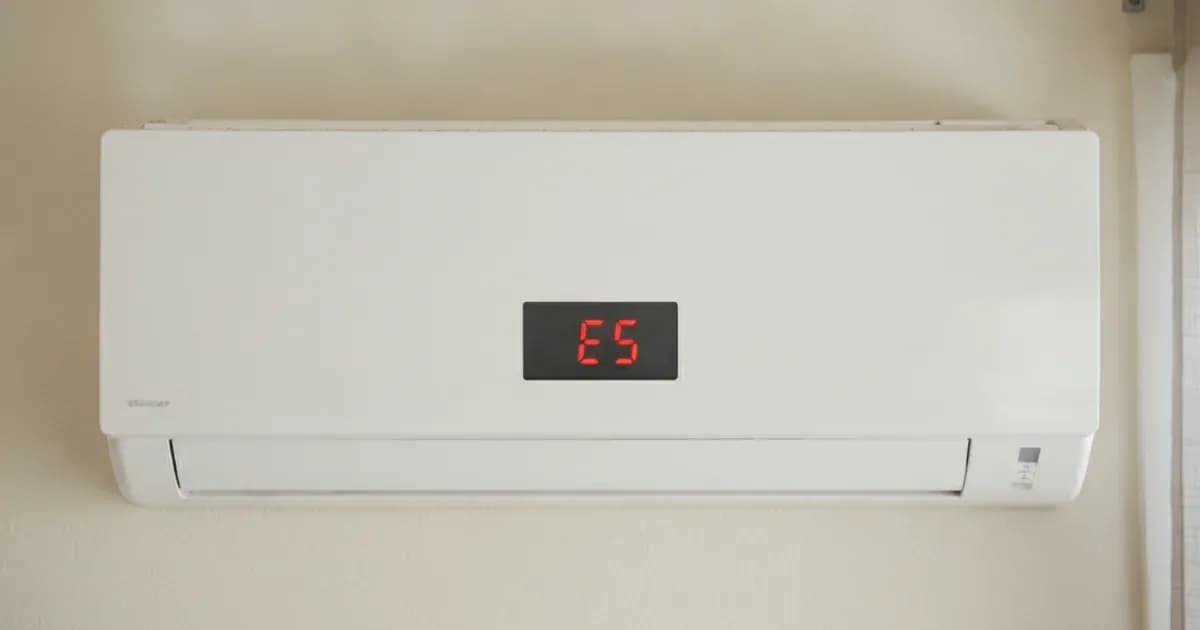
The E5 (or 5E) error code on an Orient J-SMART Inverter Split-Type Air Conditioner signifies a communication error between the indoor unit and the outdoor unit. This fault prevents the air conditioning system from operating correctly, as the two main components cannot exchange necessary operational data.
Diagnosing the E5 Communication Error
Follow these steps to diagnose the E5 communication error on your Orient J-SMART Inverter AC. Always ensure the main power supply to the unit is disconnected at the breaker before inspecting any wiring or internal components.
- Confirm the Error Code: Check the indoor unit's display to ensure it shows "E5" or "5E". This confirms the specific communication fault.
- Power Cycle the AC: Turn off the main power supply to both the indoor and outdoor units at your electrical panel or breaker. Wait for at least 5 minutes, then restore power. This can sometimes reset the system and clear temporary communication glitches.
- Verify Outdoor Unit Power Supply:
- Ensure the outdoor unit is receiving its rated power supply of "220-240V-1-50Hz".
- Use a multimeter to measure the AC voltage at the outdoor unit's terminal block. The normal supply voltage should be "between 198V and 242V".
- If there is no power, check the dedicated circuit breaker for the AC unit.
- Inspect Communication Wiring:
- With power disconnected, visually inspect the communication wire running between the indoor and outdoor units. Look for any signs of damage, cuts, or loose connections at both ends.
- The manual notes that the "fifth (red) wire is 310V wire which is strong with a voltage of 310V in normal condition, so be careful of electric shock." Exercise extreme caution if you need to access this wiring.
- Check Unit Matching: Ensure that the installed indoor and outdoor units are compatible models. Mismatched units can lead to communication failures.
- Observe Outdoor Unit LED Blink Pattern: The outdoor unit of J-SMART Inverter Split-Type ACs has LED indicators. If the LED pattern is "LED1: ★, LED2: ●, LED3: ●", this specifically indicates an "Indoor and outdoor unit communication error". This pattern helps confirm the diagnosis.
Common Causes and Fixes for Orient AC E5 Error
Symptom detail | Likely cause | Fix |
|---|---|---|
E5 (5E) displayed on indoor unit | Indoor Unit and Outdoor Unit communication error | Check if the Outdoor Unit can power on and work. If yes, verify that the Indoor Unit and Outdoor Unit are matched. If no, check if AC 220V is delivered to the terminal block of the Outdoor Unit. Inspect communication wiring for damage or loose connections. |
Outdoor unit LEDs show "★●●" pattern | Indoor and outdoor unit communication error | Inspect the connection wire, Indoor Unit main PCB, Outdoor Unit main PCB, and check for EE reverse connection or module panel issues. |
AC not powering on or unstable operation | Unstable power environment (OVP or UVP error) | Ensure the power supply is stable and within the normal range of 198V to 242V. The minimum work assurance range is between 165V and 265V, but consistent fluctuations can trigger protection. |
Running Your Orient AC on Solar or UPS
Orient J-SMART Inverter Split-Type Air Conditioners are designed to operate within specific voltage and frequency parameters. When running these units on solar inverters or UPS systems, it is crucial to ensure the power supply meets these requirements to avoid errors like E5 or other protection faults.
- Rated Input Voltage: The J-SMART models require a "Power supply source" of "220-240V-1-50Hz". The "normal supply voltage shall be between 198V and 242V".
- Voltage Tolerance: The "minimum work assurance range of the air conditioner shall be within 165V and 265V". While the unit may attempt to operate within this wider range, consistent operation outside the normal supply voltage can stress components and lead to faults.
- Inverter Type: These are "J-SMART Inverter Split-Type Air Conditioner" units, meaning they use inverter technology for soft starting and variable speed operation, which is generally more compatible with solar/UPS systems than fixed-speed units.
- Unstable Power Behavior: The manual notes that "This protection is for the adaption to a unstable power environment and when there is such protection prompt, it usually means it is possible for "OVP and UVP error" and the maintenance personnel shall especially note." This means your solar inverter or UPS must provide a stable output to prevent the AC from entering protection modes.
- Bus Voltage Monitoring: The system monitors bus voltage. For instance, "P8–Overcurrent Protection" can be triggered if the "Controller detects AC bus current exceeding the set protection value". For "F3- Compressor out-of-step error", you should "Check if the DC voltage between P-N is too high (above 200V)". For "F7-OVP or UVP error", "When the compressor is running, voltage between P and N ends detected on the test module panel or Outdoor Unit main PCB shall be over 200V". Ensure your power source maintains these critical voltage levels.
If your solar or UPS system frequently causes the AC to display errors, verify its output voltage stability and capacity. The maximum input current for models like the ASW-H24F5A4/JAR3DI-B7 can reach "16 A", requiring a robust power source.
Safety Precautions
Working with air conditioning units involves high voltages and mechanical components. Always prioritize safety.
- Disconnect Power: Before performing any inspection or maintenance, always turn off the main power supply to both the indoor and outdoor units at the circuit breaker.
- High Voltage Warning: Be aware that the outdoor unit contains a "fifth (red) wire" that carries "310V" under normal conditions. Contact with this wire can cause severe electric shock.
- Proper Grounding: The air conditioner is a "type I electrical appliance and must ensure a reliable grounding." Do not connect the grounding wire to gas pipes, water pipes, lightning rods, telephone lines, or poorly grounded circuits.
- Dedicated Circuit: Ensure the AC unit is connected to a "dedicated circuit for the power supply" with a power cord diameter that meets national requirements.
- Protection Devices: If the maximum current of the air conditioner is "≥16A", it must use an "air switch or leakage protection switch equipped with protection devices."
- Clearance: Maintain a "minimum clearance between the air conditioner and the combustibles is 1.5 m."
- Insulated Tools: Use insulated tools when working near electrical components.
When to call a technician instead
While some basic troubleshooting can be done by the homeowner, certain issues require professional expertise.
- If the E5 error persists after you have power cycled the unit, verified the outdoor unit's power supply, and inspected the visible communication wiring for obvious damage.
- If the problem involves internal components such as the Indoor Unit main PCB, Outdoor Unit main PCB, or other sensors and modules.
- If you are uncomfortable or unsure about performing any of the diagnostic steps, especially those involving electrical measurements or accessing internal wiring.
- If the issue is suspected to be related to refrigerant levels or compressor problems, which require specialized tools and training.
- Attempting repairs on internal components without proper authorization or knowledge may void your warranty and can be dangerous.
Still showing the fault? Book a technician
If the steps above did not clear it, tell us the inverter or battery and the exact code. We pass it to a technician who covers your city; visit charges are quoted before they come.
How this pays for the site: the technician or verifier pays SolarNevs a fixed introduction fee. Nobody pays to be recommended, and you are free to use our free guides instead.
Frequently asked questions
What does the Orient AC E5 error code signify?
The E5 (or 5E) error code on an Orient J-SMART Inverter Split-Type AC indicates a communication error between the indoor unit and the outdoor unit. This fault prevents the air conditioner from operating correctly.
What are the first steps to fix an Orient AC E5 communication error?
Begin by power cycling the unit at the breaker. Then, verify that the outdoor unit is receiving a stable 220V AC power supply. Inspect the communication wiring between the indoor and outdoor units for any damage or loose connections.
Can unstable power cause an E5 error on an Orient J-SMART AC?
Yes, an unstable power environment can contribute to communication errors. The J-SMART Inverter ACs have a minimum work assurance range between 165V and 265V, but significant fluctuations outside the normal supply voltage of 198V to 242V can trigger protection errors like OVP or UVP, which may affect communication.
What safety precautions are necessary when troubleshooting an AC communication error?
Always disconnect power to both the indoor and outdoor units at the main breaker before inspecting any wiring or internal components. Be aware that the outdoor unit contains a 310V wire, posing a risk of electric shock. Ensure proper grounding and use insulated tools.
When should I contact a professional technician for an Orient AC E5 error?
If basic checks like power cycling, verifying power supply, and inspecting visible wiring do not resolve the E5 error, or if the issue involves internal components like PCBs, sensors, or complex electrical diagnostics, it is best to call a qualified technician. Attempting repairs beyond basic troubleshooting can void your warranty or cause further damage.
References
- J-SMART Inverter Split-Type Air Conditioner Manual — accessed 23 August 2026
Related guides
More from inverter errors & fixes.