Sunsynk Battery Not Charging or Discharging: Causes and Fixes
Updated 16 September 2026 · By SolarNevs Research Desk, Dealer surveys + verified sources · 12 sources · Method ↗
Key Takeaways
- Settings are the most common cause: check battery type, capacity, and charge/discharge limits first.
- Cold temperatures can prevent charging, with the rate gradually diminishing below 10°C and stopping at 0°C.
- Incorrect cable sizing or fuse ratings can limit performance or cause faults, especially with larger inverters or multiple batteries.
- Any work inside a live battery enclosure, on incoming AC tails, or on grid-protection settings requires a registered, competent person.
Why Your Sunsynk Battery Isn't Charging or Discharging
If your Sunsynk battery is not charging or discharging, the issue often stems from incorrect settings, communication problems between the battery and inverter, or environmental factors like cold temperatures. Sunsynk identifies several common causes, ranging from software configuration to hardware limitations. Addressing these systematically can help restore normal operation.
Understanding Sunsynk Battery Fault Modes
Your Sunsynk inverter and battery system rely on continuous communication and correct configuration to manage energy flow. The inverter's Battery Management System (BMS) monitors the battery's State of Charge (SOC), voltage, and temperature, adjusting charging and discharging to protect the battery and ensure efficient operation. When this process is interrupted, or if parameters are outside safe limits, the system may prevent charging or discharging to avoid damage. This protective action often manifests as a fault code or a simple lack of activity.
Common Faults and Their Solutions
Sunsynk documents specific fault codes and general fault modes that can prevent your battery from charging or discharging.
Code / Symptom | What it means | What to do |
|---|---|---|
F51 (Batt Temp High Fault) (L/G Series batteries) | Triggered when batteries experience lower temperatures, primarily in negative temperature conditions, despite being labelled "TEMP HIGH". | Allow batteries to return to operational state by ensuring temperature rises above 5 degrees Celsius. Use a lizard tank heat mat or similar device, appropriately sized to the battery dimensions, placed on the front of the battery and connected to a thermostat. |
F56 (Low Voltage) | The battery displays very low voltage, with either no lights on the front or the inverter triggers an F56 fault. | If battery voltage is above 40V, switch battery settings to AGM V, set Zero Export + Limit to Load Only, ensure Grid Signal and Grid charge are checked, Grid Charge in Grid start set to 10%. Set Shutdown and Low Battery to 38V, Batt Empty V to 41V. Allow trickle charge for an hour. If ineffective, use an external DC charger. If voltage is below 40V, contact Sunsynk Technical Support. |
Battery not charging or discharging (Communication issue) | Batteries are not communicating with the inverter. | Check BMS communication cables and settings. Ensure the battery is set to the correct Modbus protocol. Refer to the Sunsynk BMS communication fault guide for detailed steps. |
Battery not charging or discharging (Settings issues) | The System Mode settings have not been set correctly. | Verify battery type, capacity, and charge/discharge limits in the inverter settings. Ensure "Activate Battery" is checked. Check "Use Timer" and SOC values in the System_1 tab. |
Battery not charging or discharging (Voltage Difference) | The system has put the batteries in protection mode due to a difference in voltage of 1.5V or more between the inverter and the batteries. | This is a safety mechanism. If the difference is 1.5V or larger between V-Batt and BMS Voltage, the inverter will stop the flow of current. Check for loose connections or system shorts. |
Battery not charging or discharging (Firmware needs update) | Battery firmware needs to be updated on the battery/batteries. | Contact Sunsynk support for firmware update procedures. This often requires specialised tools or assistance. |
Unbalanced batteries (SOC difference >10%) | Voltage difference between each battery, especially in daisy-chain configurations, or insufficient charging. | Ensure all interconnecting battery cable sizes are the same length. Allow batteries to reach 100% SOC at least once every 7-10 days for BMS recalibration. When adding a new battery, match its SOC/voltage to existing batteries. |
Cold Temperature Charging | Battery charge rate gradually diminishes to zero as cell temperature descends to 0°C. | The reduction in the battery charge rate initiates at approximately 10°C cell temperature. To restore the normal charge rate, the cell temperature must rise above 12°C, which may require an ambient temperature of around 15°C. |
Essential Settings for Battery Operation
Many charging and discharging issues can be resolved by correctly configuring your inverter's battery settings.
- Battery Type: For Sunsynk batteries, set the battery type to “Lithium”.
- Battery Capacity: Ensure the battery capacity corresponds to the number of Sunsynk batteries used x 100 Ah (for 5kW Batteries). Bigger batteries will have different capacities.
- Max A Charge / Max A Discharge: For 5kW 0.5C Batteries, check the “Max A Charge” and “Max A Discharge” are set to the number of Sunsynk batteries used x 50 A. Other batteries may vary, so consult your battery's specifications.
- Activate Battery: Ensure “Activate Battery” is checked in the inverter settings.
- System Mode Timer: If you are using a timer to control battery charging/discharging, go to the System_1 tab and tick the Use Timer checkbox. Adjust the SOC values to align with the previously configured Low Batt setting on the battery settings page. Alternatively, you may increase the value to the desired level for battery charging from the grid/generator and select the corresponding checkbox.
- Low Voltage Recovery Settings: If you are attempting to recover a low voltage battery, access the battery settings and switch to AGM V. In system settings, change to Zero Export + Limit to Load Only. This will bypass the Load and direct all PV energy to the battery. If doing a grid charge, make sure Grid Signal and Grid charge are both checked, and Grid Charge in Grid start is set to 10% (the lowest available setting). In battery settings, change the Shutdown and Low Battery to 38V and the Batt Empty V to 41V (the lowest you can set this).
Ensuring Correct Battery Cabling and Protection
Incorrect cabling and protection can lead to performance issues, faults, and even safety hazards.
- Cable Sizing: The standard battery cables for Sunsynk batteries are 25mm² in size, which can handle a maximum charge/discharge rate of 122.5 A. If you are using an inverter with a capacity of 8 kW or larger, you will need to consider upgrading to a larger power cable size to fully utilize the maximum charge/discharge rates.
- Multiple Batteries: If you are using two or more batteries, Sunsynk recommends utilizing a common busbar. In this case, use the 25mm² standard cable from each battery to the busbar. From the busbar, use the appropriate size power cable, along with the correct size fuse isolator, to connect to the inverter.
- Cable Length: Please ensure all interconnecting battery cable sizes are the same length as cables of differing lengths can cause battery unbalances.
- Voltage Drop: For a 51.2V nominal battery such as the W5.3, the voltage drop should be no more than 2%.
- Current Limits: The current passed through 25mm² copper cables should NEVER exceed 122.5A. Exceeding this can cause damage to the inverter and batteries and will void your manufacturer warranty.
- Fuse and Busbar Ratings: The fuse isolator/breaker between the inverter and batteries should also be appropriately rated for the passthrough of current. Similarly, when using a busbar, the busbar must be rated for the appropriate DC current being sent to/from the inverter.
What You Can Check Yourself, and What You Cannot
You can perform several checks yourself to diagnose and potentially resolve battery charging and discharging issues:
- Settings Verification: Carefully review all inverter and battery settings as outlined above. Incorrect settings are a frequent cause of problems.
- Visual Inspection: Check all battery cables for secure connections, signs of damage, or corrosion. Ensure all interconnecting battery cables are of the same length.
- Environmental Conditions: Monitor the ambient temperature around your batteries, especially in cold weather, as low temperatures can prevent charging.
- Basic Resets: For SUN-BATT models, you can attempt a manual BMS reset by pressing and holding the Silver Power Button on the Front Panel for 12-15 seconds.
However, certain tasks require a registered, competent person:
- Firmware Updates: While battery firmware updates can resolve issues, they often require specific tools or technical support from Sunsynk. Do not attempt these without guidance.
- DC Charging of Low Voltage Batteries: If your battery voltage is below 40V, Sunsynk advises contacting their technical support. Charging a battery with an external DC charger requires an electrically qualified/competent person to conduct the charging from a DC power supply. High Voltage (HV) batteries must NOT be left unattended overnight whilst charging, as over voltage can lead to damage of lithium cells and fires.
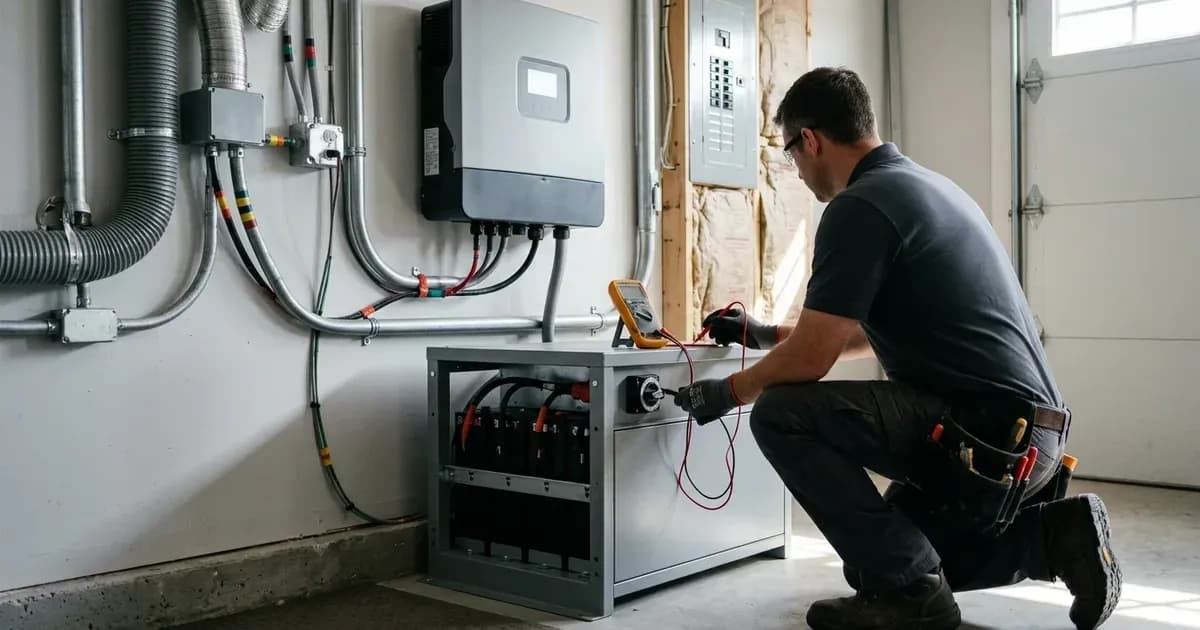
- Internal Battery Work: Any work that involves opening the battery enclosure, working on live battery terminals, or modifying internal battery components must be performed by a qualified professional. In South Africa, such electrical work requires a Certificate of Compliance (CoC).
What the Published Sources Do Not Tell You
While Sunsynk provides extensive support documentation, there are some gaps:
- Specific Fault Codes for SUN-BATT Batteries: Sunsynk's article titled "SUN-BATT - Fault Codes" is currently empty and does not list any specific fault codes for these models.
- Comprehensive Third-Party Battery Compatibility: The documentation focuses on Sunsynk's own batteries and their inter-compatibility, but does not provide a list of approved third-party batteries.
- Detailed Firmware Update Procedures: While firmware updates are mentioned as a solution for some issues, detailed, user-friendly steps for performing these updates are not publicly available; users are typically directed to contact support.
- Specific Modbus Protocol Details: The need for the correct Modbus protocol for BMS communication is stated, but the specific details for different battery models are not provided in the public articles, only mentioned as being in inverter manuals.
- Guidance on Identifying Older vs. Newer L/G/W Series Batteries: While identification features for newer SUN-BATT models are given, similar guidance for L/G/W series batteries, particularly for remote firmware updates, is not explicitly covered.
Frequently asked questions
Why is my Sunsynk battery not charging in winter?
Sunsynk batteries reduce their charge rate below 10°C and stop charging at 0°C to protect cell chemistry. The cell temperature must rise above 12°C, or ambient above 15°C, for normal charging to resume.
What are the correct charge and discharge current settings for my Sunsynk battery?
For 5kW 0.5C Sunsynk batteries, set “Max A Charge” and “Max A Discharge” to the number of Sunsynk batteries used multiplied by 50 A. Other battery models may vary, so always check your specific battery's specifications.
What should I do if my Sunsynk battery has very low voltage (e.g., below 40V)?
If the battery voltage is below 40V, contact Sunsynk Technical Support. If above 40V, you may attempt recovery by setting battery type to AGM V, enabling Zero Export + Limit to Load Only, checking Grid Signal and Grid charge, setting Grid Charge in Grid start to 10%, and adjusting Shutdown and Low Battery to 38V and Batt Empty V to 41V.
Can I add a new Sunsynk battery to an existing system?
Yes, but ensure the new battery's State of Charge (SOC) and voltage are matched to the existing batteries to prevent unbalancing. For High Voltage (HV) batteries, adjust the BMU number accordingly to ensure correct communications.
What cable size should I use for my Sunsynk battery system?
Standard Sunsynk battery cables are 25mm² copper cables, capable of handling a maximum charge/discharge rate of 122.5 A. For inverters 8 kW or larger, or when using multiple batteries with a busbar, consider upgrading to larger power cables and ensure all interconnecting battery cables are the same length.
References
- Sunsynk Battery Specifications — accessed 27 August 2026
- Sunsynk Winter Charging — accessed 27 August 2026
- Sunsynk Low Voltage Using an Inverter to Recover Battery Voltage — accessed 27 August 2026
- Sunsynk Battery Not Charging or Discharging — accessed 27 August 2026
- Sunsynk Recommended Battery Quantity — accessed 27 August 2026
- Sunsynk Unbalanced Batteries — accessed 27 August 2026
- Sunsynk Battery Cable Sizing — accessed 27 August 2026
- Sunsynk Selecting Battery Charge/Discharge Rates — accessed 27 August 2026
- Sunsynk Charging a Battery with a DC Charger — accessed 27 August 2026
- Sunsynk High Voltage Battery Recharging — accessed 27 August 2026
- Sunsynk V-Batt vs. BMS Voltage — accessed 27 August 2026
- Sunsynk HV Batteries Adding a New Battery Module to an Existing Rack — accessed 27 August 2026
Related guides
More from inverter errors & fixes.