Sunsynk Inverter Fault Codes Explained
Updated 16 September 2026 · By SolarNevs Research Desk, Dealer surveys + verified sources · 7 sources · Method ↗
Key Takeaways
- Sunsynk fault codes often include specific conditions that define their meaning and troubleshooting steps.
- The first step for many faults involves checking settings, cabling, or performing a controlled reboot.
- Some warnings, like F47 in specific multi-inverter setups, indicate expected behaviour rather than a problem.
- Any work involving opening the inverter, altering grid-protection settings, or high-voltage wiring requires a registered electrical technician.
Understanding Sunsynk Inverter Faults and Warnings
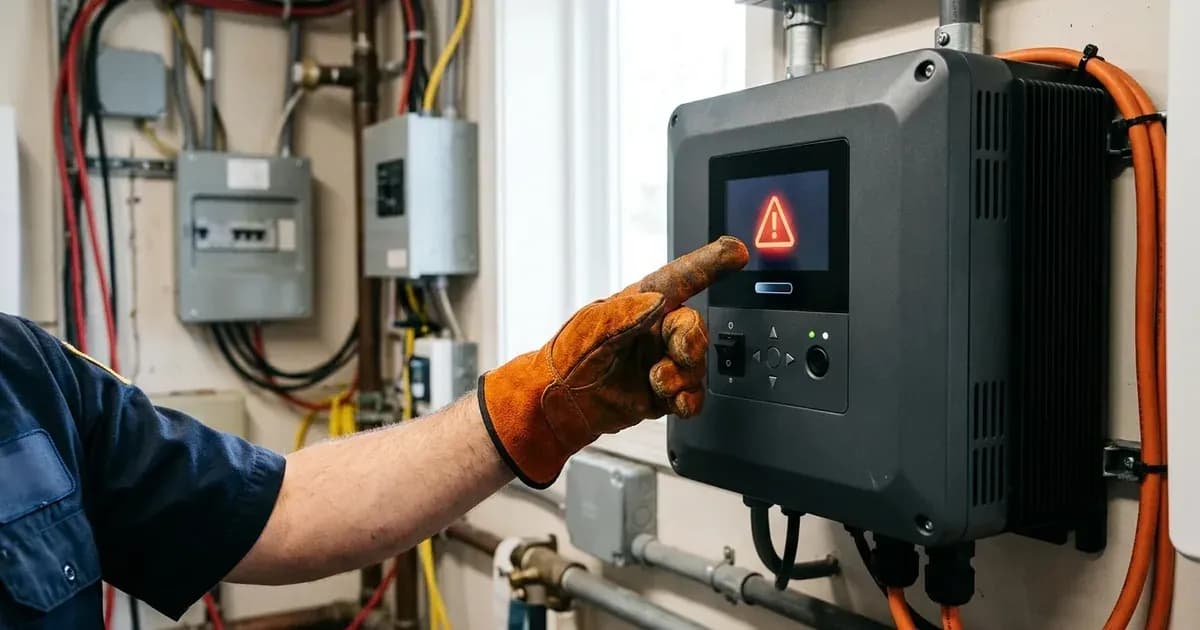
When your Sunsynk inverter displays a fault code or warning, it is communicating a specific issue it has detected within your solar power system. These codes are crucial for diagnosing problems, from minor communication glitches to more serious electrical faults. This guide explains common Sunsynk fault codes, their meanings, and the initial steps you can take to address them. This information is drawn directly from Sunsynk's own support documentation.
What is actually going on
A solar inverter is the brain of your system, converting direct current (DC) from your solar panels or battery into alternating current (AC) for your home. It constantly monitors various parameters, including grid stability, battery status, PV input, and internal temperatures. When any of these parameters fall outside their programmed thresholds, or if a communication error occurs, the inverter will log a fault or warning code. These codes help pinpoint the exact nature of the problem, guiding you or a qualified technician towards a solution.
Sunsynk Inverter Fault and Warning Codes
The following table details specific fault and warning codes documented by Sunsynk, including their conditions and recommended actions. This list is based on the manufacturer's published support articles and is not an exhaustive firmware map of all possible codes.
Code | What it means | What to do |
|---|---|---|
F08 | GDFI_Relay_Failure (Single-Phase Inverter) | Check that the Grid Type in Grid Mode settings is set to Single Phase and not 120/240V Split Phase. Reboot the inverter from Battery Power only, ensuring AC and DC PV are isolated. |
F23 | Tz_GFCI_OC_Fault (When using Low Power Mode, during start-up as PV production commences) | This fault occurs when a transient current or AC leakage is detected. Install Surge Protection Devices (SPDs), use a Line Reactor (Inductor), install a Filter (LC or LCL Filter), check your grounding system, upgrade cabling and connections, and maintain the inverter’s firmware. |
F47 | AC_OverFreq_Fault (When operating a smaller Sunsynk inverter as a string inverter connected to GEN connections on a larger Sunsynk inverter, with MI Zero Export enabled or export limitation set) | This alarm is expected behaviour in this specific setup. The smaller inverter detects a frequency shift outside the permitted range, triggering the F47 fault, but the unit is operating as designed. |
W03 | Grid Phase Wrong Error (With 3 Single-Phase Connected Inverters on a Three-Phase System) | If the initial parallel settings are correct and this error occurs, leave all physical connections the same. Change the parallel settings for Phase and Modbus ID as follows: for inverters A, B, C, set Parallel to Yes for all, Master or Slave to Master for all, Phase to A, C, B respectively, and Modbus ID to 1, 3, 2 respectively. This allows the system to detect a change in phase rotation and clears the fault. |
W04 | Meter Comm Fail | This indicates an issue with communication between the inverter and your external meter. Check that you are using the correct Eastron Meter, verify the meter is reading positive household demand, check the RS485 communications cable pinout for your specific inverter model, ensure "Ex_Meter for CT enabled" and the correct meter type are selected in settings, and check the inverter firmware. If the issue persists, reduce interference using shielded cable, separating it from AC lines, and installing a 120Ω resistor. |
F22 | Tz_EmergStop_Fault (Acure Inverter, when Emergency Stop / Emergency Shutdown feature has been activated) | The inverter is reporting that its Emergency Stop / Emergency Shutdown feature has been activated. Ensure CT Coil Cables are connected to P2 (3,4) for CT function, not P6 (+ and -) which is used for Emergency Shutdown. |
Sunsynk BMS Communication Issues
Beyond specific fault codes, a common issue is a lack of communication between your inverter and its Battery Management System (BMS). If the BMS and inverter are not communicating, you might see values of 0 or -100 on the "LiBMS" screen, and your batteries may not respect inverter settings, potentially leading to unbalancing or over-discharge.
The primary causes for BMS communication failure are:
- Incorrect Modbus protocol: The inverter and BMS must use compatible communication protocols.
- Incorrect BMS communication cable pinout: The wiring of the communication cable must match the specifications for both your inverter and battery model.
- Incorrect DIP switch settings: Some battery models require specific DIP switch configurations for proper communication, especially in multi-battery systems.
To resolve these issues, you must configure the battery with the correct Modbus protocol, ensure the correct BMS cable pinout (refer to the manual for your specific battery brand/model), and configure DIP switches if applicable. These changes should always be performed with the system off and isolated to prevent damage or injury.
What you can check yourself, and what you cannot
For many of the warning and fault codes, you can perform initial checks yourself:
- Verify settings: Check the inverter's display or app for correct grid type, meter settings, or parallel configurations as described for specific faults.
- Inspect visible cabling: Ensure communication cables (like RS485 for meters or BMS cables) are securely connected and not visibly damaged.
- Reboot the system: For some faults, a controlled reboot of the inverter (following the manufacturer's procedure, typically isolating AC and DC power first, then restoring) can clear temporary glitches.
However, certain tasks must only be performed by a registered electrical technician:
- Opening the inverter casing: This exposes live electrical components and voids warranties.
- Altering high-voltage wiring: Any work on AC input/output or PV strings requires professional expertise and safety equipment.
- Changing grid-protection settings: Incorrect settings can compromise grid safety and compliance.
- Persistent faults: If a fault code reappears after basic troubleshooting, or if you are unsure about any step, contact a qualified solar installer or electrician. All electrical work in South Africa that modifies fixed electrical installations requires a Certificate of Compliance (CoC).
What the published sources do not tell you
Sunsynk's support documentation provides valuable insights into specific fault codes, but it is important to note its limitations:
- Incomplete list: The codes detailed here represent those publicly documented by Sunsynk in specific support articles. They do not constitute a comprehensive list of every possible fault code or an exhaustive firmware map for all Sunsynk inverter models. Many other codes may exist that are not publicly explained.
- No explicit safety facts: While troubleshooting steps imply safety precautions, the provided documents do not include explicit, general safety facts related to working with the hardware class, such as capacitor discharge times or specific PPE requirements. Always assume high voltages are present and follow general electrical safety practices.
- Language barriers: Some technical explanations, particularly for BMS communication, are primarily available in Spanish in the manufacturer's knowledge base, which can pose a challenge for English-speaking users.
Frequently asked questions
What does Sunsynk fault code F08 mean?
F08 GDFI_Relay_Failure indicates an issue with the Ground Fault Detection and Interruption relay in a Single-Phase Inverter. It often requires checking the Grid Type setting and rebooting the inverter from battery power only, with AC and DC PV isolated.
Why does my Sunsynk inverter show F23 in low power mode?
F23 Tz_GFCI_OC_Fault occurs when a transient current or AC leakage is detected during start-up in low power mode, as PV production commences. It can be addressed by installing Surge Protection Devices (SPDs), a Line Reactor, or a Filter.
What is Sunsynk warning W04?
W04 Meter Comm Fail indicates a communication problem between your Sunsynk inverter and its external energy meter. This requires checking the correct Eastron Meter is used, verifying meter readings, checking RS485 cabling, and ensuring correct inverter settings.
Is F47 an error on my Sunsynk inverter?
F47 AC_OverFreq_Fault is expected behaviour when a smaller Sunsynk inverter is operating as a string inverter connected to the GEN connections of a larger Sunsynk inverter, especially with MI Zero Export enabled or export limitation set.
When should I call a technician for Sunsynk inverter faults?
You should call a registered electrical technician if basic checks do not resolve the fault, if you need to open the inverter casing, or if the issue involves grid-protection settings, high-voltage wiring, or any work requiring a Certificate of Compliance.
References
- Sunsynk Support: F08 GDFI_Relay_Failure — accessed 27 August 2026
- Sunsynk Support: F23 when using low power mode — accessed 27 August 2026
- Sunsynk Support: F47 AC_OverFreq_Fault — accessed 27 August 2026
- Sunsynk Support: W03 Grid Phase Wrong Error — accessed 27 August 2026
- Sunsynk Support: W04 Meter Comm Fail troubleshooting — accessed 27 August 2026
- Sunsynk Support: Acure Inverter Fault Code 22 Tz_EmergStop_Fault — accessed 27 August 2026
- Sunsynk Support: BMS Communication — accessed 27 August 2026
Related guides
More from inverter errors & fixes.