AlphaESS DTSU666 Smart Meter Wiring and Auxiliary Load Guide
Updated 6 September 2026 · By SolarNevs Research Desk, Dealer surveys + verified sources · 2 sources · Method ↗
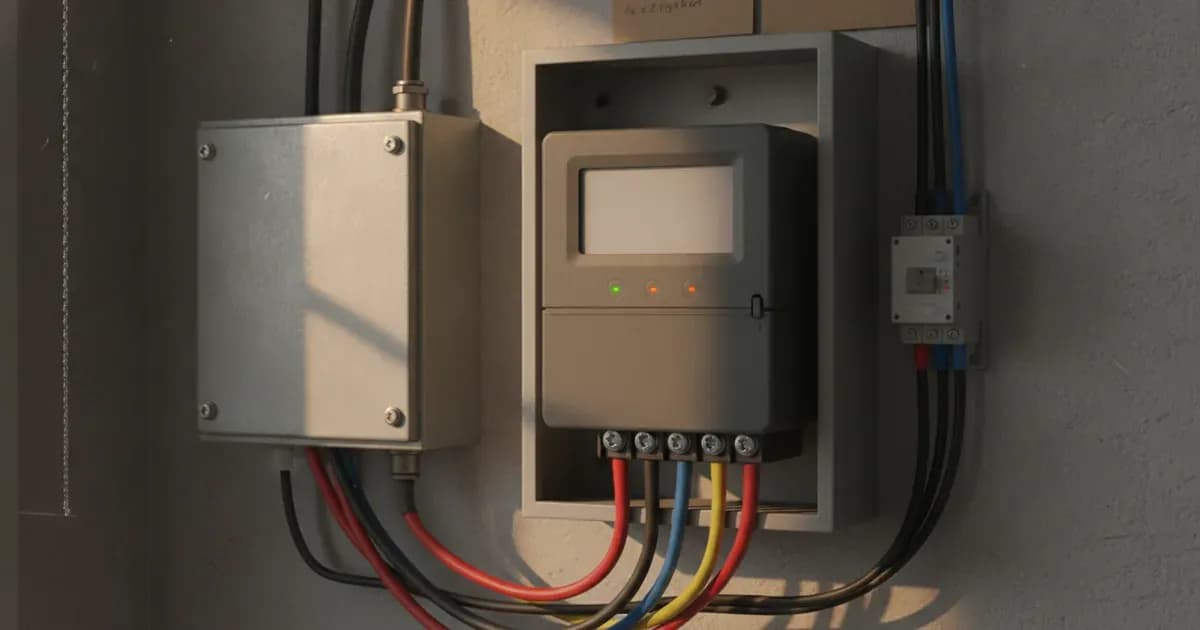
The AlphaESS DTSU666 smart meter is a critical component for optimizing your AlphaESS energy storage system, enabling accurate energy monitoring, zero-export functionality, and effective management of auxiliary loads. This guide details the correct wiring procedures for the three-phase DTSU666 meter, including RS485 communication, current transformer (CT) installation, and troubleshooting common issues.
Understanding the AlphaESS DTSU666 Smart Meter
The AlphaESS DTSU666 is a three-phase smart energy meter designed to integrate seamlessly with AlphaESS hybrid inverters. It provides essential data for your system, allowing for precise control over grid interaction and household consumption.
This meter is compatible with both residential single-phase and commercial three-phase energy storage installations globally. Its primary function is to monitor real-time power flow, which is crucial for features like zero-export and displaying household consumption and solar self-consumption within the AlphaCloud app.
Essential Safety Precautions
Working with electrical systems carries inherent risks. Always prioritize safety to prevent injury or equipment damage.
- Electrical Isolation: Before performing any wiring, always de-energize the main distribution board and isolate all relevant circuit breakers.
- Capacitor Discharge: If you need to open inverter wiring compartments, switch off all AC and DC isolators and wait at least 5 minutes to allow internal capacitors to discharge safely.
- Qualified Personnel: Only qualified and authorized service personnel should perform electrical installations and maintenance.
Wiring the DTSU666 Smart Meter
Correct installation and wiring of the DTSU666 smart meter are vital for accurate system operation.
Interface / Component | Wiring & Terminal Connection | Installation Requirement |
|---|---|---|
Meter Location | Main grid incomer | Positioned ahead of all distribution sub-circuits |
RS485 Port | RS485-A and RS485-B terminals | Use shielded cable connected to AlphaESS hybrid inverter |
Current Transformers (CT) | Incoming grid phase conductors | Arrow must point towards household loads (away from grid) |
Voltage Inputs | Phase terminals UA, UB, UC | Phase sequence must strictly match corresponding CT sensors |
Export Control | AlphaCloud System Settings | Export Limitation enabled and set to 0 Watts for zero feed-in |
1. Smart Meter Location
The smart meter must be installed at the main grid connection point. Ensure it is positioned before any distribution sub-circuits to accurately measure all incoming and outgoing power.
2. RS485 Communication Wiring
AlphaESS hybrid inverters communicate with smart energy meters via dedicated RS485 communication ports.
To establish communication:
- Identify the RS485-A and RS485-B terminals on your smart energy meter.
- Connect the communication lines from your AlphaESS inverter to these terminals.
- Always use shielded cable for RS485 connections to minimize interference.
3. Current Transformer (CT) Clamp Installation
CT clamps measure current flow and are crucial for the meter's operation. Incorrect orientation or placement will lead to inaccurate readings.
- Orientation: Position external current transformers on the incoming grid phases. The arrows on the CT clamps must point towards the household loads.
- Phase Matching: For three-phase installations, it is critical to ensure that the voltage phase inputs (UA, UB, UC) on the meter strictly match the corresponding CT phase sensor wiring. Mismatched phases will result in incorrect power readings.
4. Voltage Reference Line Wiring
Connecting the voltage reference lines provides the meter with the necessary voltage readings for power calculation.
Safety Warning: Before wiring voltage reference lines to the meter, de-energize the main distribution board and isolate all circuit breakers to prevent electric shock.
Configuring Zero Export with AlphaCloud
The DTSU666 meter enables your AlphaESS system to achieve zero grid export, preventing excess solar generation from being fed back into the utility grid.
To configure zero export:
- Open the AlphaCloud app.
- Navigate to the system settings and enable 'Export Limitation'.
- Set the export power limit to 0 Watts. This ensures zero grid feed-in.
Troubleshooting Reverse CT Clamp Readings
A common issue during installation is incorrect CT clamp orientation, which can lead to misinterpretation of power flow.
- Symptom: If grid consumption reads as solar export in the AlphaCloud app, this indicates that one or more CT clamps are installed in reverse.
- Solution: To correct this, reverse the CT clamp orientation on the main cable for the affected phase(s). Ensure the arrow on the CT clamp points towards the household loads.
Conclusion
Proper installation and configuration of your AlphaESS DTSU666 smart meter are fundamental for maximizing the efficiency and functionality of your energy storage system. By following these guidelines for wiring, CT clamp orientation, and AlphaCloud settings, you ensure accurate monitoring, reliable zero-export operation, and effective management of your auxiliary loads.
Add a battery at a surveyed price
Installers quote supply and fitting of the battery on this page for your existing or new system.
How this pays for the site: installers pay SolarNevs a fixed introduction fee when we pass them a genuine enquiry. They cannot pay to appear higher, and our surveyed prices are published before any introduction. You can also take our dated price tables straight to any installer.
Frequently asked questions
What are the essential requirements for alphaess dtsu666 smart meter wiring and auxiliary load guide?
Verify system specifications, local regulations, and standard installation safety procedures prior to commissioning.
How do I ensure regulatory compliance?
Ensure all equipment is approved on relevant regulatory registries and installed by accredited certified professionals.
References
- Chint DTSU666/DSSU666 Smart Meter User Manual (meter supplied with AlphaESS) — accessed 27 August 2026
- AlphaESS SMILE-S5 Series Energy Storage System Installation Manual — accessed 27 August 2026
Related guides
More from what to buy — and how not to get cheated.