SolarEdge Inline Energy Meter RS485 Wiring and Export Control Guide
Updated 6 September 2026 · By SolarNevs Research Desk, Dealer surveys + verified sources · Method ↗
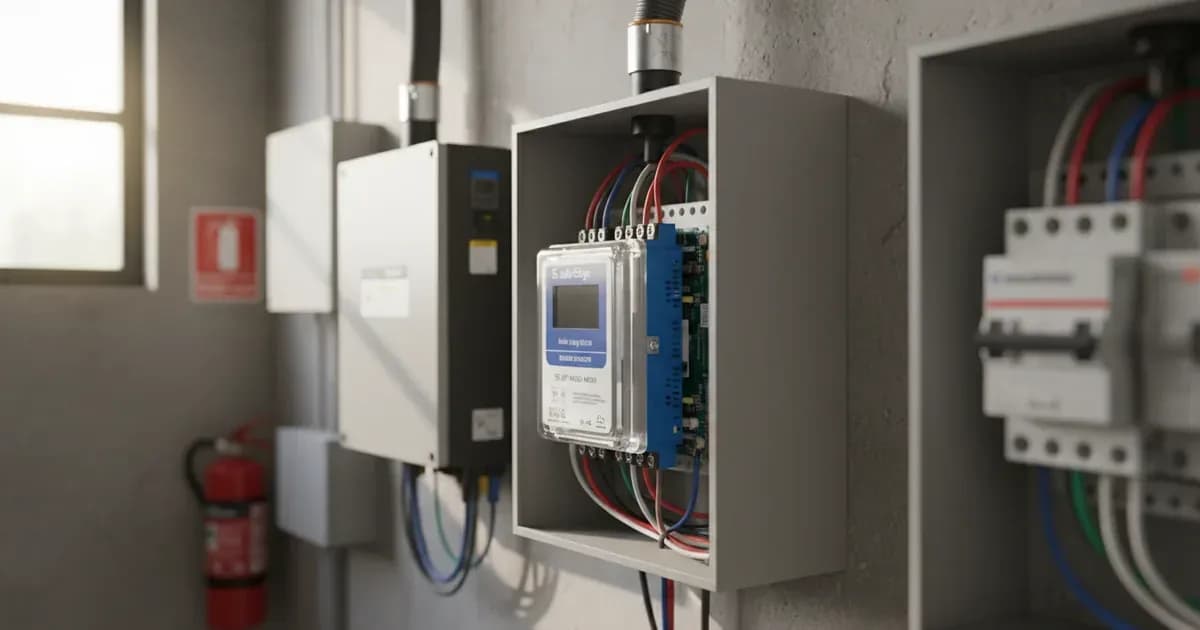
The SolarEdge Inline Energy Meter (MTR-240) is essential for monitoring energy consumption and enabling export limitation in SolarEdge photovoltaic systems. This guide details the correct RS485 wiring procedures, physical installation, and SetApp configuration for accurate energy management and compliance with grid regulations.
Safety First: Electrical Isolation Procedures
Before commencing any wiring or installation work on the SolarEdge Inline Energy Meter or associated electrical components, it is critical to follow strict safety protocols.
Always de-energize the main distribution board and isolate circuit breakers before wiring line voltage conductors to the meter. This prevents electrical shock and equipment damage. Furthermore, switch off all AC and DC isolators and wait at least 5 minutes before opening inverter wiring compartments to allow internal capacitors to safely discharge.
Understanding the SolarEdge Inline Energy Meter (MTR-240)
The SolarEdge Inline Energy Meter is designed for both single-phase and three-phase systems. It incorporates integrated current sensors for direct wiring, simplifying installation. Its primary function is to communicate energy data via RS485 Modbus to the SolarEdge monitoring platform, enabling features like zero export and self-consumption optimization.
Physical Installation: Main Incomer Placement
For accurate grid monitoring and effective export limitation, the SolarEdge Inline Energy Meter must be installed at a specific point within your electrical system.
Installation Stage / Component | Technical Requirement & Specification | Operational Objective |
|---|---|---|
Grid Incomer Placement | Install before load distribution at main incoming feed | Captures complete site import/export energy balance |
Integrated CT Sensing | Direct single-phase or three-phase conductor pass-through | Eliminates external CT clamps; requires L1/L2/L3 phase alignment |
RS485 Communication | Shielded twisted-pair CAT5e/CAT6 on dedicated terminals | Prevents electromagnetic distortion along inverter daisy chain |
Electrical Safety Isolation | De-energize distribution board; 5-minute capacitor discharge | Protects technicians from electric shock during line wiring |
SetApp Wireless Commissioning | Mobile wireless pairing, addressing, and export limit mode | Enables zero feed-in and prioritises on-site solar self-consumption |
Install the Inline Energy Meter at the main electrical grid incoming feed point before load distribution. This ensures the meter captures all energy flowing to and from the grid, providing a comprehensive overview of your site's energy balance. Ensure all metallic enclosures are securely bonded to the main earthing terminal for protective grounding.
RS485 Communication Wiring
The SolarEdge Inline Energy Meter communicates with the inverter using an RS485 daisy chain. Proper cabling is crucial to prevent signal distortion.
Use shielded twisted-pair CAT5e or CAT6 communication cable for the RS485 connection. This type of cable helps prevent electromagnetic signal distortion, ensuring reliable data transmission. Communicate between the inverter and Inline Meter using shielded twisted-pair cable on dedicated RS485 terminal blocks.
Integrated CT Metering
Unlike external current transformers, the SolarEdge Inline Energy Meter features integrated CTs for direct measurement.
The SolarEdge Inline Energy Meter incorporates integrated current sensors for direct single-phase and three-phase wiring. This design simplifies the connection process, as external CTs are not required. When installing three-phase meters, ensure line voltage inputs (L1, L2, L3) strictly match the designated grid phase sequence.
SetApp Configuration and Calibration
Once the meter is physically installed and wired, configuration and calibration are performed wirelessly using the SolarEdge SetApp.
Meter pairing, network addressing, and real-time power flow verification are completed wirelessly via SetApp. This intuitive application allows technicians to confirm correct installation and data accuracy without needing physical access to the inverter or meter.
Configuring Zero Export and Self-Consumption
A key function of the Inline Energy Meter is to enable advanced grid control features, such as export limitation.
In the SetApp application, configure export limitation mode and prioritize solar self-consumption over grid feed-in. This setting ensures that generated solar power is first used by on-site loads, with any excess either limited from exporting to the grid or exported according to configured limits. The system complies with international microgeneration safety and grid protection standards, including certified anti-islanding protection.
Universal Compatibility and Multi-Inverter Management
The SolarEdge Inline Energy Meter is designed for broad application across various electrical systems.
The meter offers universal grid compatibility with standard single-phase and three-phase electrical distribution systems globally. It also supports multi-inverter setups with centralized revenue and consumption monitoring, making it suitable for larger or more complex solar installations.
Add a battery at a surveyed price
Installers quote supply and fitting of the battery on this page for your existing or new system.
How this pays for the site: installers pay SolarNevs a fixed introduction fee when we pass them a genuine enquiry. They cannot pay to appear higher, and our surveyed prices are published before any introduction. You can also take our dated price tables straight to any installer.
Frequently asked questions
What are the essential requirements for solaredge inline energy meter rs485 wiring guide?
Verify system specifications, local regulations, and standard installation safety procedures prior to commissioning.
How do I ensure regulatory compliance?
Ensure all equipment is approved on relevant regulatory registries and installed by accredited certified professionals.
Related guides
More from what to buy — and how not to get cheated.