GoodWe Inverter BMS Communication Error Troubleshooting
Updated 6 September 2026 · By SolarNevs Research Desk, Dealer surveys + verified sources · 4 sources · Method ↗
Key Takeaways
- A BMS communication error means your GoodWe inverter cannot properly talk to your battery.
- Always start by checking the physical communication cable between the inverter and the battery.
- Verify the correct communication protocol (CAN or RS485) is selected in the inverter settings.
- If basic checks fail or internal faults persist, stop troubleshooting and contact a qualified technician.
What does a GoodWe BMS communication error mean?
A GoodWe inverter BMS communication error indicates that the inverter is unable to establish or maintain proper data exchange with your battery's Battery Management System (BMS). This communication is crucial for the inverter to monitor the battery's state of charge (SOC), voltage, temperature, and other parameters, allowing it to safely and efficiently manage charging and discharging. When communication fails, the battery may not charge, discharge, or the battery's internal switch may trip.
Diagnosis
Follow these steps to diagnose a GoodWe inverter BMS communication error.
- Check the Inverter Display for Fault Codes:
- Observation: The inverter display shows a specific fault code or message.
- Meaning:
- If you see "BMS communications not OK" (commonly reported by installers for ET, A-ES, ES series), this directly points to a communication issue.
- Code 31, "Internal Communication Failure", indicates a general internal communication problem within the inverter that could affect BMS communication.
- Code 26, "Battery Licence Fault", means the battery activation code is incorrect.
- If the display shows "Battery switch always trips (lithium battery)", this can be caused by "BMS communication fails".
- Action: Note any specific codes or messages.
- Inspect the BMS Communication Cable:
- Observation: The physical cable connecting the inverter to the battery.
- Meaning: A loose, damaged, or incorrect cable is a common cause of communication failure.
- Action:
- Safety First: Before touching any connections, ensure all AC, PV, and battery power sources are disconnected. Wait at least 5 minutes after disconnecting all power before touching internal parts.
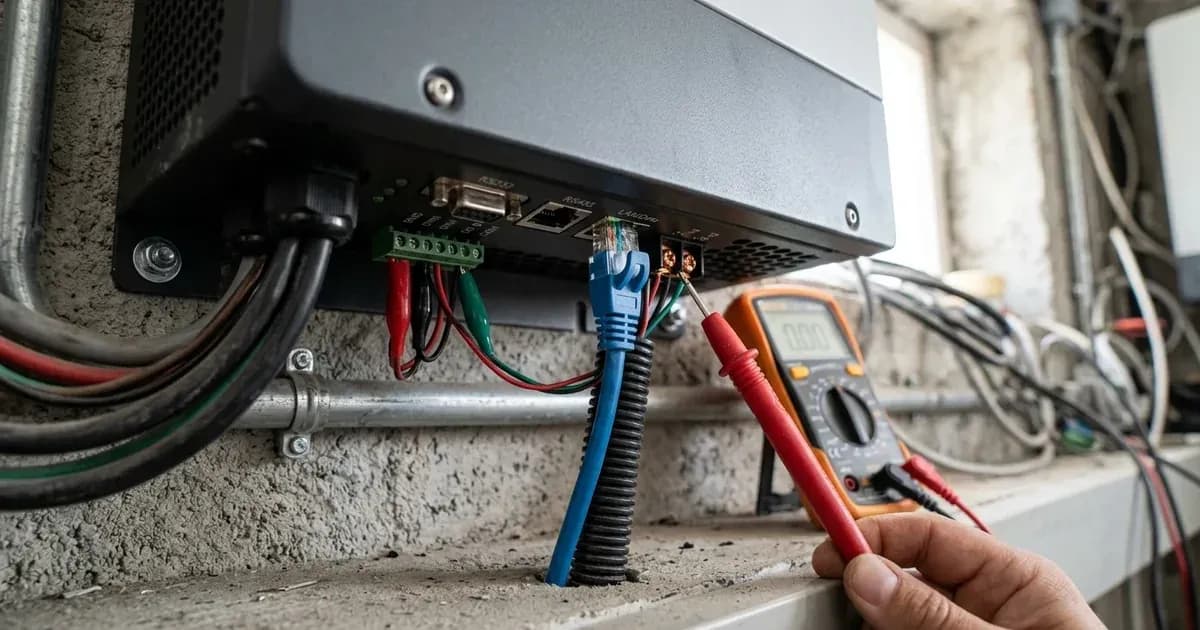
- Visually inspect the communication cable between the GoodWe inverter's BMS Communication Port and the battery's communication port.
- Ensure both ends are securely plugged in and not loose.
- Check the cable for any visible damage, cuts, or corrosion.
- Confirm the cable is the correct type for the communication protocol (e.g., RS485 or CAN).
- Verify Communication Settings in the Inverter:
- Observation: The inverter's settings for battery communication.
- Meaning: Incorrect protocol selection prevents the inverter and battery from understanding each other.
- Action:
- Access the inverter's settings via the display or the PV Master/SolarGo App.
- Navigate to the battery settings section.
- For ET Series, A-ES Series, and ES Series inverters, check the "Communication with BMS" setting. The options are typically RS485 or CAN. For ET and ES Series, CAN is the default. Ensure the selected protocol matches your battery's requirements.
- For A-ES Series, the "Charging Strategy for Li-ion Battery" is "Self-adaption to BMS", meaning the inverter relies on the BMS for charge parameters.
- Check Battery Status and Internal Switch:
- Observation: The battery's own status indicators or internal breaker.
- Meaning: The battery itself might be in a fault state or its internal protection has activated.
- Action:
- Check the battery's display or LED indicators for any fault lights.
- Ensure the battery's main power switch or circuit breaker is in the ON position.
- If the battery switch has tripped, reset it according to the battery manufacturer's instructions. A tripped battery switch can be caused by "BMS communication fails" or "battery SOC too low".
- Restart the Inverter:
- Observation: The inverter's operational status after a power cycle.
- Meaning: A simple restart can sometimes clear temporary communication glitches.
- Action:
- Completely power down the GoodWe inverter by disconnecting AC, PV, and battery power in the correct sequence (usually AC first, then PV, then battery).
- Wait for at least 5 minutes.
- Power the inverter back on in the reverse sequence (battery first, then PV, then AC).
Cause/fix table section
Symptom detail | Likely cause | Fix |
|---|---|---|
"BMS communications not OK" message | Disrupted communication between inverter and battery BMS | Inspect communication cable, verify protocol settings, restart inverter. |
Battery does not charge (ET, A-ES, ES) | BMS communications not OK | Check communication cable, ensure correct protocol (RS485 or CAN) is selected. |
Battery switch always trips (lithium battery) | BMS communication fails | Check communication cable for damage or loose connections. Ensure battery SOC is not too low. |
Inverter displays Code 31 | Internal Communication Failure | Restart the inverter. If the fault reoccurs, contact a service center. |
Inverter displays Code 26 | Battery Licence Fault | Contact the service center for assistance with battery activation or compatibility. |
Communication Protocol and Settings
GoodWe inverters, including the ET, A-ES, and ES series, communicate with lithium battery Battery Management Systems (BMS) using industry-standard protocols.
- Communication Protocols: GoodWe inverters support both RS485 and CAN communication protocols for BMS. For the ET Series and ES Series, CAN is typically the default protocol. You must ensure the inverter's setting matches the protocol used by your specific battery.
- Communication Ports:
- ET Series inverters have a dedicated "BMS Communication Port".
- A-ES Series inverters have a "BMS" port.
- ES Series inverters feature both a "BMS Communication Port" and an "RS485 Communication Port".
- Cable Checks: Always use the correct communication cable provided by the battery manufacturer or specified by GoodWe. Pinouts can vary, so ensure the cable is designed for the specific inverter-battery pairing.
- Battery List: GoodWe manuals state to "Refer to PV Master/SolarGo App" for the list of compatible batteries. This app is where you would typically select your battery model, which then configures the appropriate communication settings and charge parameters.
- Firmware: Ensure your inverter's firmware is up to date. Sometimes, communication issues with newer battery models are resolved through firmware updates.
For more information on battery types and their management, you can refer to our general guide on solar batteries.
Safety
Working with solar inverters and batteries involves high voltages and stored energy. Always prioritize safety.
- Qualified Personnel Only: Installation, operation, and maintenance must be performed by qualified electricians.
- High Voltage/Electric Shock: There is a danger of high voltage and electric shock. Always wait at least 5 minutes after disconnecting all power sources (AC, PV, and battery) before touching internal parts of the inverter or battery connections.
- Unauthorized Modifications: Do not open the inverter cover or change components without the manufacturer's authorization. Doing so can void your warranty and poses a significant safety risk.
- Insulated Tools: When working with battery terminals or communication cables, use insulated tools to prevent accidental short circuits. A spanner across a battery bank can short hundreds of amps.
- Battery Breaker: For batteries without a built-in DC breaker, an external DC breaker is required. For ET series, this is ≥40A; for A-ES series, 70A; and for ES series, ≥125A.
When to call a technician instead
While many communication issues can be resolved with basic troubleshooting, there are clear limits to DIY repairs.
- Persistent Faults: If the BMS communication error persists after you have performed all the diagnostic steps, including checking cables, verifying settings, and restarting the inverter.
- Internal Communication Failure (Code 31): If the inverter repeatedly displays "Internal Communication Failure", this suggests a deeper internal issue that requires professional diagnosis.
- Battery Licence Fault (Code 26): This specific error requires contacting the service center as it relates to battery activation or compatibility.
- Uncertainty: If you are unsure about any step or uncomfortable working with high-voltage electrical equipment, do not proceed.
- Warranty Concerns: Any unauthorized opening of the inverter or modifications can invalidate your warranty. Contacting a qualified technician ensures that repairs are performed correctly and maintain warranty coverage.
Still showing the fault? Book a technician
If the steps above did not clear it, tell us the inverter or battery and the exact code. We pass it to a technician who covers your city; visit charges are quoted before they come.
How this pays for the site: the technician or verifier pays SolarNevs a fixed introduction fee. Nobody pays to be recommended, and you are free to use our free guides instead.
Frequently asked questions
What does 'BMS communications not OK' mean on a GoodWe inverter?
This message indicates a disruption in the data exchange between your GoodWe inverter and the battery's Battery Management System (BMS). It prevents the inverter from properly managing battery charging and discharging, often leading to the battery not charging or the battery switch tripping.
How do I check the BMS communication cable on a GoodWe inverter?
First, ensure all power is disconnected and wait at least 5 minutes after disconnecting all power before touching internal parts. Then, physically inspect the communication cable connecting the inverter's BMS Communication Port to the battery's communication port. Check for secure connections, damage, or corrosion. Ensure the cable type matches the required protocol (RS485 or CAN).
What communication protocols do GoodWe inverters use for BMS?
GoodWe ET, A-ES, and ES series inverters typically use either RS485 or CAN communication protocols for the Battery Management System (BMS). For the ET Series and ES Series, CAN is often the default protocol for many compatible lithium batteries.
What should I do if my GoodWe inverter shows 'Battery Licence Fault'?
A 'Battery Licence Fault' indicates an incorrect battery activation code. This requires contacting the service center for assistance, as it is related to the battery's licensing or compatibility with the inverter.
When should I call a technician for a GoodWe BMS communication error?
If basic troubleshooting steps like checking cables, verifying settings, and restarting the inverter do not resolve the BMS communication error, or if the inverter displays persistent internal communication faults, you should contact a qualified technician or GoodWe service center.
References
- GW_ET_User Manual-EN.pdf — accessed 23 August 2026
- GW_A-ES_User Manual-EN.pdf — accessed 23 August 2026
- GW_ES_User Manual-EN.pdf — accessed 23 August 2026
- GW_ESS Troubleshooting Guide-EMEA_EN.pdf — accessed 23 August 2026
Related guides
More from inverter errors & fixes.