Victron MPPT Error Codes: Troubleshooting BlueSolar and SmartSolar Chargers
Updated 7 September 2026 · By SolarNevs Research Desk, Dealer surveys + verified sources · 4 sources · Method ↗
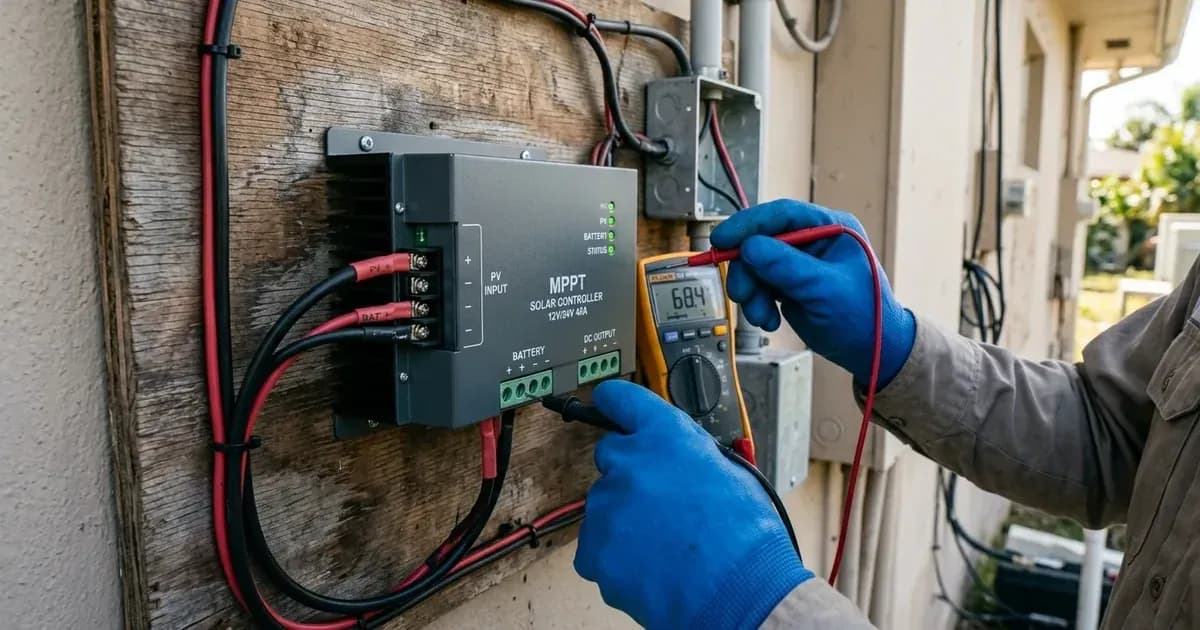
Victron Energy MPPT solar charge controllers, including the BlueSolar and SmartSolar lines, are designed for robust performance in diverse solar energy systems. When an issue arises, these devices communicate problems through specific error codes. Understanding these codes is crucial for quick diagnosis and effective troubleshooting, minimizing system downtime and preventing potential damage.
This guide details common error codes for Victron MPPT solar chargers, their causes, and the steps required to resolve them.
How to Read Victron MPPT Error Codes
Victron MPPT error codes provide critical diagnostic information. You can access these codes through several methods:
- VictronConnect App: The recommended tool for configuration and monitoring. Connect your MPPT via Bluetooth (SmartSolar models) or a VE.Direct to USB cable (BlueSolar and SmartSolar models) to a smartphone, tablet, or computer. The app displays active and historical error codes.
- Remote Panels: Devices like the Color Control GX or MPPT Control can display detailed error codes.
- LED Blink Sequences: While not providing specific error numbers, LED indicators on the MPPT can signal general fault conditions. For detailed codes, use VictronConnect or a remote panel.
Common Victron MPPT Error Codes and Solutions
Error Code | Meaning / Condition | Auto-Reset? | Primary Cause & Resolution |
|---|---|---|---|
Err 17 | Controller Overheated | Yes | Heatsink airflow blocked or high ambient; auto-clears when cooled |
Err 18 | Controller Over-current | Yes | Large load switching or solar surge; 3-min power cycle (battery then PV) |
Err 20 | Bulk-time Exceeded | No | Legacy firmware bug or absorption delay; update firmware in VictronConnect |
Err 21 | Current Sensor Issue | No | Internal current sensor failure; power cycle, replace unit if persistent |
Err 26 | Terminal Overheated | Yes | Loose terminal bolts or undersized DC cables; re-torque connections |
Err 27 | Charger Short Circuit | Yes | Battery-side over-current or inverter capacitance inrush; 3-min power cycle |
Err 33 | PV Over-voltage | Yes | Cold-weather array Voc exceeds MPPT max rating; reconfigure strings |
Err 38 / 39 / 80–87 | PV Input Shutdown | Partial | Internal PV short relay latched; power cycle or VictronConnect relay reset |
Err 116 | Calibration Data Lost | No | Hardware calibration lost; replace if active, ignore if in history only |
Err 119 | Settings Data Lost | No | Internal configuration corrupted; restore factory defaults in VictronConnect |
Here's a breakdown of key error codes you might encounter, along with their meanings and troubleshooting steps.
Err 17: Controller Overheated (Reduced Output)
Meaning: The MPPT controller has overheated, even after reducing its output current to compensate.
Cause: High ambient temperatures or obstructions blocking airflow around the heatsink.
Fix: This error will auto-reset once the charger has cooled down. To prevent recurrence:
- Check the ambient temperature around the charger.
- Inspect for any obstructions near the heatsink fins or ventilation openings. Ensure adequate airflow.
Err 18: Controller Over-current
Meaning: The MPPT controller has detected an over-current condition.
Cause: This can be triggered by rapidly switching a large load on or off, a sudden change in solar irradiance (e.g., clouds clearing quickly), or an overload on an inverter's AC output connected to the same battery bank.
Fix: This error will auto-reset. If it does not auto-reset:
- Safety First: Disconnect the charge controller from all power sources (PV, then battery).
- Wait for 3 minutes.
- Reconnect power, starting with the battery, then the PV array.
- Consider providing additional cooling to the unit or reducing the load on the system. If the battery is deeply discharged, allow it to charge first before applying heavy loads.
Err 20: Maximum Bulk-time Exceeded
Meaning: The charger has spent too long in the bulk charging stage without reaching the absorption voltage.
Cause (Solar Chargers): This was a safety feature in older firmware (2015 or earlier) that has since been removed. If seen on a modern unit, it might indicate a firmware issue or misconfiguration.
Fix (Solar Chargers):
- Update the MPPT to the latest firmware version using the VictronConnect app.
- If the error persists after a firmware update, reset the charger to factory defaults and reconfigure its settings.
Cause (AC Chargers - for context, not primary MPPT issue): For AC chargers, this error indicates the battery absorption voltage was not reached after 10 hours of charging, often signaling a shorted cell within the battery.
Err 21: Current Sensor Issue
Meaning: The internal current measurement is out of range.
Cause: An internal fault with the current sensor.
Fix: This error will not auto-reset.
- Safety First: Disconnect all wires from the MPPT (PV, then battery).
- Reconnect all wires (battery first, then PV).
- If the error remains, the charge controller is likely faulty. Contact your dealer for further assistance.
Err 26: Terminal Overheated
Meaning: The power terminals (battery or PV) have overheated.
Cause: Poor electrical connections, such as loose DC cable connections, undersized wiring, or improperly fastened bolts.
Fix: This error will auto-reset once the terminals cool down. To prevent recurrence and ensure safety:
- Safety First: Disconnect all power to the MPPT (PV, then battery).
- Carefully inspect all wiring connected to the power terminals.
- Verify the wiring type and gauge are appropriate for the current levels.
- Ensure all terminal bolts are securely fastened. Always use insulated tools and follow proper lockout/tagout procedures when working with high-current DC systems.
Err 27: Charger Short Circuit
Meaning: An over-current condition has occurred on the battery side of the charger.
Cause: This can happen if a battery is connected via a contactor that closes while the charger is starting, or if the charger starts without a battery but with a large input capacitance inverter connected.
Fix: This error will auto-reset. If it does not auto-reset:
- Safety First: Disconnect the charge controller from all power sources (PV, then battery).
- Wait for 3 minutes.
- Reconnect power, starting with the battery, then the PV array.
- If the error persists, the charger may be faulty.
Err 33: PV Over-voltage
Meaning: The voltage from the PV array has exceeded the maximum input voltage rating of the MPPT controller.
Cause: The PV array configuration (specifically its open-circuit voltage, Voc) is too high for the connected MPPT. This is a critical safety concern.
Fix: This error will auto-reset after the PV voltage drops to a safe limit. To prevent this critical issue:
- Safety First: Disconnect the PV array from the MPPT.
- Review your PV array configuration. Ensure the total open-circuit voltage (Voc) of your series strings does not exceed the MPPT's maximum input voltage under the coldest expected conditions.
- Re-organize your solar panels if necessary to reduce the voltage (e.g., by reconfiguring series strings to parallel, or using fewer panels per string).
- Reconnect the PV array only after verifying the voltage is within safe limits.
Err 38, Err 39, Err 80 to Err 87: PV Input Shutdown
Meaning: The PV input has been internally shorted to protect the battery from over-charging. This can be triggered by incorrect battery voltage settings or another device attempting to charge the battery to a higher voltage.
Cause: These errors indicate the MPPT has engaged an internal protection mechanism, often a PV Short Relay, to prevent battery overcharge or damage due to an overvoltage condition. This can sometimes be a "mistrigger" if a higher battery voltage than configured is applied (e.g., a 48V battery connected to a charger configured for 12V/24V/36V) before connecting the PV array.
Fix: For Err 38, 84-87:
- Disconnect the solar panels.
- Disconnect the battery.
- Wait for 3 minutes.
- Reconnect the battery.
- Reconnect the solar panels.
For Err 39: This error will auto-resume when the battery voltage drops below the maximum configured setting, or after 1 minute.
For Err 80-83 (and sometimes 38, 39 if the above steps don't clear them), a specific PV Short Relay Reset Procedure may be required for certain models:
PV Short Relay Reset Procedure (Specific Models)
This procedure applies to models with newer PV short protection featuring a latching relay, such as the SmartSolar VE.Can MPPT 250/100 with serial numbers HQ2150 and newer.
- Disconnect PV Input: Disconnect all PV input terminals from the MPPT.
- Power with 12V Battery: Power the solar charger through its battery terminals using a 12V battery or a bench power supply set to 12V.
- Voltage Check: Ensure the voltage at the solar charger battery terminals is not higher than 15V. If it is higher, the reset button in VictronConnect will be disabled.
- Check for Active Errors: Make sure no error 80 to 83 is currently active. If any are active, power cycle the unit (disconnect and reconnect battery power).
- Open VictronConnect: Open the VictronConnect app and navigate to the Product settings menu for your MPPT. The "PV Short reset" feature should be visible.
- Conditions for Feature Display: This feature only appears if:
- The unit supports this protection (e.g., SmartSolar VE.Can MPPT 250/100, serial number HQ2150 and later).
- The battery voltage is between 10V and 15V.
- VictronConnect version v.580 or later is installed.
- Firmware version v3.12 or later is installed on the Solar Charger.
- No error 80 to 83 is active.
- Click RESET: Click the "RESET" button within VictronConnect. It will gray out briefly and then turn blue again. You might hear an audible click from the relay.
Important Note for Specific Models: For the SmartSolar VE.Can MPPT 250/100 with a serial number between HQ2150 and HQ2250, this reset procedure often does not work. In such cases, contact your dealer for a potential warranty replacement.
Err 116: Calibration Data Lost
Meaning: The unit has lost its internal calibration data.
Cause: This error can indicate a faulty unit. If it appears only in the history and the unit is functioning correctly, it might be a remnant from the factory's first power-up and can be ignored. Reverting to older firmware (v1.4x+) can also sometimes trigger this error.
Fix:
- If Err 116 is an active error and the unit is not working, the unit is faulty. Contact your dealer for a replacement.
- If it's only in the history and the unit is operating normally, you can generally ignore it.
- If it occurred after a firmware downgrade, try re-installing firmware version v1.4x or newer.
Err 119: Settings Data Lost
Meaning: The charger cannot read its configuration settings and has stopped operating.
Cause: Corrupted internal settings data.
Fix: This error will not auto-reset.
- Safety First: Disconnect all power sources (PV, then battery).
- Wait for 3 minutes.
- Reconnect power (battery first, then PV).
- Restore the charger to factory defaults using VictronConnect.
- Reconfigure all necessary settings for your system.
- Report this issue to your dealer, as it may indicate an underlying hardware problem.
General Troubleshooting Tips
- Check All Connections: Loose or corroded connections are a common source of issues. Ensure all battery, PV, and remote sensing wires are secure and clean.
- Firmware Updates: Always keep your Victron MPPT's firmware updated to the latest version. Updates often include bug fixes and improved stability. VictronConnect simplifies this process.
- Environmental Factors: Ensure the MPPT is installed in a well-ventilated area, away from direct sunlight or excessive heat sources, to prevent overheating.
- Battery Health: A failing battery can cause various charging issues that might manifest as MPPT errors. Check your battery's health and voltage.
- Remote On/Off: For models equipped with a green two-pole remote on/off connector, ensure the jumper is in place, shorting the L and H terminals, for the unit to power on.
Safety Considerations
When troubleshooting your Victron MPPT, always prioritize safety:
- Disconnect Power: Before inspecting wiring or making any physical changes, isolate all power sources and use insulated tools to prevent electric shock or short circuits: always disconnect the PV array first, then the battery. Reconnect in reverse order: battery first, then PV.
- LiFePO4 Batteries: If using LiFePO4 batteries, be aware that the charger will stop charging at low temperatures (Err 14) to prevent cell damage. Do not attempt to override this safety feature.
- Over-voltage Protection: Errors like Err 33 (PV over-voltage) are critical. Ensure your PV array's voltage never exceeds the MPPT's maximum input.
- Terminal Overheating: Err 26 indicates a serious risk of fire or damage. Address wiring issues immediately. Always use insulated tools when working on electrical connections.
- Ventilation: Ensure adequate ventilation around your MPPT to prevent overheating, which can lead to reduced performance or error conditions like Err 17.
By understanding these error codes and following the recommended troubleshooting steps, you can effectively maintain your Victron MPPT solar charging system.
Still showing the fault? Book a technician
If the steps above did not clear it, tell us the inverter or battery and the exact code. We pass it to a technician who covers your city; visit charges are quoted before they come.
How this pays for the site: the technician or verifier pays SolarNevs a fixed introduction fee. Nobody pays to be recommended, and you are free to use our free guides instead.
Frequently asked questions
What is the main purpose of Victron MPPT Error Codes: Troubleshooting BlueSolar and SmartSolar Chargers?
It provides official Victron Energy configuration rules, technical parameters, and step-by-step troubleshooting procedures.
How do I resolve issues related to victron mppt error codes?
Follow the documented verification steps, check wiring and firmware, and ensure all parameters match official Victron specifications.
References
- Victron Support: Drafts - Mppt Faq — accessed 27 August 2026
- Victron Support: Ve.Direct - Mpptprefs — accessed 27 August 2026
- Victron Support: Mppt-Error-Codes — accessed 27 August 2026
- Victron Support: Mppt Pv Short Relay Reset — accessed 27 August 2026
Related guides
More from inverter errors & fixes.