Victron MPPT PV Short Relay Reset Guide (Errors 38, 39, 80-87)
Updated 7 September 2026 · By SolarNevs Research Desk, Dealer surveys + verified sources · 4 sources · Method ↗
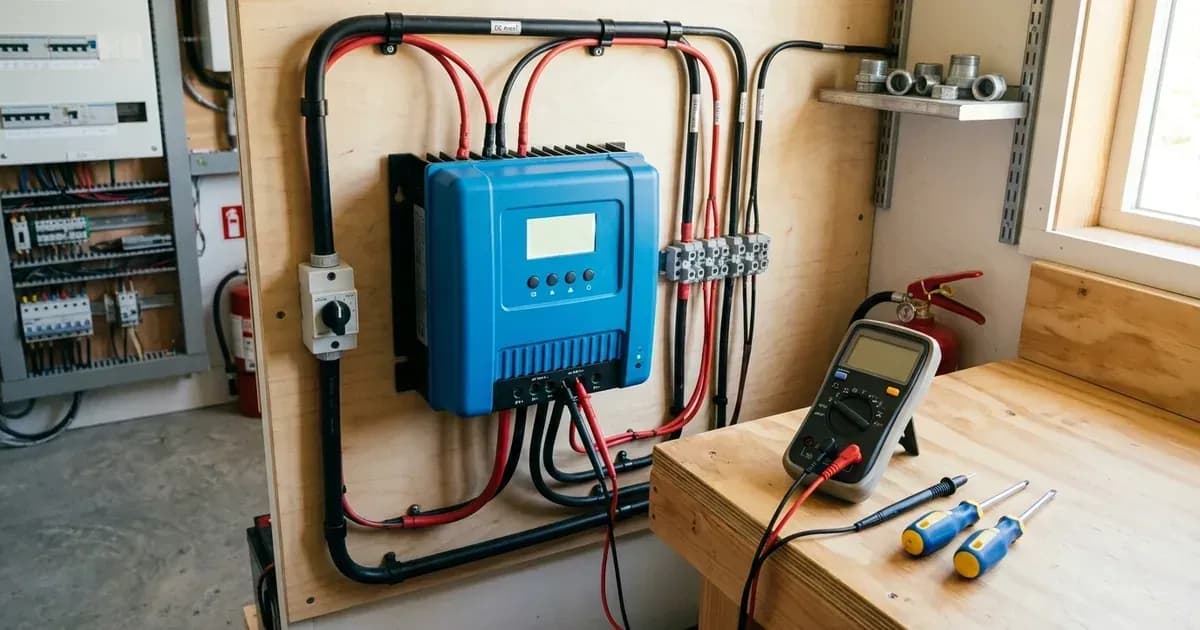
When your Victron SmartSolar MPPT charge controller displays a "PV Short" error, such as Error 38, 39, or any from 80 to 87, it indicates that the PV input has been internally shorted. This is a safety mechanism designed to protect your battery from over-charging. This guide will help you understand why these errors occur, how to diagnose the underlying issue, and provide a step-by-step procedure to reset the PV Short protection relay using VictronConnect.
Understanding Victron's PV Short Protection
Victron MPPT solar charge controllers, particularly the SmartSolar VE.Can MPPT 250/100 models with serial numbers HQ2150 and newer, incorporate a safety feature known as the PV Short Relay.
What is the PV Short Relay?
The PV Short Relay is an internal mechanism that, when triggered, "internally short[s] the PV Input in order to protect the battery from over-charging." This action prevents uncontrolled charging if the controller detects an issue that could lead to excessive voltage or current reaching the battery.
Why Does the PV Short Relay Trip?
The relay can trip for several reasons, often resulting in errors 38, 39, or 80-87:
- Internal Shorting: "When these errors show, the PV Input is internally shorted in order to protect the battery from over-charging."
- Mistriggers: A common cause is "Applying higher battery voltage than configured (e.g., 48V battery to 12V/24V/36V charger) then connecting PV array." This can confuse the charger, leading it to engage the protection.
- PV Array Faults: While the relay's primary function is internal protection, external PV array issues like insulation faults or DC earth faults can also contribute to conditions that trigger this safety mechanism. The charger may "no longer charge[] battery and PV Input resistance shows a few Ohms or lower" if the relay is engaged.
Affected Models
This specific PV Short Relay protection and its reset procedure apply to the "SmartSolar VE.Can MPPT 250/100" with "serial number HQ2150 and newer."
Diagnosing a PV Short Trip
Before attempting a reset, it's crucial to identify the potential cause to prevent immediate re-tripping or damage.
1. Check for "Mistriggers"
Consider if the error occurred after a recent installation or configuration change, especially if you were "Applying higher battery voltage than configured (e.g., 48V battery to 12V/24V/36V charger) then connecting PV array." This is a common "mistrigger" that can be resolved with a reset after correcting the battery voltage setting.
2. Inspect the PV Array for Faults
A genuine fault in your PV array can also lead to the PV Short Relay engaging.
- Visual Inspection: Look for any visible damage to PV panels, wiring, or connectors.
- Insulation Faults: Check for signs of moisture ingress or damaged cable insulation that could lead to a short circuit to ground.
- Reverse Polarity: Ensure that your PV array is connected with the correct polarity to the MPPT charger. Incorrect polarity can cause severe damage and trigger protection mechanisms.
3. Measure PV Open Circuit Voltage (VOC)
Safety Warning: Always wear appropriate personal protective equipment (PPE), including insulated gloves and eye protection, when working with solar arrays. PV arrays can produce dangerous DC voltages even in low light. Ensure all AC and DC power sources are disconnected before working on wiring.
With the PV array disconnected from the MPPT, use a multimeter to measure the open-circuit voltage (VOC) of your PV array. Compare this reading to the specifications of your solar panels and the maximum input voltage of your MPPT controller. An excessively high VOC can indicate an improper array configuration or a fault.
Safety First: Before Resetting
Attempting a reset without addressing the underlying cause can be dangerous and may damage your equipment.
Critical Safety Red Lines:
- Do NOT reset if you suspect a persistent PV array fault. If you found evidence of insulation damage, reverse polarity, or an over-voltage condition that has not been corrected, do not proceed with the reset until the fault is resolved.
- Do NOT work on live circuits. Always disconnect all power sources (PV, battery, and AC if applicable) before making or breaking electrical connections.
- Authorized Service Work: Opening the unit to clean heatsink fins or re-pin a connector is authorized-service work. Isolate PV, battery, and AC breakers, and wait the manual's capacitor-discharge time before opening the enclosure.
Step-by-Step: Resetting the PV Short Relay
The PV Short Relay Reset procedure is primarily performed using the VictronConnect app. This procedure is specifically for errors 38, 39, and 80-83. For errors 38, 84-87, a simpler power cycle might suffice: "disconnect panels, then battery, wait 3 min, reconnect battery, then panels." For Error 39, it may "auto-resume when battery voltage drops below max setting, or after 1 min."
Parameter | Required Specification | Operational Requirement |
|---|---|---|
Target Hardware | SmartSolar VE.Can MPPT 250/100 | Serial number HQ2150 and later |
Terminal Voltage | 10V to 15V (12V nominal) | Higher than 15V disables reset button in app |
App Version | VictronConnect v.580 or later | Required to access Product settings reset |
Charger Firmware | Version v3.12 or later | Must be installed on the MPPT unit |
Fault Status | No active error 80 to 83 | Power cycle the unit before reset if active |
Prerequisites for VictronConnect Reset:
- Affected Unit: The connected unit must feature the protection, specifically a "SmartSolar VE.Can MPPT 250/100" with "serial number HQ2150 and later."
- Battery Voltage: The "battery voltage to be between 10 and 15V" at the solar charger battery terminals. If the voltage is "higher than 15V, reset button is disabled in VictronConnect."
- VictronConnect Version: You need "VictronConnect v.580 or later."
- Firmware Version: The Solar Charger must have "firmware version v3.12 or later" installed.
- No Active Error 80-83: Ensure "no error 80 to 83 is active." If any are active, "power cycle the unit" first.
Procedure:
- Disconnect PV Input: "Disconnect the PV Input terminals."
- Power the Charger: "Power the solar charger through its battery terminals with a 12V battery or bench power supply set to 12V." Ensure the voltage at the battery terminals remains below 15V.
- Check for Active Errors: "Make sure no error 80 to 83 is active. If it is active, power cycle the unit."
- Open VictronConnect: Connect to your MPPT charger via VictronConnect.
- Navigate to Product Settings: "Open VictronConnect and navigate to the Product settings menu. There the PV Short reset feature is shown."
- Click RESET: "Then click the RESET button. It will gray out for a few seconds and return blue. A click might be heard." This audible click indicates the relay has disengaged.
Special Note for Specific Serial Numbers
For "SmartSolar VE.Can MPPT 250/100 with a serial number between HQ2150 and HQ2250," the reset procedure "often does not work." In such cases, you may need to "contact your dealer for replacing the MPPT under warranty."
After Resetting the Relay
Once the PV Short Relay has been reset:
- Reconnect Battery: Ensure your primary battery bank is properly connected to the MPPT charger.
- Reconnect PV Array: Carefully reconnect the PV array to the MPPT's input terminals.
- Monitor Performance: Observe the MPPT's operation using VictronConnect. Check for normal charging behavior and ensure no new errors appear. If the PV Short error recurs, there is likely an unresolved fault in your PV array or an internal issue with the MPPT that requires further investigation by a qualified technician.
FAQ
Q: What do errors 38, 39, and 80-87 mean on my Victron MPPT?
A: These errors indicate that the "PV Input is internally shorted in order to protect the battery from over-charging." This is a safety measure to prevent damage to your battery.
Q: Which Victron MPPT models have this PV Short Relay protection?
A: This protection is featured in the "SmartSolar VE.Can MPPT 250/100" models with "serial number HQ2150 and newer."
Q: Can I reset the PV Short Relay without VictronConnect?
A: The detailed "PV Short Relay Reset procedure" specifically requires the VictronConnect app. For some errors (38, 84-87), a simple power cycle (disconnecting panels, then battery, waiting 3 minutes, then reconnecting) might resolve the issue. Error 39 may "auto-resume when battery voltage drops below max setting, or after 1 min."
Q: What if the reset button is disabled in VictronConnect?
A: The reset button will be disabled if the voltage at the solar charger battery terminals is "higher than 15V." Ensure you are powering the unit with a "12V battery or bench power supply set to 12V" during the reset procedure.
Q: My SmartSolar VE.Can MPPT 250/100 (serial HQ2150-HQ2250) won't reset. What should I do?
A: For these specific serial numbers, the reset procedure "often does not work." You should "contact your dealer for replacing the MPPT under warranty."
Q: What should I do if the PV Short error keeps coming back after a reset?
A: If the error recurs, it strongly suggests an underlying issue that was not resolved. This could be a persistent fault in your PV array (e.g., insulation damage, incorrect wiring) or an internal fault within the MPPT unit itself. Disconnect all power and consult a qualified solar technician for thorough diagnosis.
Still showing the fault? Book a technician
If the steps above did not clear it, tell us the inverter or battery and the exact code. We pass it to a technician who covers your city; visit charges are quoted before they come.
How this pays for the site: the technician or verifier pays SolarNevs a fixed introduction fee. Nobody pays to be recommended, and you are free to use our free guides instead.
Frequently asked questions
What is the main purpose of Victron MPPT PV Short Relay Reset Guide (Errors 38, 39, 80-87)?
It provides official Victron Energy configuration rules, technical parameters, and step-by-step troubleshooting procedures.
How do I resolve issues related to victron pv short relay reset?
Follow the documented verification steps, check wiring and firmware, and ensure all parameters match official Victron specifications.
References
- Victron Support: Drafts - Mppt Faq — accessed 27 August 2026
- Victron Support: Ve.Direct - Mpptprefs — accessed 27 August 2026
- Victron Support: Mppt-Error-Codes — accessed 27 August 2026
- Victron Support: Mppt Pv Short Relay Reset — accessed 27 August 2026
Related guides
More from inverter errors & fixes.