Sunsynk Diesel Generator Auto-Start and Frequency Synchronisation Guide
Updated 8 September 2026 · By SolarNevs Research Desk, Dealer surveys + verified sources · 7 sources · Method ↗
Key Takeaways
- Sunsynk Classic, Elite, and Acure inverters can manage generator auto-start and charging.
- The generator must have an 'Auto' or 'Standby' mode selected for auto-start to function.
- Generators with built-in RCDs must connect to the inverter's GRID terminals, not the GEN terminals.
- Adjusting generator voltage/frequency limits in grid settings is for off-grid systems only; do not change if connected to the utility grid.
Configuring Your Sunsynk Inverter for Generator Auto-Start
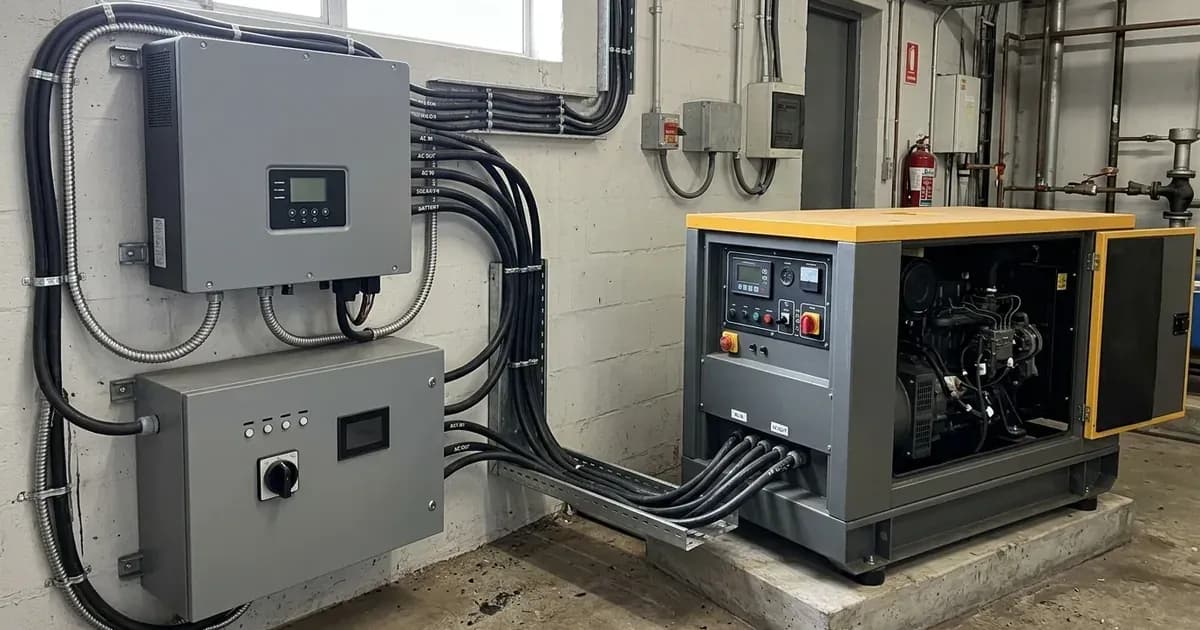
Sunsynk Classic, Elite, and Acure inverters can automatically start a connected generator based on battery state of charge (SOC) or other conditions. This functionality relies on specific wiring and inverter settings. The generator itself must have an ‘Auto’ or ‘Standby’ selection option within its Control Panel, and this option must be selected for the auto-start function to be operational.
Understanding Generator Connection Points
Your Sunsynk inverter offers flexibility in how a generator can be connected. The generator can be connected to either the inverter's GEN connection or the inverter's GRID connection, depending on your system's specific requirements.
In most cases, it is advised to use the GEN connection. However, if the GEN connection is already being used for another function (such as an auxiliary output or a string inverter input), or if your generator has built-in earth leakage detection (an RCD), then the connection method changes.
If your generator has a built-in RCD, it is not possible to use the GEN input terminals on the inverter. Instead, the generator must be connected to the GRID input terminals. In this scenario, the 'Gen connect to grid’ setting must be enabled in the inverter settings. If the generator is connected to the GEN connection, this setting should not be enabled.
For systems that use both the utility grid and a generator, the inverter cannot accept both grid and generator power simultaneously. If grid power is detected by the inverter on the GRID connections, the generator relay will open, and generator power will not be accepted.
Generator Connection and Earth-Neutral Bonding
For off-grid systems where a generator is connected to the GRID terminals, an earth-neutral (E-N) bond needs to be created at the generator itself, which should also be earthed using a local earth rod. Many generators have a built-in E-N bond; check your generator's documentation. On the load side, an E-N bond should be created in the distribution board connected to the load terminals using an NC or NO relay. Both the generator and load side earth rods should be commoned to each other to share a reference to earth.
When the 'grid' (in this case, the generator on the grid terminals) is active, it will use the E-N bond at the generator and keep the load side one isolated. When the 'grid' is lost, the relay will close/open to connect to the temporary E-N bond in the load side distribution board. When the 'grid' returns and the grid relay closes, this will disconnect the relay to the temporary E-N bond, ensuring that only one of them is in use at any time.
Wiring the Dry Contact Auto-Start Relay
To enable the auto-start function, you must connect the generator's auto-start input to specific pins on your Sunsynk inverter.
Auto-Start Connection Pins
Use the connection pins on your inverter labelled G-S or G-Start. Please note that on some single-phase low voltage inverters, the signal may instead operate on G-V or G-Valve. The 'Gen Signal' is a normally open relay that closes when the Gen Start signal state is active.
Testing the Auto-Start Trigger
To test if your generator's auto-start function is working correctly, you can perform a manual trigger test:
- Remove the ATS ‘Trigger’ Cable from the G-S or G-V pins of the inverter.
- Short the two wires together to close the loop.
- Observe if the generator starts up. It may take up to 30 seconds for the generator to auto-start.
Inverter Settings for Generator Control
Several settings within your Sunsynk inverter control how it interacts with a connected generator. These settings are typically found in the Battery Settings and Aux Load menus.
Setting | What it does | What to set it to |
|---|---|---|
Gen connect to grid | Enables generator connection to GRID terminals, required if generator has RCD. | Enabled if generator is on GRID terminals with RCD; Disabled if generator is on GEN terminals. |
On Batt (Aux Load) | Sets the battery SOC percentage at which the generator will be triggered to start. | A percentage value above the current battery SOC% that indicates when generator assistance is needed. |
Gen Start (Battery Settings) | Sets the battery SOC percentage below which the generator will be triggered to start charging. | The same percentage value as 'On Batt' in Aux Load, above the current battery SOC%. |
Gen Charge | Enables the inverter to accept power from the generator for battery charging. | Enabled for generator charging. |
Generator Peak Shaving Power | Defines the maximum power (in Watts) the inverter can pull from the generator. | A value to prevent overloading the generator, especially if its rating is smaller than the inverter's. |
Gen Amps | Limits the charging current (in Amperes) from the generator to the batteries. | A value based on DC voltage (Power = Current x Voltage) to control battery charging rate. |
Gen Force | Forces the generator to start when connected, overriding SOC conditions. | Enabled to force start; Disabled for normal SOC-based operation. |
GEN MAX RUN TIME | Sets the maximum continuous operating time for the generator. | A duration (e.g., in hours) after which the inverter will shut down the generator. |
GEN DOWN TIME | Sets the minimum time the generator must remain off before it can run again. | A duration (e.g., in hours) to prevent frequent short cycling of the generator. |
Generator Auto-Start Logic (Classic/Elite/Acure)
The inverter's auto-start logic depends on whether the system timer is enabled:
- With the system timer disabled: The generator auto-start will trigger when the battery SOC% falls below the 'Gen Load ON Batt' percentage. The batteries will then charge until the SOC% reaches the 'GEN Load OFF Batt' percentage.
- With the system timer enabled: The generator auto-start will trigger when the battery SOC% falls below the 'Gen Load ON Batt' percentage. The batteries will charge until the timer target SOC% is reached, but only during the time periods when 'GEN charge' is ticked in the timer settings. The highest SOC that can be obtained from generator charging is fixed at 95%. For more details on timers, refer to our guide on sunsynk-system-mode-and-timer-settings.
Generator Charging Current Limits
The 'Gen Amps' setting determines the power used to charge the batteries from the generator. This current is based on the DC voltage, following the formula Power = Current x Voltage. You can adjust this value to control the charging rate and ensure it is appropriate for your battery bank and generator capacity. For more information on charge rates, see our guide on sunsynk-battery-charge-discharge-rates.
Off-Grid Frequency Synchronisation
In off-grid scenarios, the Sunsynk inverter needs to synchronise with the generator's output. If the generator voltage or frequency falls outside the default range of the inverter, the upper and lower limits for voltage and frequency can be adjusted in the grid settings.
Important Safety Note: If your system is also connected to the utility grid (Eskom or municipality), these grid settings must not be changed, as they apply to both the generator and the grid connection. Changing them could violate your connection agreement or compromise grid stability. This adjustment is primarily for dedicated off-grid systems.
What you can change yourself, and what you cannot
As a system owner, you can safely adjust settings like 'On Batt', 'Gen Start', 'Gen Charge', 'Generator Peak Shaving Power', 'Gen Amps', 'Gen Force', 'GEN MAX RUN TIME', and 'GEN DOWN TIME' to optimise your generator's operation and battery charging strategy. These settings primarily affect the performance and efficiency of your system during load-shedding or off-grid use.
However, settings related to 'Gen connect to grid' and any adjustments to generator voltage/frequency parameters in the grid settings should ideally be configured by a registered person. Incorrectly altering these can affect grid protection, earthing, and compliance with local electrical standards like national grid connection standards. Any work involving physical wiring of the generator to the inverter, especially for systems connected to the utility grid, requires a qualified electrician and may necessitate an updated Certificate of Compliance (CoC).
What the published sources do not tell you
While Sunsynk provides comprehensive guidance on generator integration, some specifics are not detailed in the general support articles. For instance, detailed wiring diagrams for connecting a generator's auto-start relay to the G-S, G-Start, G-V, or G-Valve pins are not explicitly provided, often deferring to the inverter manual. Specific default frequency ranges for Sunsynk inverters are also not explicitly stated, although the ability to adjust them is mentioned. Furthermore, while the formula "Power = Current x Voltage" is given for calculating 'Gen Amps', concrete examples or typical DC voltages for this calculation are not provided, meaning you will need to apply this formula based on your specific battery bank's voltage.
Frequently asked questions
How do I connect a generator to my Sunsynk inverter?
Generators can connect to either the inverter's GEN or GRID terminals. The GEN connection is recommended unless the generator has built-in earth leakage detection (RCD), in which case it must connect to the GRID terminals with the 'Gen connect to grid' setting enabled.
What pins are used for Sunsynk generator auto-start?
For auto-start, use the G-S or G-Start connection pins on your Sunsynk inverter. Some single-phase low voltage inverters may use G-V or G-Valve pins instead. The generator's control panel must have an 'Auto' or 'Standby' option selected.
How does Sunsynk generator peak shaving work?
Generator Peak Shaving Power is a setting that tells the inverter the maximum power it can draw from the generator. This prevents overloading the generator if its rating is smaller than the inverter's capacity, balancing the load between the generator and the inverter's battery or other sources.
Can I adjust generator voltage and frequency limits on my Sunsynk inverter?
Yes, if your generator's voltage or frequency falls outside the inverter's default range, you can adjust the upper and lower limits in the grid settings. However, if your system also uses the utility grid, these settings must not be changed as they apply to both sources.
What is the recommended generator size for a Sunsynk inverter?
It is advised to use a generator with twice the rated output of the inverter's power. This allows the generator to charge batteries and power loads simultaneously without being overloaded.
References
- Sunsynk Support - Classic/Elite/Acure - Generator Connections — accessed 27 August 2026
- Sunsynk Support - Classic/Acure/Elite - Using a generator with an RCD — accessed 27 August 2026
- Sunsynk Support - Classic/Acure/Elite - Generator Auto-Start is not operating — accessed 27 August 2026
- Sunsynk Support - Classic/Acure/Elite - Generator Settings — accessed 27 August 2026
- Sunsynk Support - Classic/Acure/Elite - Understanding the Battery Settings — accessed 27 August 2026
- Sunsynk Support - Classic/Elite/Acure - Earth-Neutral Bond Guide for Generator connected to Grid Terminals — accessed 27 August 2026
- Sunsynk Support - Classic/Acure/Elite - AC Coupled System Guide — accessed 27 August 2026
Related guides
More from inverter errors & fixes.