SMA Data Manager M And Ennexos Commercial Plant Control Guide
Updated 15 September 2026 · By SolarNevs Research Desk, Dealer surveys + verified sources · 4 sources · Method ↗
Key Takeaways
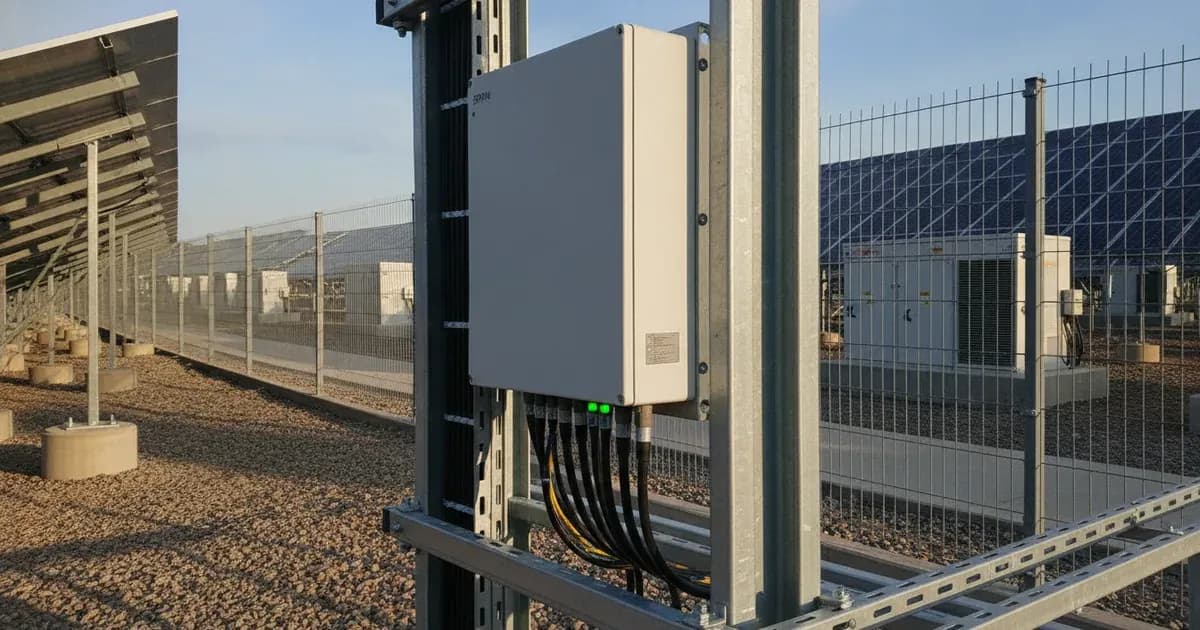
- The SMA Data Manager M (EDMM-10) acts as the central communication gateway and grid control interface for commercial solar plants.
- It enables closed-loop dynamic zero export regulation, allowing you to configure maximum allowable export power to 0 Watts.
- Install Current Transformer (CT) clamps with their arrows pointing towards household loads, away from the grid incomer.
- Always ensure complete AC circuit isolation and lock-out before installing CT clamps on live busbars.
What is the SMA Data Manager M and ennexOS?
The SMA Data Manager M (EDMM-10) is a central component for managing commercial solar plants. It serves as the "central communication gateway and grid control interface for commercial solar plants." This device is crucial for ensuring that your solar installation operates efficiently and in compliance with grid regulations.
The Data Manager M integrates with ennexOS, SMA's cloud platform. ennexOS provides "real-time cloud telemetry" and allows for advanced energy management. For systems with battery storage, the ESS assistant within ennexOS "dynamically manages battery charge and discharge based on grid tariffs and load."
How to Implement Dynamic Export Limitation
One of the primary functions of the SMA Data Manager M is to control the export of solar power to the grid. This is particularly important for commercial installations that may have specific export limits, including zero export. The system supports "Closed-Loop Dynamic Zero Export Regulation."
To achieve this, you must "Enable Feed-in Limitation in FoxCloud settings and configure maximum allowable export power to 0 Watts." This setting ensures that your solar plant does not send excess electricity back to the grid, helping you comply with local utility requirements.
Integrating Energy Meters and CT Clamps
Accurate energy measurement is vital for effective plant control. The SMA Data Manager M facilitates "RS485 and Modbus TCP Energy Meter Integration." This allows the system to communicate with smart meters to monitor energy flow.
When connecting an energy meter, you should "Connect RS485 differential communication wires A and B from the smart meter to the Meter port on the inverter."
For current measurement, Current Transformer (CT) clamps are used. Proper installation is critical. You must "Install Current Transformer clamps with arrows pointing towards the household loads away from the grid incomer." This orientation ensures that the Data Manager M accurately measures the power consumed by your site and the power flowing to or from the grid.
Safety Warning: Installing CT clamps involves working with electrical systems. You must "Ensure complete AC circuit isolation and lock-out before installing CT clamps on live busbars." Failure to do so can result in serious injury or death. This work should only be performed by a qualified and accredited installer.
Ensuring Reliable Communication and Earthing
For the SMA Data Manager M to function correctly, reliable communication and proper earthing are essential. The system requires robust network connections. You should "Maintain shielded twisted-pair cabling and verify proper RS485 communication baud rate settings." Shielded cabling helps prevent interference, ensuring consistent data transfer between components.
Protective bonding is also a critical safety measure. You must "Bond inverter chassis ground and battery metal enclosure to the main installation earthing terminal." This provides a safe path for fault currents, protecting equipment and personnel.
Grid Compliance and Commercial Scope
The SMA Data Manager M is designed to meet stringent grid compliance standards. It features "Certified Anti-Islanding Grid Protection," which is a safety mechanism that ensures the solar plant disconnects from the grid during a power outage, protecting utility workers.
The system offers "Global Electrical Network Support" and is "Compatible with standard single-phase and three-phase electrical distribution systems globally." This makes it a versatile solution for various commercial environments. It is "Engineered for residential and commercial off-grid and grid-parallel energy storage systems worldwide," demonstrating its broad application scope. Beyond basic export control, the SMA Data Manager M also "complies with utility grid management mandates including reactive power control (cos phi) and active power curtailment."
What you can check yourself, and what you cannot
System Component / Task | Plant Owner Scope (Visual & Telemetry) | Accredited Installer Scope |
|---|---|---|
Data Manager M (EDMM-10) | Monitor status indicator LEDs and ennexOS cloud telemetry | Commission gateway and configure dynamic zero-export limits (0W) |
Energy Meter & RS485 Link | Visual inspection of external shielded communication cables | Terminate RS485 A/B lines to meter port and verify baud rate |
CT Clamp Orientation | Verify CT arrows point toward load away from grid incomer | Isolate and lock out AC circuits before mounting CTs on busbars |
Earthing & Protective Bonding | Check integrity of external bonding conductors | Bond inverter chassis and battery enclosure to main earth terminal |
Grid Control Parameters | Review power output and export metrics on ennexOS | Configure reactive power (cos phi) and active power curtailment |
As a plant owner, you can perform some basic checks to ensure your SMA Data Manager M system is operating as expected:
- Visual Inspection: You can visually check that all communication cables are securely connected to the Data Manager M and associated inverters or meters.
- CT Clamp Orientation: You can verify that the CT clamps are physically installed with their arrows pointing in the correct direction, towards the loads and away from the grid incomer.
- System Status Indicators: Check any visible status lights or basic display messages on the Data Manager M for obvious fault indications.
However, certain tasks require the expertise of an accredited installer due to safety and technical complexity:
- AC Circuit Isolation and Lock-out: The critical safety step of isolating and locking out AC circuits before working on live busbars for CT clamp installation must be done by a qualified professional.
- Protective Bonding: Ensuring the inverter chassis ground and battery enclosure are correctly bonded to the main earthing terminal is an installer's responsibility.
- Configuration Changes: Adjusting settings like "Feed-in Limitation in FoxCloud settings" or verifying "RS485 communication baud rate settings" should be handled by an installer to maintain grid compliance and system integrity.
- Troubleshooting Complex Faults: Any issues beyond simple visual checks, especially those related to grid compliance or internal component failures, require an accredited technician.
What the published sources do not tell you
While official documentation provides essential details for the SMA Data Manager M, some specifics are not publicly detailed:
- Specific ennexOS Configuration Steps: official documentation states to "Enable Feed-in Limitation in FoxCloud settings," but it does not provide a step-by-step guide or screenshots of the ennexOS interface for this configuration.
- Detailed Reactive Power Control Values: While it mentions compliance with "reactive power control (cos phi)," the specific default or configurable cos phi values for different grid operators are not provided. These often vary by local Distribution Network Operator (grid operator) requirements.
- Active Power Curtailment Percentages: official documentation notes compliance with "active power curtailment," but it does not specify the typical percentage limits or how these are configured or managed in practice for various grid scenarios.
- Specific Grid Operator Requirements: The document outlines general grid compliance, but the precise, granular requirements of individual Distribution Network Operators (grid operators) in Great Britain, which can vary, are not detailed. These are often found in grid operator-specific connection agreements or engineering recommendations.
Add a battery at a surveyed price
Installers quote supply and fitting of the battery on this page for your existing or new system.
How this pays for the site: installers pay SolarNevs a fixed introduction fee when we pass them a genuine enquiry. They cannot pay to appear higher, and our surveyed prices are published before any introduction. You can also take our dated price tables straight to any installer.
Frequently asked questions
What are the primary technical requirements for sma data manager m and ennexos commercial plant control guide?
Key requirements include compliance with local grid codes, correct equipment certification, and proper electrical isolation.
Who is authorized to install and inspect sma data manager m and ennexos commercial plant control guide?
All high-voltage DC, AC grid tie-in, and switchboard modifications must be performed by a qualified, accredited electrical professional.
How is export power limited in sma data manager m and ennexos commercial plant control guide?
Export limiting is achieved using certified bidirectional smart meters or power sensors providing dynamic feedback to the inverter system.
References
- SMA Data Manager M (EDMM-10) operating manual - Modbus client profiles, active power limitation and setting zero export — accessed 6 September 2026
- SMA Data Manager M product page - RS-485/Modbus TCP meter interfaces and grid-compliant power control at the point of interconnection — accessed 6 September 2026
- SMA manual - Operation of the user interface of products powered by ennexOS (energy management, battery configuration, grid management service) — accessed 6 September 2026
- NEPRA (Prosumer) Regulations 2026, SRO 251(I)/2026 - protection requirements, disconnect device and UL 1741 inverter compliance for grid-connected distributed generation (PDF) — accessed 6 September 2026
Related guides
More from what to buy — and how not to get cheated.