Sorotec REVO Inverter Overload Fault: Troubleshooting and Fixes
Updated 7 September 2026 · By SolarNevs Research Desk, Dealer surveys + verified sources · 2 sources · Method ↗
Key Takeaways
- An overload means your Sorotec REVO inverter is attempting to supply more power than its maximum rated capacity.
- The first and most critical step is to immediately reduce the electrical load connected to the inverter.
- Always disconnect all power sources (solar, battery, grid) before inspecting any wiring or internal components. Be aware that capacitors can store dangerous voltage; wait for discharge time and note that opening the unit may void warranty. Refer to the 'Safety' section for full details.
- If the overload persists after reducing loads and checking external connections, professional assistance is required.
Why is my Sorotec REVO inverter showing an overload fault?
Your Sorotec REVO inverter displays an overload fault when the total power drawn by connected appliances exceeds its design limit. This is most commonly caused by too many high-power devices operating simultaneously. For example, a REVO VM IV 3.6kw/5.6kw model has a specific power ceiling, and exceeding it will trigger an overload. The first action you should take is to immediately disconnect non-essential electrical loads from the inverter.
Diagnosis
Troubleshooting an overload fault on your Sorotec REVO inverter involves a series of checks to identify the source of excessive power demand.
- Check the Inverter Display or Monitoring App:
- What to look for: Your Sorotec REVO inverter will typically show an error message or a specific indicator for overload. Models like the REVO VM IV feature a large 5″ colored LCD that will display status. For units with built-in Wi-Fi, such as the REVO VM II PRO or REVO VM V, you may receive instant fault alerts via a mobile monitoring app.
- What it means: An active overload message confirms the inverter is protecting itself from excessive current draw.
- Identify Connected Loads:
- What to look for: Make a list of all appliances currently running through the inverter. Pay close attention to high-wattage items like air conditioners, water heaters, motors, or multiple large appliances.
- What it means: This helps you understand the total power demand on the system.
- Systematically Disconnect Loads:
- What to look for: Turn off or unplug non-essential appliances one by one. After each disconnection, observe if the overload fault clears on the inverter display.
- What it means: If the fault clears after disconnecting a specific appliance, that appliance or combination of appliances was likely pushing the system over its limit.
- Verify Inverter Capacity:
- What to look for: Check the nameplate or specifications of your specific Sorotec REVO inverter model. For instance, a REVO VM IV is available in 3.6kw/5.6kw variants, while REVO VM V models come in 6kW/8kW/11kW options.
- What it means: Ensure that the total power of your typical connected loads does not consistently exceed your inverter's maximum continuous output.
- Inspect for Short Circuits:
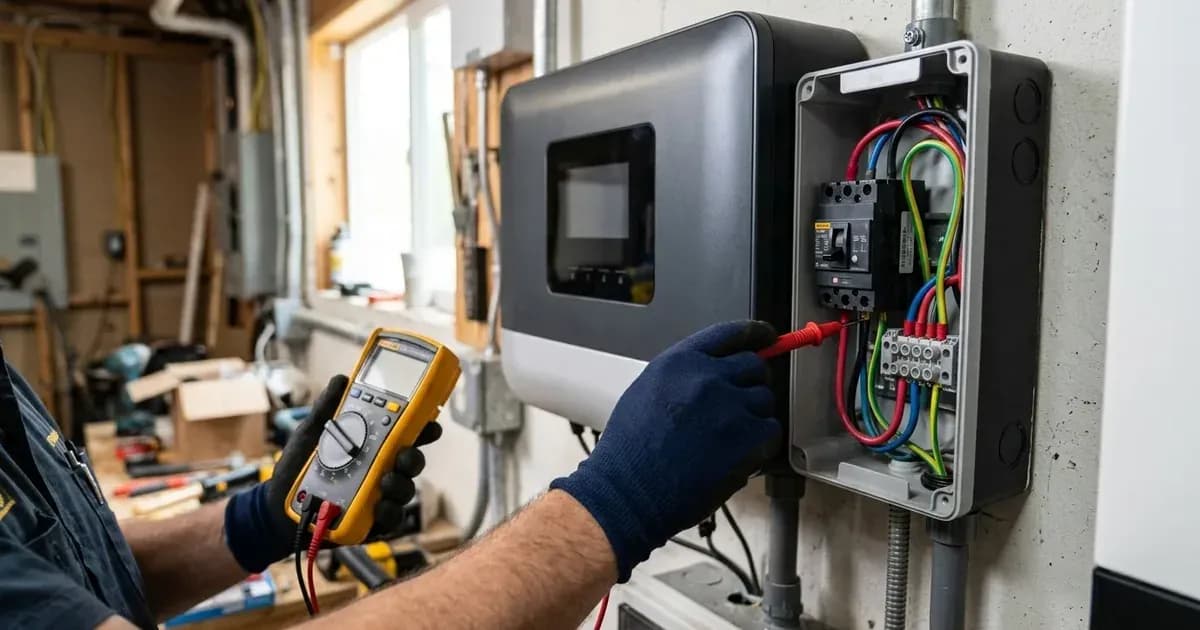
- What to look for: With all power disconnected (AC, DC, and solar), visually inspect all wiring from the inverter to your distribution board and connected appliances. Be aware that capacitors can store dangerous voltage; wait for discharge time and note that opening the unit may void warranty. Refer to the 'Safety' section for full details. Look for damaged insulation, loose connections, or exposed wires that could be touching. Use a multimeter to check for continuity between live and neutral/ground wires on disconnected circuits.
- What it means: A short circuit creates an extremely high current draw, which the inverter will interpret as an overload and shut down to prevent damage.
- Check Parallel System Configuration (if applicable):
- What to look for: If you have multiple Sorotec REVO inverters operating in parallel (e.g., REVO VM IV supports up to 9 units, REVO VM V up to 6 units for a total capacity of 66kW with 11kW units, or iHESS L3P G2 up to 15 units), ensure they are correctly configured and balanced. Consult your system installer or the inverter manual for proper parallel setup.
- What it means: Improper parallel configuration can lead to one inverter taking on an disproportionate share of the load, causing it to overload even if the total system capacity is sufficient.
Cause/fix table section
Symptom detail | Likely cause | Fix |
|---|---|---|
Inverter displays overload and shuts down immediately | Total connected load exceeds inverter's maximum output capacity | Disconnect non-essential appliances. Reduce simultaneous use of high-power devices. |
Overload occurs when a specific high-power appliance is turned on | Appliance's startup (inrush) current or running wattage is too high for the inverter | Avoid using that appliance with the inverter, or upgrade to a higher capacity Sorotec REVO inverter (e.g., from 3.6kw to 5.6kw for REVO VM IV, or 6kW to 11kW for REVO VM V). |
Overload occurs intermittently, especially during peak usage times | Cumulative load from multiple appliances occasionally exceeds capacity | Implement load management strategies; stagger the use of high-power appliances. |
Overload occurs even with minimal load, or after adding a new circuit | Short circuit in connected wiring or faulty appliance | Disconnect all loads. Inspect wiring for damage. Test individual circuits/appliances for short circuits. |
Overload in a parallel inverter system | Uneven load distribution or incorrect parallel configuration | Verify parallel communication and load sharing settings. Consult a technician for re-balancing. |
Inverter-Side Checks vs. Battery-Side Checks
When troubleshooting an overload, the focus is primarily on the inverter's output and the loads it is supplying.
- Inverter-Side Checks: These involve verifying the inverter's capacity (e.g., 3.6kw, 5.6kw, 6kW, 8kW, 11kW for various REVO models), checking its display for specific overload messages, and ensuring proper parallel operation if multiple units are installed. The inverter's internal protection mechanisms are designed to prevent damage from excessive current draw.
- Battery-Side Checks: While an inverter overload is not directly a battery problem, a severely undercharged battery bank can sometimes cause the inverter to struggle and potentially trip under normal loads. However, the primary cause of an overload fault is almost always related to the power demand exceeding the inverter's output capability, not the battery's state of charge. If the battery voltage drops too low, the inverter would typically trigger a low battery alarm or shutdown, not an overload.
Safety:
Working with solar inverters and electrical systems carries significant risks. Always prioritize safety.
- Disconnect Power: Before inspecting any wiring or components, ensure all power sources to the inverter are disconnected: grid AC input, solar PV input, and battery bank.
- Capacitor Discharge: Inverters contain capacitors that can store dangerous voltage even after power is disconnected. Always wait for a minimum of 5-10 minutes for capacitors to discharge after disconnecting all power sources. For absolute safety, use a multimeter to verify zero voltage before touching internal components. Note that specific discharge times may vary by model and are typically found in the manufacturer's manual, which was not available for Sorotec in this context.
- Insulated Tools: Use only insulated tools when working on electrical connections.
- Short Circuit Risk: A spanner or other metal object across battery terminals or inverter connections can cause a severe short circuit, leading to sparks, fire, and serious injury.
- Authorized Service: Opening the inverter enclosure is generally authorized service work and may void your warranty.
When to call a technician instead
While basic load management and visual inspections can be performed safely, there are clear limits to DIY troubleshooting for an overload fault.
You should call a qualified solar technician if:
- The overload fault persists even after you have disconnected all non-essential loads.
- You suspect a short circuit within your home's wiring or an appliance, and you are not comfortable or equipped to safely diagnose it.
- The inverter repeatedly trips on overload without clear cause, suggesting an internal fault.
- You have a parallel inverter system (e.g., multiple REVO VM IV, REVO VM V, or iHESS L3P G2 units) and suspect a configuration issue.
- You are unsure about any step in the troubleshooting process. Attempting repairs beyond your expertise can lead to further damage to the inverter, other electrical components, or personal injury. There is no warranty information available to confirm if DIY repairs void the warranty, but it is a common industry practice.
Still showing the fault? Book a technician
If the steps above did not clear it, tell us the inverter or battery and the exact code. We pass it to a technician who covers your city; visit charges are quoted before they come.
How this pays for the site: the technician or verifier pays SolarNevs a fixed introduction fee. Nobody pays to be recommended, and you are free to use our free guides instead.
Frequently asked questions
What is an inverter overload on a Sorotec REVO system?
An inverter overload occurs when the total power demand from connected appliances exceeds the maximum output capacity of your Sorotec REVO inverter or parallel inverter system. Sorotec REVO inverters, such as the 3.6kw/5.6kw REVO VM IV or 6kW/8kW/11kW REVO VM V models, are designed with specific power limits.
How do I know if my Sorotec REVO inverter is overloaded?
Your Sorotec REVO inverter will typically display an overload alert on its screen, such as the large 5″ colored LCD on the REVO VM IV, or via a mobile monitoring app if your model (like the REVO VM V or REVO VM II PRO) has built-in Wi-Fi and app alerts. The inverter may also shut down to protect itself.
What causes an overload on a Sorotec REVO inverter?
The most common cause is connecting too many high-power appliances simultaneously, exceeding the inverter's rated capacity. In parallel systems, incorrect configuration or an imbalance in load distribution across units (e.g., REVO VM IV supports up to 9 units, REVO VM V up to 6 units for 66kW total, iHESS L3P G2 up to 15 units) can also lead to an overload.
Can I prevent overload on my Sorotec REVO inverter?
Yes, you can prevent overload by understanding your inverter's maximum power output (e.g., 3.6kw, 5.6kw, 6kw, 8kw, 11kw depending on model) and managing your connected loads. Avoid running multiple high-wattage appliances at the same time. Ensure proper sizing of your inverter to your typical power needs.
When should I call a technician for a Sorotec REVO overload fault?
If the overload fault persists after you have reduced the connected load, checked for short circuits, and verified all wiring connections, it is time to call a qualified technician. This is especially true if the inverter repeatedly trips or if you suspect an internal fault within the unit.
References
- Sorotec Powers PK - Product Pages — accessed 23 August 2026
- Sorotec Power - Product Pages — accessed 23 August 2026
Related guides
More from inverter errors & fixes.