Victron Cerbo GX and BMS CAN-Bus Integration Guide
Updated 8 September 2026 · By SolarNevs Research Desk, Dealer surveys + verified sources · 2 sources · Method ↗
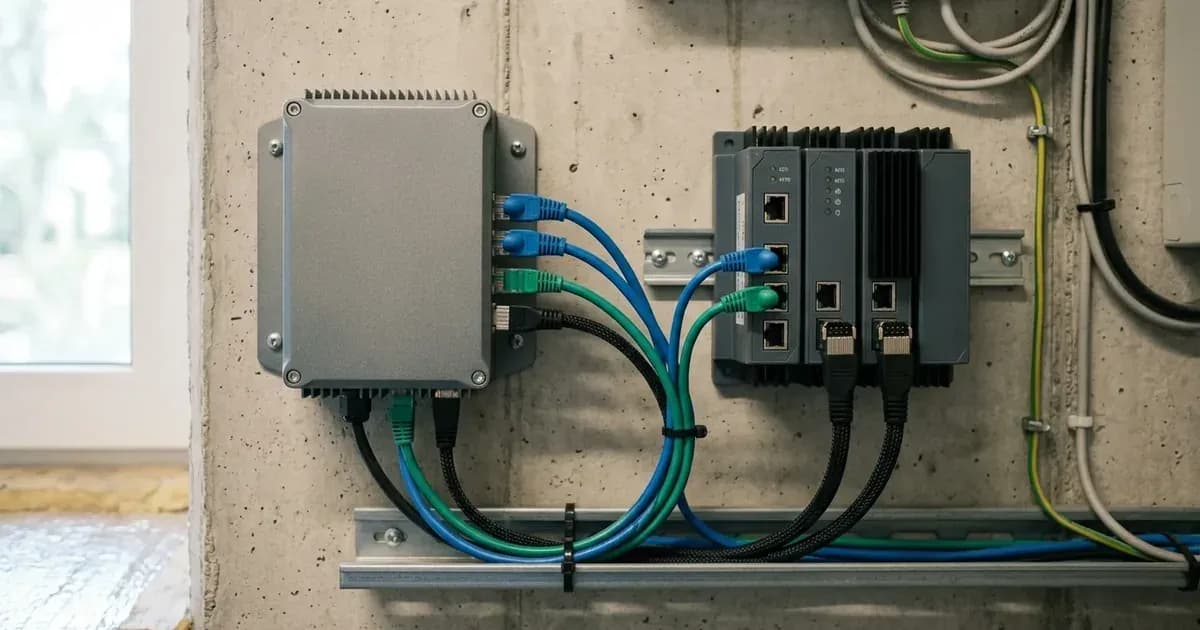
The Victron Cerbo GX is a critical component for managing and monitoring complex energy systems, acting as the central communication controller. This guide details how to integrate your Cerbo GX with compatible battery management systems (BMS) via the BMS-Can port, connect Victron SmartSolar MPPT charge controllers, and leverage the Victron Remote Management (VRM) portal for diagnostics.
Understanding the Cerbo GX as a Central Controller
Interface / Port | Connected Equipment & Protocol | Configuration & Pinout Specification | Operational Function |
|---|---|---|---|
BMS-Can / VE.Can | Lithium Battery BMS (Pylontech, BYD, Freedom Won, Dyness) | RJ45 cable; 500 kbps baud rate; Type A cable with pins 7/8 (CAN-H/L) for Pylontech | Automatic two-way closed-loop telemetry and charge/discharge control |
VE.Direct | Victron SmartSolar MPPT charge controllers | Dedicated VE.Direct communication cable | Real-time solar yield telemetry and MPPT controller management |
Ethernet / Wi-Fi | Local network router / Internet gateway | Standard IP networking connection | Real-time diagnostics, remote config, and cloud logging via VRM Portal |
GX Touch 50 | Dedicated display interface | Plug-and-play touchscreen display connection | Local system overview, real-time metrics, and on-site menu navigation |
The Cerbo GX, along with the GX Touch 50, serves as the central communication controller for your Victron Energy system. It links various components, including inverters, MPPTs, smart meters, and battery BMS, providing a unified point of control and data acquisition. This centralized approach simplifies system management and enhances overall performance. The Cerbo GX is designed for universal compatibility, suitable for marine, mobile, residential, and industrial off-grid and hybrid energy systems.
Integrating Batteries via the BMS-Can Port
For seamless communication with your lithium battery system, the Cerbo GX features a dedicated VE.Can / BMS-Can port. This port enables automatic two-way communication with compatible battery BMS units.
Supported Battery Systems
The Cerbo GX supports integration with several leading battery manufacturers, including:
BMS-Can Configuration
To establish communication, connect your lithium battery BMS to the dedicated VE.Can / BMS-Can port using a pin-compatible RJ45 communication cable. It is crucial to set the BMS-Can port baud rate to 500 kbps.
For Pylontech batteries, specifically ensure a type A VE.Can to CAN-bus cable is used, with pins 7/8 (CAN-H/L) mapped correctly for proper communication.
Connecting MPPT Charge Controllers with VE.Direct
Victron SmartSolar MPPT charge controllers communicate with the Cerbo GX through dedicated VE.Direct communication ports. This connection allows the Cerbo GX to monitor and control the charge controllers, integrating their data into the overall system overview.
Remote Monitoring with the VRM Portal
The Cerbo GX extends its capabilities by connecting to the Victron Remote Management (VRM) portal. This connection, established via Ethernet or Wi-Fi, enables live diagnostics and remote monitoring of your entire system from anywhere in the world. The VRM portal provides valuable insights into system performance, historical data, and allows for remote configuration adjustments.
Safety Protocols for Installation and Maintenance
Adhering to safety protocols is paramount when working with electrical systems. The Cerbo GX system is designed with safe electrical isolation protocols in mind and complies with international microgeneration safety and grid protection standards.
Always follow these guidelines:
- De-energize and Isolate: Before wiring voltage measurement lines, de-energize the main distribution board and isolate circuit breakers.
- Capacitor Discharge Time: When opening inverter wiring compartments, switch off all AC and DC isolators and wait at least 5 minutes to allow capacitors to discharge.
- Protective Grounding: Ensure all distribution and controller enclosures are securely bonded to earth using a protective grounding conductor.
These measures help prevent electrical hazards and ensure the safe operation and maintenance of your Victron Energy system.
Get three dated installer quotes for this system
Tell us your city and your summer electricity bill. We pass your number to up to three vetted installers who quote against the surveyed prices on this page, so nobody can quote you Rs 5 a watt over market.
How this pays for the site: installers pay SolarNevs a fixed introduction fee when we pass them a genuine enquiry. They cannot pay to appear higher, and our surveyed prices are published before any introduction. You can also take our dated price tables straight to any installer.
Frequently asked questions
What are the essential requirements for victron cerbo gx and bms can bus integration guide?
Verify system specifications, local regulations, and standard installation safety procedures prior to commissioning.
How do I ensure regulatory compliance?
Ensure all equipment is approved on relevant regulatory registries and installed by accredited certified professionals.
References
- Victron Energy Cerbo GX (official product page and manual) — accessed 27 August 2026
- Victron VRM (Victron Remote Monitoring) Portal Manual — accessed 27 August 2026
Related guides
More from sizing, net billing & installation.