SolarEdge Commercial Energy Meter And Dynamic Feed In Limitation Guide
Updated 15 September 2026 · By SolarNevs Research Desk, Dealer surveys + verified sources · 3 sources · Method ↗
Key Takeaways
- SolarEdge Commercial Energy Meters and High-Current Split-Core CTs (100A–1000A) enable precise export control for commercial solar installations.
- Current Transformer (CT) clamps must be installed with arrows pointing towards the loads and away from the grid incomer for accurate measurement.
- RS485 Modbus RTU communication requires specific wiring to the inverter's Meter port and proper baud rate settings.
- Dynamic feed-in limitation is configured in FoxCloud settings, allowing you to set the maximum allowable export power, typically to 0 Watts.
Understanding SolarEdge Commercial Metering for Export Control
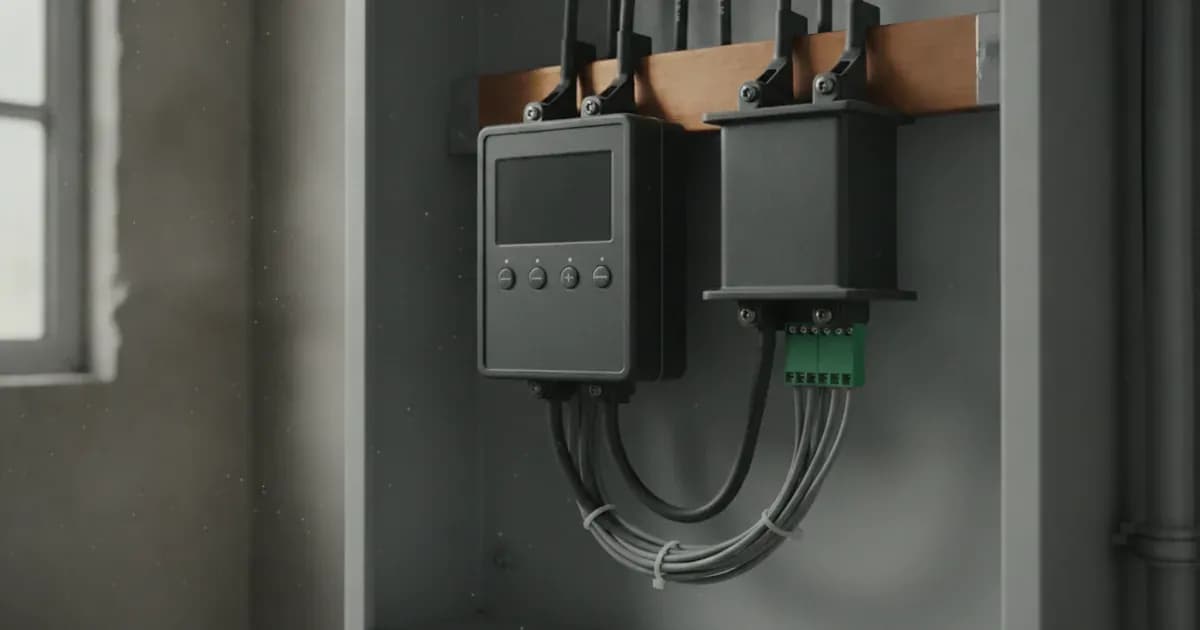
Solar photovoltaic (PV) systems in commercial settings often require precise control over the amount of electricity exported to the grid. This is particularly true when grid connection agreements specify strict export limits, or even zero export. The SolarEdge Commercial Energy Meter, used with high-current split-core Current Transformers (CTs), provides the necessary measurement and control capabilities.
This system relies on RS485 Modbus RTU communication to send real-time energy data from the meter to the SolarEdge inverter. The inverter then uses this data to manage the PV system's output, ensuring that it complies with any dynamic feed-in limitation settings. The CTs measure the current flow at the point of common coupling, allowing the system to determine net energy flow to or from the grid.
Installing High-Current Split-Core CTs Safely and Correctly
Correct installation of the Current Transformer (CT) clamps is critical for accurate energy measurement and effective export limitation. These CTs are designed for high-current applications, ranging from 100A to 1000A, making them suitable for many commercial installations.
Safety First: Before you begin any work involving CT clamps on live busbars, ensure complete AC circuit isolation. This means disconnecting all power sources to the electrical panel and implementing a lock-out procedure. This step is non-negotiable to prevent electric shock and ensure installer safety.
CT Clamp Orientation: The direction in which the CT clamps are installed is crucial. Install Current Transformer clamps with arrows pointing towards the household loads. The arrows must point away from the grid incomer. This orientation tells the meter the direction of current flow, allowing it to differentiate between power consumed by the site and power exported to the grid.
Table: CT Clamp Installation Summary
Component | Installation Rule | Safety Precaution |
|---|---|---|
High-Current Split-Core CTs | Arrows point towards household loads, away from grid incomer. | Ensure complete AC circuit isolation and lock-out before installing CT clamps on live busbars. |
Wiring the RS485 Modbus RTU Communication
The SolarEdge Commercial Energy Meter communicates with the inverter using the RS485 Modbus RTU protocol. This connection is essential for the inverter to receive real-time energy data and implement dynamic export control.
Connection Steps:
- Locate the Meter port on your SolarEdge inverter.
- Connect the RS485 differential communication wires, labelled A and B, from the smart meter to the corresponding A and B terminals on the Meter port of the inverter.
- Use shielded twisted-pair cabling for this connection. Shielded cables help to prevent electromagnetic interference, ensuring reliable data transmission over longer distances and in electrically noisy environments.
- Verify proper RS485 communication baud rate settings in the inverter's configuration. Mismatched baud rates will prevent communication between the meter and inverter.
Table: RS485 Wiring Details
Parameter | Verbatim Wiring Rule / Configuration Standard |
|---|---|
RS485 Modbus RTU Differential Wiring | Connect RS485 differential communication wires A and B from the smart meter to the Meter port on the inverter. |
Shielded Twisted-Pair Communication Integrity | Maintain shielded twisted-pair cabling and verify proper RS485 communication baud rate settings. |
Configuring Dynamic Feed-In Limitation in SetApp and FoxCloud
Once the SolarEdge Commercial Energy Meter and CTs are physically installed and wired, the next step is to configure the dynamic feed-in limitation settings. This is typically done through the SolarEdge SetApp for initial setup and FoxCloud for ongoing management.
Configuration Steps:
- SetApp Configuration: In SolarEdge commercial meter installations, configure the meter rating and CT ratio in SetApp to match the physical CT primary current rating. This step ensures the meter accurately interprets the current measurements from the CTs.
- FoxCloud Settings: To enable the dynamic export control, you must enable Feed-in Limitation in FoxCloud settings.
- Set Export Limit: Configure the maximum allowable export power. For zero export requirements, this value should be set to 0 Watts. This setting instructs the inverter to adjust its power output to prevent any energy from being sent back to the grid beyond the specified limit.
The system's Real-Time Cloud Telemetry, managed by the ESS assistant, dynamically manages battery charge and discharge based on grid tariffs and load, further optimising energy flow within these limitations.
Troubleshooting Common CT and Communication Issues
Even with careful installation, issues can arise. Understanding common problems and their indicators can help in quick diagnosis.
Inverted CT Clamp Installation: A common issue is incorrect CT clamp orientation. If you observe negative power flow during high household consumption, this indicates an inverted CT clamp installation. The CT clamp needs to be removed, flipped, and reinstalled so that its arrow points correctly towards the loads and away from the grid incomer.
RS485 Communication Problems: If the inverter is not receiving data from the meter, check the RS485 communication. Ensure the A and B wires are connected to the correct terminals. Verify that the shielded twisted-pair cabling is intact and properly terminated. Also, confirm that the baud rate settings in the inverter match those of the meter. Communication integrity is paramount for the dynamic limitation to function.
What you can check yourself, and what you cannot
As a system owner or operator, there are specific checks you can perform, but certain tasks must be left to accredited professionals.
What you can check yourself:
- Visual Inspection: You can visually inspect the CT clamps to ensure their arrows are pointing in the correct direction (towards loads, away from grid incomer).
- System Monitoring: Monitor the SolarEdge monitoring portal (FoxCloud) for any indications of negative power flow during high consumption, which points to an inverted CT.
- Basic Connectivity: Ensure that all visible cables connected to the meter and inverter appear secure and undamaged.
What you cannot check yourself:
- CT Clamp Installation/Reorientation: Any physical work involving the CT clamps, especially on live busbars, requires complete AC circuit isolation and lock-out procedures. This must be performed by a qualified and accredited installer to ensure safety and compliance with electrical regulations.
- RS485 Wiring Modifications: Modifying or repairing the RS485 wiring, particularly inside the inverter or meter, should only be done by an authorised technician.
- Inverter or Meter Internal Settings: While you can view settings in FoxCloud, making changes to critical configuration parameters like meter rating, CT ratio, or baud rates in SetApp should be done by an accredited installer. Incorrect settings can lead to inaccurate measurements or system malfunction.
- Main Earthing Terminal Bonding: The bonding of the inverter chassis ground and battery metal enclosure to the main installation earthing terminal is a critical safety measure and must be performed by a qualified electrician.
What the published sources do not tell you
While the provided official documentation details specific installation and configuration rules, it does not cover every potential scenario or nuance of a commercial SolarEdge installation.
For instance, official documentation provides specific instructions for wiring and CT orientation but does not detail the physical mounting requirements for the commercial energy meter itself, or best practices for cable management within a commercial electrical panel. It also does not specify the exact baud rate for RS485 communication, only that it needs to be verified. These details can vary based on the specific inverter model, local electrical codes, and the overall complexity of the commercial site.
Furthermore, while it mentions compatibility with global electrical networks and universal residential/commercial scope, it does not delve into specific regional grid codes or utility requirements that might impose additional constraints beyond the basic feed-in limitation. Always consult local regulations and the full SolarEdge installation manuals for your specific equipment and region.
Add a battery at a surveyed price
Installers quote supply and fitting of the battery on this page for your existing or new system.
How this pays for the site: installers pay SolarNevs a fixed introduction fee when we pass them a genuine enquiry. They cannot pay to appear higher, and our surveyed prices are published before any introduction. You can also take our dated price tables straight to any installer.
Frequently asked questions
What are the primary technical requirements for solaredge commercial energy meter and dynamic feed in limitation guide?
Key requirements include compliance with local grid codes, correct equipment certification, and proper electrical isolation.
Who is authorized to install and inspect solaredge commercial energy meter and dynamic feed in limitation guide?
All high-voltage DC, AC grid tie-in, and switchboard modifications must be performed by a qualified, accredited electrical professional.
How is export power limited in solaredge commercial energy meter and dynamic feed in limitation guide?
Export limiting is achieved using certified bidirectional smart meters or power sensors providing dynamic feedback to the inverter system.
References
- NEPRA (Prosumer) Regulations 2026, SRO 251(I)/2026 — interconnection of distributed generation up to 1 MW, metering and protection apparatus at the interconnection point, manual visual-break isolation — accessed 6 September 2026
- LESCO Net Metering — interconnection process flow chart, application checklist, installer inspection certificate and list of certified vendors/installers — accessed 6 September 2026
- Modbus.org — MODBUS over Serial Line Specification and Implementation Guide V1.02 (RTU mode, two-wire RS485 balanced twisted pair, matching baud rates) (PDF) — accessed 6 September 2026
Related guides
More from what to buy — and how not to get cheated.