Victron Generator Auto Start/Stop Relay Configuration
Updated 8 September 2026 · By SolarNevs Research Desk, Dealer surveys + verified sources · 2 sources · Method ↗
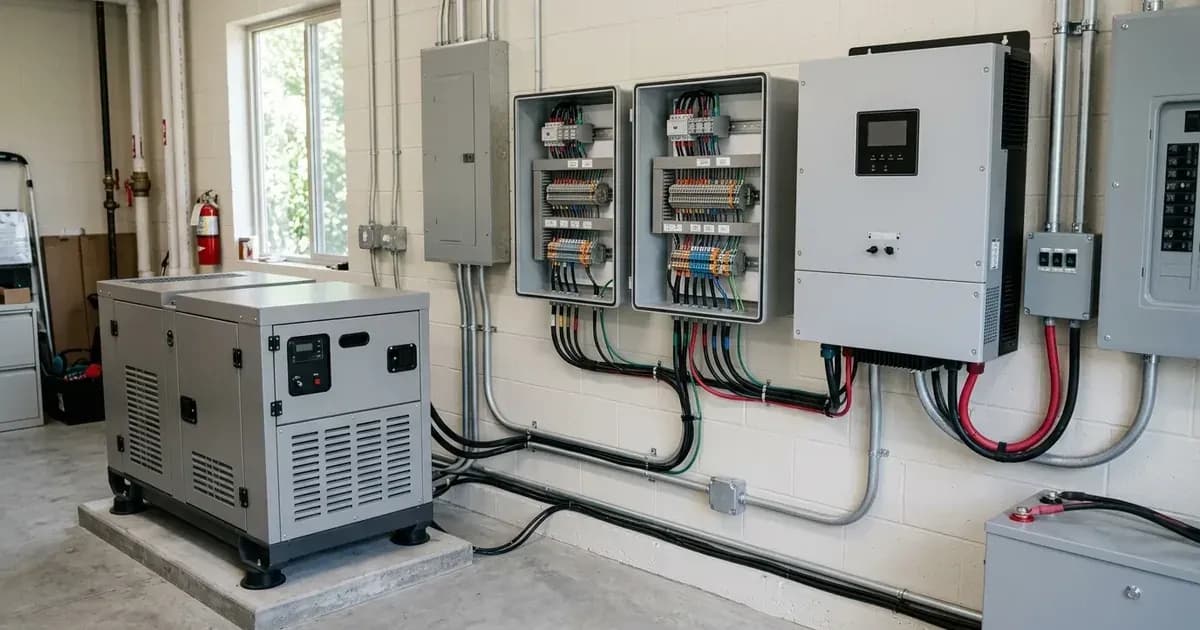
Automating Your Generator with Victron GX Devices
Victron Energy GX devices, such as the Cerbo GX, CCGX, and Ekrano GX, offer advanced capabilities to automate the start and stop of a compatible generator. This automation ensures your battery bank remains charged, handles high AC loads, and performs routine maintenance, all without manual intervention. This guide details how to configure the generator auto start/stop function using the built-in potential-free relays on your GX device.
How Victron Auto Start/Stop Works
The core of the Victron generator auto start/stop system relies on the GX device's ability to monitor your system's critical parameters—like battery State of Charge (SoC), DC voltage, and AC load—and then activate a relay based on configurable conditions. This relay acts as a dry contact switch, signaling your generator's remote start input to turn on or off.
Important Note: This functionality requires a generator equipped with an automated remote start module. Generators with only manual recoil start cannot be automated using this method.
Wiring the Generator Remote Start Relay
Your GX device features programmable relay contacts (Relay 1 and Relay 2) that are potential-free, meaning they provide a simple switch closure without supplying voltage. These relays have Normally Open (NO), Normally Closed (NC), and Common (COM) terminals.
- Identify Generator Input: Consult your generator's manual to determine if its remote start input requires a Normally Open (NO) or Normally Closed (NC) contact closure to start.
- Isolate Power: Before making any connections, ensure all power sources to the GX device and the generator's control panel are isolated.
- Connect Wiring:
- Connect one wire from your generator's remote start input to the COM terminal on the GX device's chosen relay (e.g., Relay 1).
- Connect the other wire from your generator's remote start input to either the NO (Normally Open) or NC (Normally Closed) terminal on the GX device's relay, depending on your generator's requirement.
- The system also supports inverting the relay polarity in software to accommodate open-to-run or close-to-run generator control panels.
Configuring Auto Start/Stop on Your GX Device
The generator auto start/stop settings are accessed through the Venus OS interface on your GX device.
1. Accessing the Generator Start/Stop Menu
Navigate to the "Generator start/stop" menu on your GX device's display or via the VRM Portal. Here, you will define the conditions that trigger your generator to start and stop.
2. Setting Relay Polarity
If your generator requires a specific relay state (e.g., a closed contact to run), you can invert the relay polarity within the GX device settings. This allows the GX device to accommodate various generator control panels.
3. Defining Start Conditions
You can configure multiple conditions that will trigger the generator to start. The generator will start if any of these conditions are met.
- Battery State of Charge (SoC):
- Configure the generator to start when the battery State of Charge falls below a specified threshold. For example, you might set it to start if the SoC drops below 20% to 50%.
- Battery Voltage:
- Set a voltage threshold with a time delay. For instance, the generator can start if the battery voltage is below 46V for more than 60 seconds. This prevents short-cycling due to momentary voltage dips.
- AC Load Surge:
- The generator can start if the total AC load exceeds the inverter's capacity. This is useful for systems with occasional high loads that surpass the inverter's continuous rating, ensuring sustained loads are met.
- Battery Current:
- Trigger a generator start based on a sustained high DC discharge current. This helps protect battery life by preventing prolonged high-current discharges.
4. Warm-Up and Cool-Down Delays
To ensure optimal generator operation and longevity, configure warm-up and cool-down delays:
- Warm-Up Delay: This delay occurs after the generator starts but before it connects to the AC load. This allows the engine to reach operating temperature.
- Cool-Down Delay: This delay occurs after the generator has finished charging or supplying loads, but before it stops. This allows the engine to cool down gradually.
5. Minimum Run Time
To prevent short-cycling of the generator engine, especially during temporary load spikes, configure a minimum run time. The generator will run for at least this duration once started, regardless of whether the start condition is immediately resolved.
6. Quiet Hours Restriction
You can define "Quiet Hours" during which the generator's automatic start is suppressed. For example, you might set quiet hours from 22:00 to 07:00. During this period, the generator will only start if a critical State of Charge threshold is reached, overriding the quiet hours to protect the battery bank.
7. Periodic Test Run Mode
To ensure your generator remains operational and ready for use, enable the automatic periodic test run function. For example, you can configure it to run for 15 minutes once every 14 days. This helps to exercise the engine and fuel system.
8. MultiPlus AC Input Detection
The GX device monitors the AC input status of connected MultiPlus or Quattro inverters. This allows it to confirm that the generator is synchronized and providing stable AC power before advancing charge cycles, ensuring a smooth transition.
9. Remote Manual Override
Even with full automation, you retain control. You can manually start or stop the generator at any time directly from the VRM Portal or the local GX Touch display. This override function is useful for maintenance or specific operational needs.
Conclusion
Configuring the automatic generator start/stop function on your Victron GX device provides a robust and reliable solution for managing your off-grid or hybrid power system. By carefully setting the various conditions and delays, you can optimize battery life, ensure continuous power availability, and extend the lifespan of your generator. Always ensure your generator is compatible with remote start functionality and follow all safety guidelines during installation and maintenance.
Frequently asked questions
What are the main configuration steps for victron generator auto start stop relay configuration?
Configuration is performed via the GX Touch interface, VRM Portal, or VictronConnect / VEConfigure tools.
How does this feature protect system equipment?
It ensures stable operation within safe electrical thresholds, balancing energy efficiency against equipment service life.
References
- Victron Energy Auto Generator Start-Stop Manual — accessed 27 August 2026
- Victron Cerbo GX Technical Manual — accessed 27 August 2026
Related guides
More from sizing, net billing & installation.