Deye and Sunsynk Inverter Zero Export and Grid Limitation Settings Guide
Updated 8 September 2026 · By SolarNevs Research Desk, Dealer surveys + verified sources · 1 source · Method ↗
Key Takeaways
- Deye and Sunsynk inverters offer specific settings to control or prevent power export to the grid, crucial for compliance with your local DISCO's net-metering rules.
- Understand the difference between 'Zero Export to Load' and 'Zero Export to CT' modes to ensure your system behaves as intended.
- The 'Max Sell Power' setting allows you to enforce a static limit on grid export, aligning with local utility requirements.
- Opening the inverter, working on AC or DC connections, or modifying grid protection settings requires a registered person and compliance with your DISCO's net-metering interconnection requirements.
How to configure Deye and Sunsynk inverters for zero export and grid limitation
Deye and Sunsynk hybrid inverters provide a range of settings to manage how your solar energy system interacts with the utility grid. These settings allow you to prevent or limit power export, ensuring compliance with local regulations and optimising your self-consumption. Understanding these configurations is key to operating your system effectively and safely.
Understanding Grid Export Limitation Modes
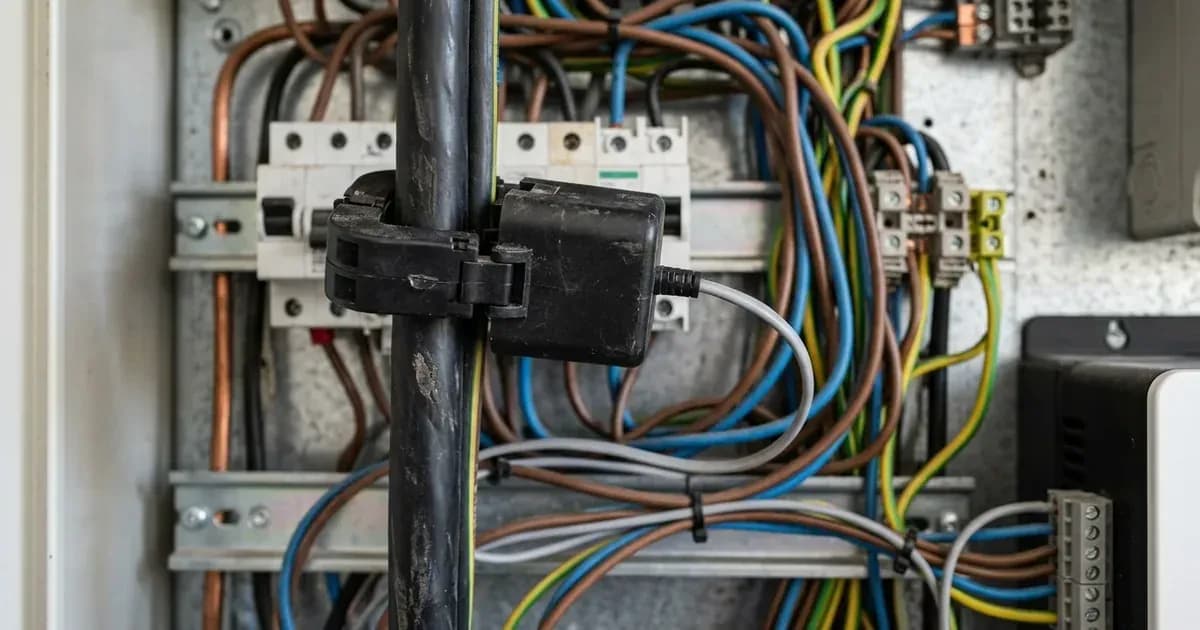
Hybrid inverters control grid interaction by monitoring power flow and adjusting solar generation or battery discharge. This is typically achieved using a Current Transformer (CT) clamp installed on your main grid supply, which measures the net power flowing in or out of your property. The inverter then uses this information to manage its output.
Deye and Sunsynk inverters offer two primary modes for preventing grid export:
Mode | What it means | Primary Use Case |
|---|---|---|
Zero Export to Load Mode | In this mode, the inverter matches solar generation strictly to the loads connected to the backup/UPS output port. No power is exported to the grid, and non-essential loads connected directly to the grid are not supplied by solar. | Ideal for installations where no grid interaction is permitted, or where only critical loads are to be powered by solar and battery. |
Zero Export to CT Mode | In this mode, the inverter supplies both home essential loads and upstream non-essential loads without feeding energy to the grid. The CT clamp ensures that the total power drawn from the grid is zero or positive (importing). | Maximises self-consumption across the entire property, ensuring all active loads are met by solar and battery before any power is drawn from the grid, but without exporting. |
Choosing the correct mode depends on your specific installation and any requirements from your local DISCO or NEPRA's net-metering regulations.
Setting Maximum Sell Power (kW) Limits
Beyond preventing export entirely, you can also set a specific limit on the amount of power your inverter is allowed to feed back into the grid.
The 'Max Sell Power' setting allows you to configure a static kW limit on the maximum export power allowed to flow back into the utility grid. This is useful if your municipality or utility allows a limited amount of grid feedback, or if you have a specific agreement in place. By setting this limit, your inverter will automatically curtail solar generation or battery discharge to ensure the export threshold is not exceeded.
Advanced Grid Management Features
Deye and Sunsynk inverters include additional features to enhance grid management and optimise energy usage:
- Grid Peak Shaving Feature: This function automatically supplements grid power with battery energy when the total load exceeds a configured grid peak shaving limit. This helps to reduce your peak demand from the utility grid, potentially lowering your electricity bill if you are on a time-of-use tariff.
- Smart Load Control Output: The smart load output port can be programmed to automatically power high-draw appliances, such as water heaters or pool pumps, only during periods of solar surplus. This ensures that excess solar energy is used efficiently within your home rather than being curtailed or exported.
- Micro-Inverter / Aux Input Mode: The multifunctional AUX port can be configured to integrate existing grid-tied microinverters into the controlled hybrid energy system. This allows for a more comprehensive energy management solution if you have multiple generation sources.
- Generator Frequency Tracking: When operating in generator mode, the inverter monitors frequency to regulate charging power and avoid engine stalling. This ensures stable operation and longevity of your generator when integrated with the inverter system.
What you can check yourself, and what you cannot
You can typically access and adjust the zero export and grid limitation settings through your inverter's display panel or via the Solarman / Sunsynk Connect monitoring application. These settings are usually found under menus related to "Grid Parameters," "Work Mode," or "Export Control."
However, certain operations and checks must be performed by a qualified professional:
- Opening the Inverter: Never open the inverter's casing yourself. This exposes live electrical components and voids your warranty.
- Working on AC or DC Connections: Any work involving the main AC grid connection, PV strings, or battery connections must be done by a registered electrician or solar installer, in line with your DISCO's net-metering interconnection requirements and local electrical safety codes.
- Grid Disconnect Voltage Thresholds: While the inverter has programmable overvoltage and undervoltage grid protection trip limits, these settings must comply with local distribution utility codes. Adjusting these without proper knowledge can compromise grid stability and safety.
For your safety and to ensure compliance with local electrical regulations, always consult a registered professional for installation, maintenance, or any modifications that involve opening the inverter or working on high-voltage connections.
Safety First: Working with Your Inverter
Before performing any checks or adjustments that require touching the inverter's wiring compartment, always follow the manufacturer's safety procedures.
- Safe DC Disconnect Practice: Turn the DC rotary isolator switch OFF and wait at least 5 minutes for internal capacitors to discharge before opening the wiring compartment. This waiting period is critical to prevent electric shock from stored energy.
- Anti-Islanding Protection Standard: Deye and Sunsynk inverters are certified to international anti-islanding standards (such as IEC 62116, NRS 097-2-1, AS/NZS 4777.2). This protection prevents back-feeding during power outages, ensuring the safety of utility workers. Do not attempt to bypass or alter these safety features.
What the published sources do not tell you
While Deye and Sunsynk provide comprehensive documentation for their inverters, specific details regarding permissible export limits often depend on your local DISCO or NEPRA's net-metering regulations. The manufacturer's documentation outlines the inverter's capabilities, but it does not specify the exact kW limits or connection requirements for every region in Pakistan.
Additionally, official scheme guidelines does not provide a detailed step-by-step guide for navigating every menu option on the inverter's display or within the monitoring app. While the principles of the settings are clear, the precise button presses or app navigation paths may vary slightly between firmware versions or specific inverter models (e.g., SUN-3.6K/5K/8K/12K-SG01/SG04 versus SUN-10K/12K-SG04LP3 3-Phase Series). Always refer to the specific user manual for your inverter model for detailed operational instructions. The sheet also notes that in three-phase installations, 'Asymmetrical Phase Feeding' should only be enabled if local utility regulations permit independent phase balancing, a detail not universally applicable.
Frequently asked questions
What is the difference between Zero Export to Load and Zero Export to CT mode?
In 'Zero Export to Load' mode, the inverter matches solar generation strictly to the loads connected to the backup/UPS output port. 'Zero Export to CT' mode allows the inverter to supply both home essential loads and upstream non-essential loads without feeding energy to the grid.
How do I limit the power my Deye or Sunsynk inverter sells to the grid?
You can configure the 'Max Sell Power' setting to enforce a static kW limit on the maximum export power allowed to flow back into the utility grid. This setting helps comply with specific municipal or utility export limits.
What is Grid Peak Shaving on a Deye or Sunsynk inverter?
Grid Peak Shaving automatically supplements grid power with battery energy when the total load exceeds a configured grid peak shaving limit. This feature helps reduce peak demand drawn from the utility grid.
What is the Smart Load Control Output used for?
The smart load output port can be programmed to automatically power high-draw appliances, such as water heaters, only during periods of solar surplus. This optimises self-consumption of generated solar energy.
What safety precautions should I take before working on my Deye or Sunsynk inverter?
Always turn the DC rotary isolator switch OFF and wait at least 5 minutes for internal capacitors to discharge before opening the wiring compartment. Any work inside the inverter or on AC/DC connections must be performed by a registered person.
References
- Deye hybrid inverter manuals (official product-manual download center) — accessed 27 August 2026
Related guides
More from sizing, net billing & installation.