Victron ESS Modes: A Guide to Energy Storage System Operation
Updated 8 September 2026 · By SolarNevs Research Desk, Dealer surveys + verified sources · 4 sources · Method ↗
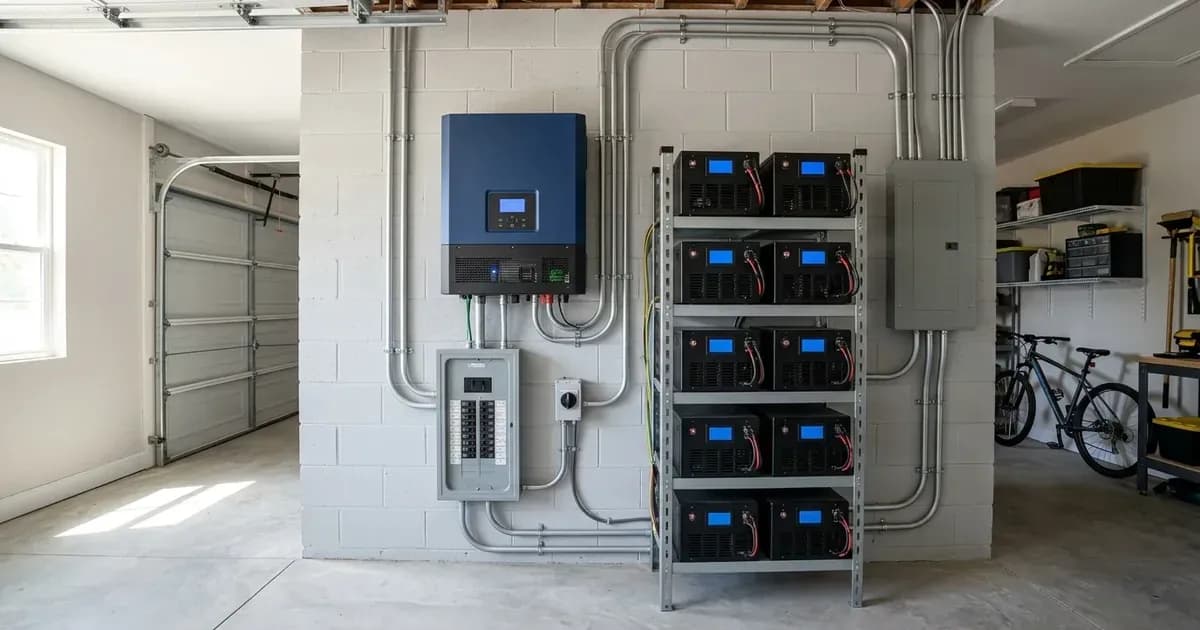
Victron Energy Storage System (ESS) is a flexible solution for managing solar power, battery storage, and grid interaction. It allows users to optimize self-consumption, participate in energy trading, and control grid feed-in. This guide details the various ESS modes and their operational parameters.
Understanding Victron ESS Modes
ESS Mode | Control Architecture | Primary Operational Strategy | Modbus-TCP Control Registers |
|---|---|---|---|
ESS Mode 1 | Internal GX automated algorithm | Optimized self-consumption with automated BatteryLife cycling | N/A (Automated by Venus OS) |
ESS Mode 2 | Hybrid (GX base + external controller) | Time-shifting, load management, and external tariff optimization | Register |
ESS Mode 3 | External master control loop | Fully custom control loop and external grid measurement logic | Registers |
Dynamic ESS | Dynamic cloud / tariff-driven | Green Mode (self-consumption) or Trade Mode (market arbitrage) | VRM Dynamic ESS schedule & price feeds |
Victron ESS operates through different modes, each designed for specific energy management strategies. These modes are configured via a Victron GX device, such as the Cerbo GX, which runs Venus OS.
ESS Mode 1: Standard Operation
ESS Mode 1, also known as "Optimized with BatteryLife," is the default and most common mode. It automates the use of solar energy and battery storage to maximize self-consumption.
In this mode, the system prioritizes using solar power for immediate loads. Any excess solar energy is then used to charge the battery. Once the battery is charged, surplus solar can be exported to the grid (if enabled). When solar power is insufficient, such as in the evening or at night, the system discharges the battery to power loads, reducing reliance on the grid.
The system's operation is described as: "The system runs automatically, and uses excess energy harvested during the day to fill the gaps when there is not enough PV power available. Typically in the evening and night."
ESS Mode 2: Advanced Control
ESS Mode 2 builds upon the standard operation of Mode 1 by allowing for custom external control. This mode is suitable for advanced users or integrators who wish to implement their own energy management algorithms.
With Mode 2, you can integrate external systems for:
- Time Shifting: Charging batteries during off-peak hours and discharging during peak hours.
- Load Management: Prioritizing or shedding loads based on specific criteria.
- Other Optimization: Implementing custom logic for energy flow.
This mode is described as: "Same as Mode 1, but with added custom control doing time shifting, load management or other energy management optimization algorithms."
For external control, the grid power setpoint can be adjusted using Modbus-TCP register 2716.
ESS Mode 3: Custom Implementation
ESS Mode 3 offers the highest level of customization, giving users full control over the system's behavior. In this mode, the MultiPlus or Quattro inverter/chargers act as "simple, remote controllable, bidirectional inverter/chargers."
This mode is for users who want to "self implements their control loop and grid measurements." It requires the customer to manage all aspects of energy flow, including grid interaction and battery charging/discharging logic.
For external control, the grid power setpoint on the AC input for single or multi-phase systems can be controlled via Modbus-TCP registers 37, 40, and 41.
Dynamic ESS
Dynamic ESS is an advanced feature that allows for more sophisticated energy management, particularly for optimizing grid interaction based on energy prices or specific goals. It offers two primary sub-modes: Green Mode and Trade Mode.
Green Mode
Green Mode prioritizes self-consumption and battery reservation while also allowing for grid export and opportunistic charging.
- Surplus Solar: "Sell surplus solar power back to the grid after covering your consumption and charging the battery."
- Battery Use: "Reserve battery energy for your own use."
- Opportunistic Charging: "Charge your battery when prices are low to save more."
Trade Mode
Trade Mode is designed for maximizing trading opportunities with the grid, where the battery is primarily used for buying and selling energy.
- Surplus Solar: "Always sell surplus solar power back to the grid."
- Battery Use: "Use the battery energy to take advantage of trading opportunities."
- Opportunistic Charging: "Charge your battery when it’s most beneficial for trading."
Scheduled Charging
The ESS allows setting specific time slots for charging the battery from the grid. This feature is useful for taking advantage of off-peak electricity rates or ensuring batteries are topped up before anticipated high-demand periods. While the functionality exists, detailed configuration steps for specific time slots are documented in the main ESS manual.
Grid Feed-in Limiting (Zero Export)
Controlling grid feed-in is crucial for compliance with local grid regulations or for maximizing self-consumption. Victron ESS offers several methods for limiting or eliminating export to the grid.
AC-Thor Integration
When integrated with an AC-Thor device, the system can precisely limit grid feed-in by diverting excess energy to a resistive load, such as a water heater.
- Feed-in Limit: "AC-Thor will control the energy sent to the boiler so that the energy sent to the grid is approximately 50W."
Dynamic ESS Limiting
Dynamic ESS can also limit grid feed-in to prevent overcurrent during export scenarios.
- Limiting Mechanism: "to prevent overcurrent during export, system limits solar production and battery discharge."
ESS Menu Option
A dedicated option within the ESS menu allows users to set a specific watt limit for grid feed-in.
- Watt Limit: "About the existing "Limit system feed-in" option in the ESS menu, in watts: if you have both set, the lower of the two is followed for feeding in DC-coupled PV." This means if both a watt limit and an AC current limit are set, the system will adhere to the more restrictive of the two for DC-coupled PV.
Configuration and Monitoring
Victron ESS modes and parameters are typically configured and monitored through a GX device and the Victron Remote Management (VRM) portal.
GX Device Connectivity
To enable remote monitoring and updates, the GX device (e.g., Cerbo GX) needs internet connectivity. This can be achieved via:
- Ethernet: Connect the GX device to the internet using an Ethernet cable.
- WiFi: Use a WiFi module or built-in WiFi (depending on the GX model) to connect.
VRM Portal
The VRM portal, accessible at vrm.victronenergy.com, provides comprehensive monitoring and remote control capabilities for your ESS.
- Remote Console: Access the GX device's interface remotely through VRM or locally on your network.
- Remote Firmware Updates: "Remotely update internet-connected products straight from the VRM Portal" (requires a GX device).
- Remote VEConfigure: "Remotely change settings in our MultiPlusses, MultiGrid, MultiPlus-II, Quattros and high power Inverters; all power products with a VE.Bus communication port" via the VRM Portal (requires a GX device).
Firmware Updates
Keeping your Victron equipment updated is essential for optimal performance and access to new features.
- GX Devices: Can update automatically via the internet or manually via an SD card.
- Inverter/Chargers & MPPTs: Firmware updates are performed using VictronConnect software.
Frequently asked questions
What is the main purpose of Victron ESS Modes: A Guide to Energy Storage System Operation?
It provides official Victron Energy configuration rules, technical parameters, and step-by-step troubleshooting procedures.
How do I resolve issues related to victron ess modes?
Follow the documented verification steps, check wiring and firmware, and ensure all parameters match official Victron specifications.
References
- Victron Support: Ess - Start — accessed 27 August 2026
- Victron Support: Venus-Os - Start — accessed 27 August 2026
- Victron Support: Actor Ess — accessed 27 August 2026
- Victron Support: Ess - Ess Mode 2 And 3 — accessed 27 August 2026
Related guides
More from sizing, net billing & installation.